Anyone who has named a company knows the small ritual of hope and dread that comes with it. You land on a word that finally feels right, you type it into a domain search to see if the .com is free, and for a moment the whole thing feels possible. Then a quieter question shows up, usually a little too late: is this name actually available, or does someone already own it?
We’ve spent twenty years helping people answer the first half of that question. Instant Domain Search has powered close to half a billion searches, and in that time we’ve watched the same pattern play out over and over — founders fall for a name, buy the domain, start building, and only much later think to check whether the name is already trademarked. By then they’re attached.
So we built Instant Trademark Search: a fast, free way to look up any US trademark the moment you’re weighing a name, right next to the domain search you’re already doing.
The trademark question is harder to answer than it should be
If you’ve ever tried to check a trademark yourself, you know the options aren’t great.
The official source is the USPTO’s trademark database. It’s authoritative and it’s free, but it was built for trademark examiners and attorneys, not for a founder with a shortlist of names and ten minutes to spare. Every search reloads the page. The interface assumes you already know what a “design code” or an “international class” is. It’s a good place to confirm something officially, but too slow and clunky to explore.
The alternative is the pile of “free trademark search” sites that show up when you go looking. Most of them are really the front door to a service: you type in a name, you get a teaser of results, and then you’re nudged toward a few hundred dollars of filing fees. The search isn’t the product; it’s the bait.
We wanted something that sat in between: as trustworthy as the official record, but as quick and pleasant to use as a good domain search. Something you’d actually reach for early, while the names are still soft and changeable.
What Instant Trademark Search does
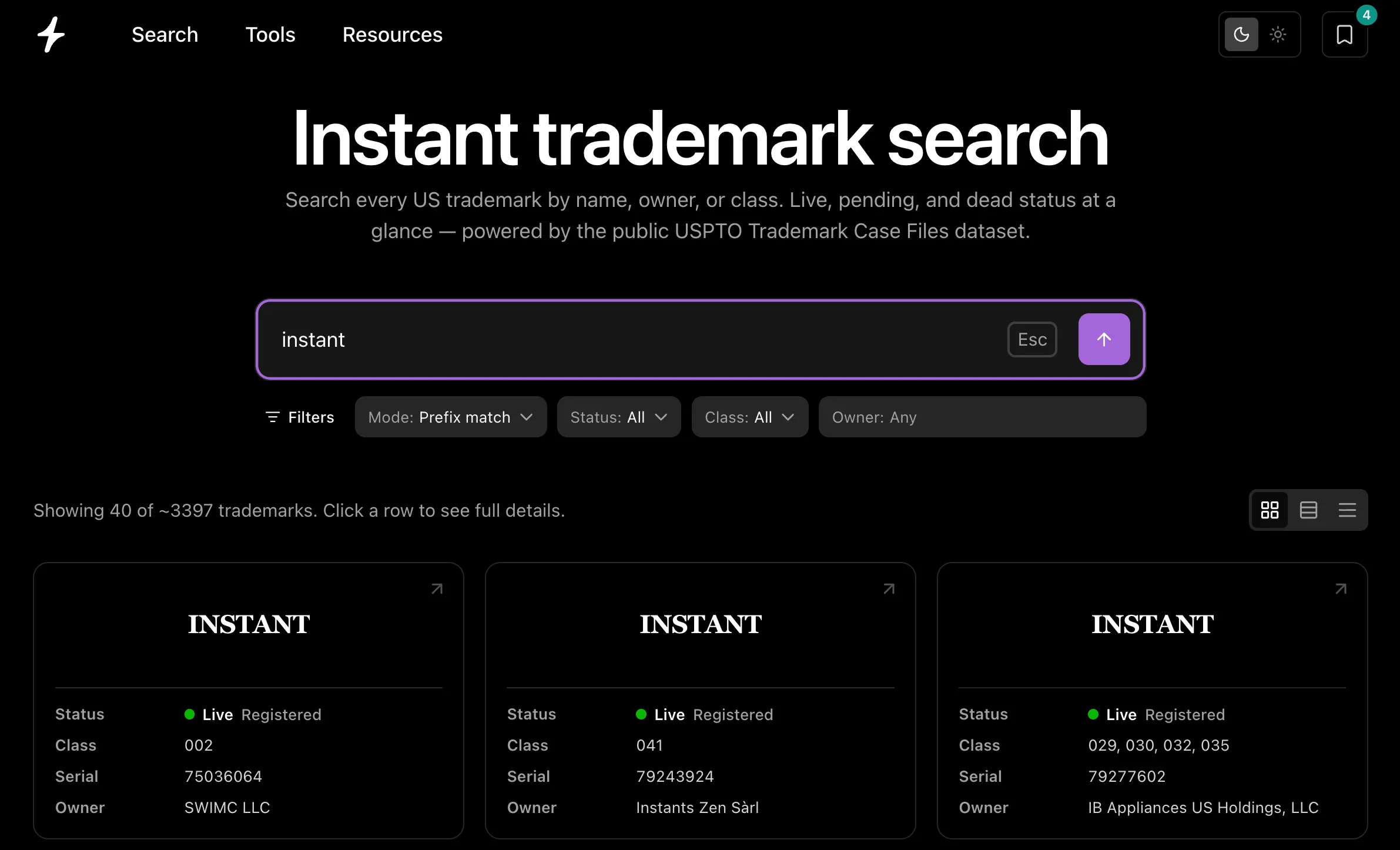
Just like our instant domain search, you start typing a word and the results appear as you type. Every match shows the mark, who owns it, and where it stands, so you can tell at a glance whether a name is clear or already spoken for.
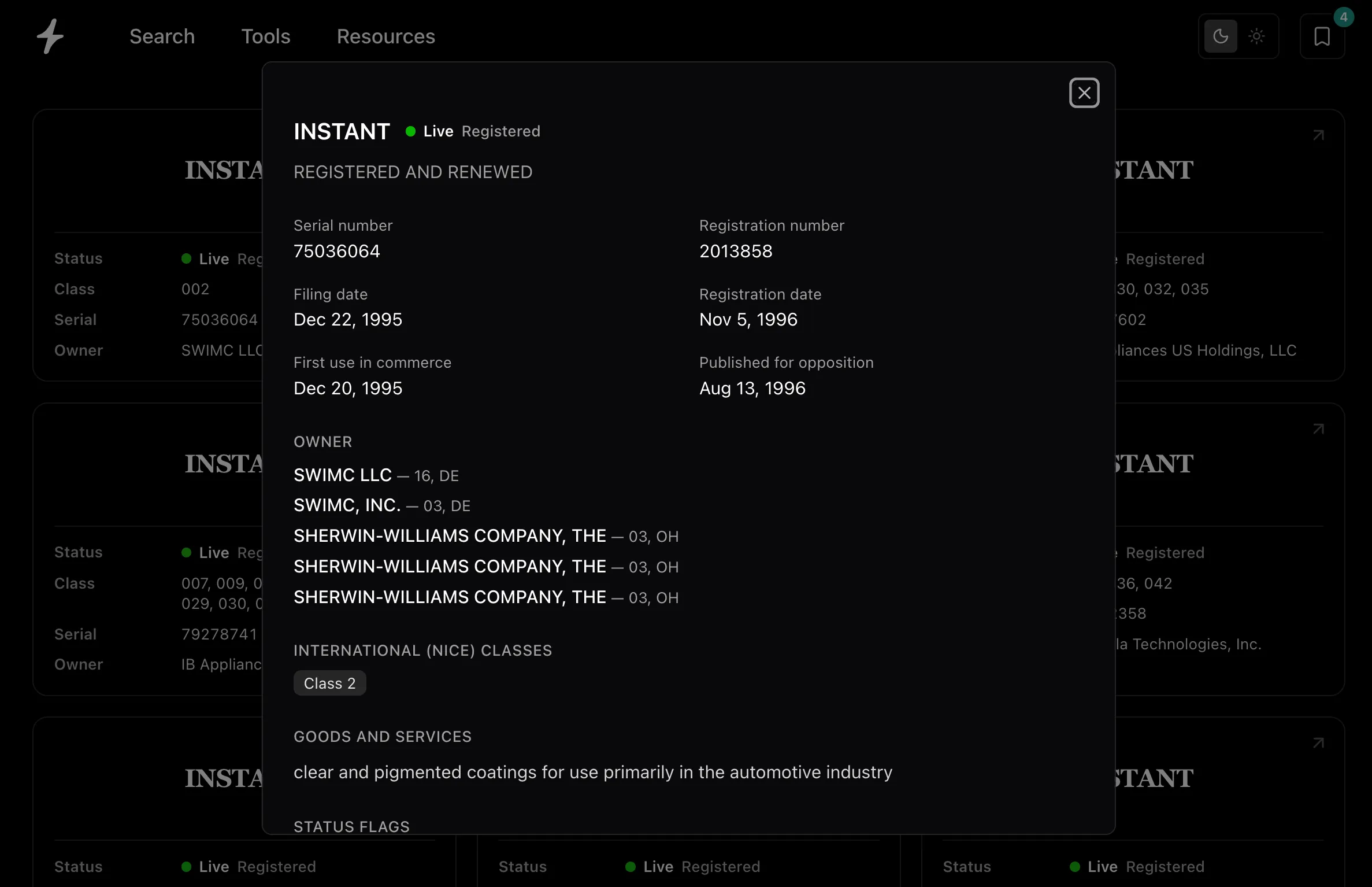
A few things we cared about getting right:
- It’s instant. Results come back in milliseconds, ranked so exact and close matches rise to the top. You can try ten names in the time it used to take to run one search.
- It’s the whole register. Live marks, pending applications, and dead ones that were abandoned or cancelled: all searchable. A dead mark still tells you if a name has been fought over before.
- It’s fresh. The index rebuilds every day from the public USPTO Trademark Case Files dataset, so new filings and status changes show up quickly.
- It’s genuinely free. No account, no paywall, no upsell to a filing service. If you find a name you love here, we’d rather you go check the domain and keep building.
How to actually read the results
A trademark lookup gets a lot more useful once a couple of ideas click into place.
Status is the first thing to look at. A green Live mark is registered and in force. An amber Pending mark has been filed and is working its way through examination. A red Dead mark was abandoned, cancelled, or expired, meaning it is no longer protected. When you’re testing a name, the live and pending marks in your line of business are the ones that matter.
Class narrows it to your world. Trademarks are registered within forty-five international classes that split up goods and services. The same word can belong to different owners in different classes, which is why a coffee shop and a software company can share a name that a bank never could. Filtering by class turns a wall of results into the handful that actually apply to you.
It searches wordmarks. Instant looks up the actual text of a mark, the name itself, regardless of font or logo. That’s usually what you want early on, when you’re testing whether a word is takeable at all. Logos and stylized designs are a separate kind of search, and one you’d do later with the official database or an attorney.
Between those three (status, class, and the name itself) you can go from “I think this is fine” to “I should look at this more carefully” in a few seconds.
Where it fits
Naming is the part of starting something that feels the most like magic and the most like a chore, often at the same time. We’ve been building tools for that moment for a long time: the domain search that started it all, the domain name generator for when you’re stuck, the business name generator for the blank-page days, and the reverse dictionary for when the word is on the tip of your tongue. A trademark lookup is the piece that was always missing, the one that tells you whether the name is really yours to take.
One honest note before you go: this is a research tool, not legal advice. It covers US federal trademarks, which is where most conflicts surface, but a full clearance also weighs state and common-law rights and marks that merely look or sound similar. When something matters, confirm it in the official USPTO record and talk to a trademark attorney before you file. Think of Instant Trademark Search as the thing that tells you which names are worth taking seriously, and which ones to let go of before you get too attached.
Try it out, and if there’s something you wish it did, tell us. We read everything.