Paste a long list into Bulk Domain Search and the hard part used to come after the results. Which of these names is actually good? Which ones do other people want?
You can now sort right in the table. Two columns that were already there, Score and Extensions, are now sort controls.
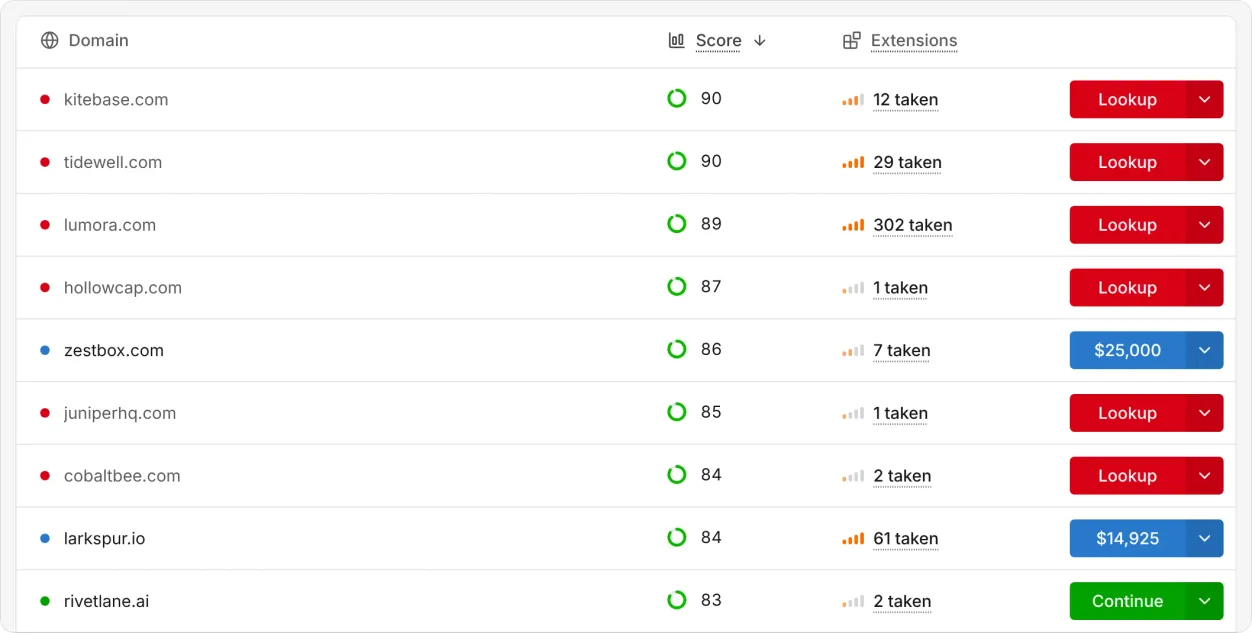
Two new ways to sort
Score. Every name gets an Instant domain score from 0 to 100, a weighted blend of memorability, pronunciation, length, and extension quality, computed instantly from the name itself. Sort by it to bring the strongest names in your list to the top.
Extensions taken. This column counts how many other extensions already have the name registered. The more that are taken, the more demand there is for the name. Sort by it to see which names people are already competing for, or flip it to find the names no other extension has registered.
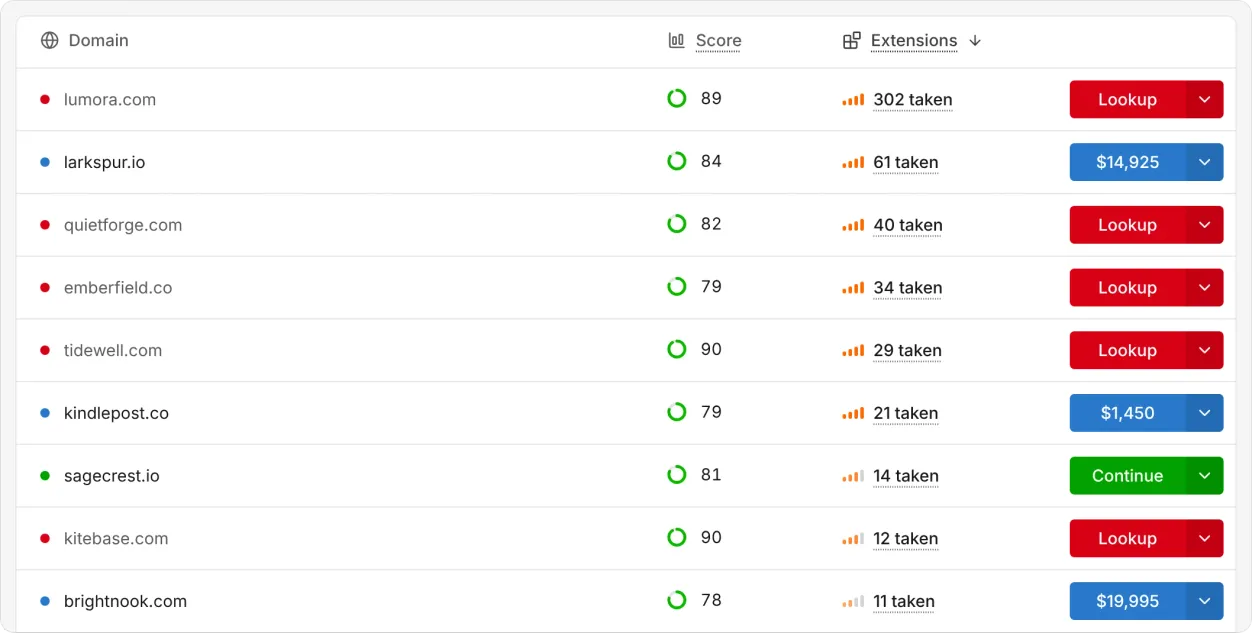
How it works
- Click a header to cycle it. The first click sorts highest first, the second lowest first, and the third puts the list back in the order you added the names.
- One sort at a time. The Score and Extensions headers share a single sort with the sidebar’s length sort, so picking one clears the others. Ties break alphabetically.
- It doesn’t wait on availability. Score and extensions taken are known for every row as soon as the list loads, so sorting is immediate, and a sorted row stays put while availability checks finish around it.
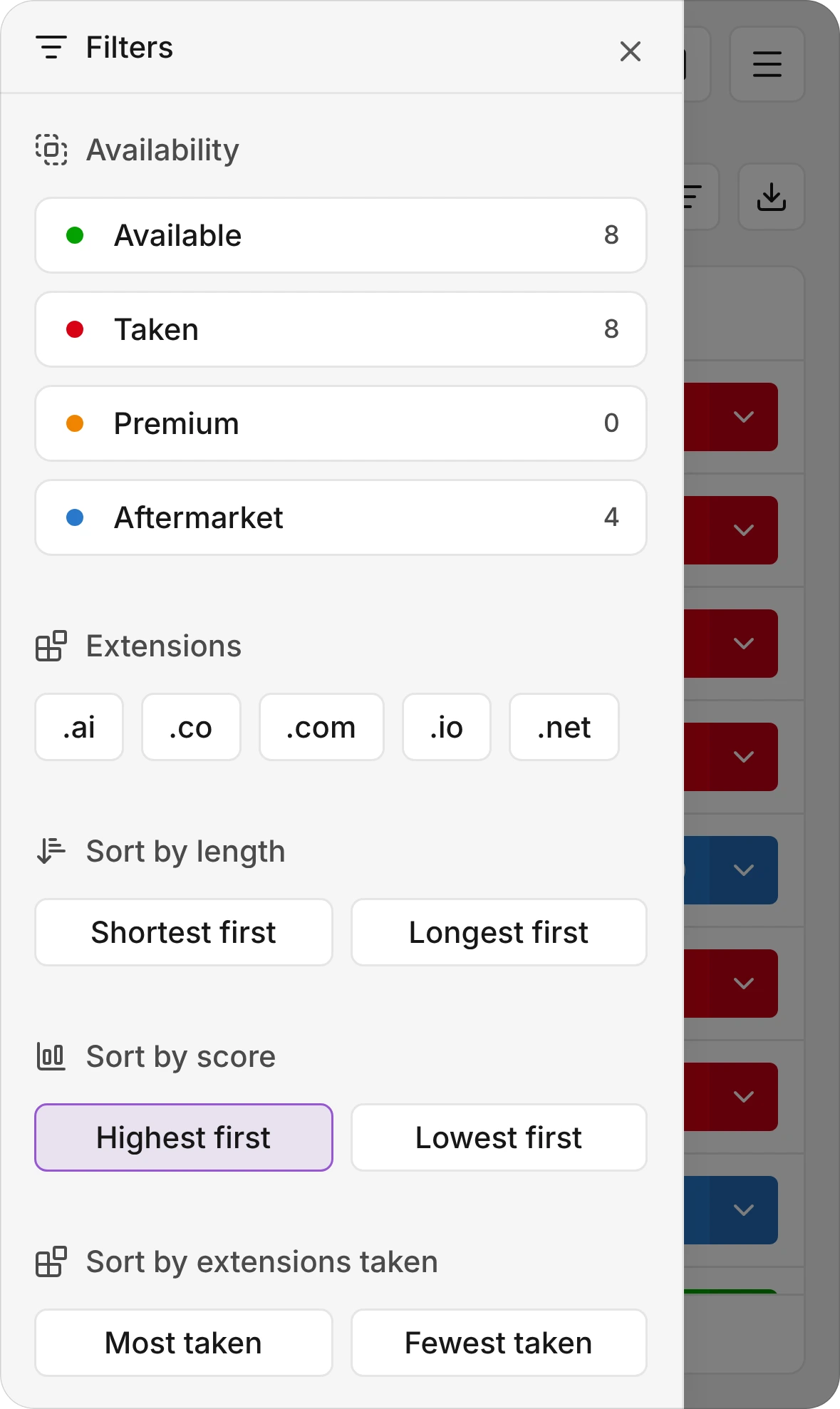
- On your phone, too. Small screens hide those two columns, so the filter sheet now has “Sort by score” and “Sort by extensions taken.” Tap the lit option again to turn the sort off.
- Exports keep your order. Download a CSV while sorted and the file comes out sorted the same way.
Try it
Paste a list into Bulk Domain Search, then click Score. It’s free, and there’s no account.
Tell us which sort you’d want next: hello@instant.ai.
Frequently asked questions
What does the Score column measure?
It’s the Instant domain score, from 0 to 100: a weighted blend of memorability, pronunciation, length, and extension quality, computed instantly from the name itself.
What does “extensions taken” mean?
It’s how many other extensions already have the same name registered. A high count means more people want the name.
Can I sort by availability or price?
Not yet. Availability is checked as rows scroll into view, so sorting by it would make rows jump while you scroll. Score and extensions taken are known up front, which is why they came first.
Does sorting change my CSV export?
Yes. The export uses the order on screen, so a sorted table exports sorted.