Saved domains

Changelog

The latest from Instant Domain Search.

Domain Search in ChatGPT

Instant Domain Search is available in ChatGPT as the Instant AI plugin. Check domain names, compare extensions, and ask for alternatives without leaving your conversation. The plugin is free and needs no separate Instant account or API key.

Instant AI Check shipwright across .com, .dev, .io, and .ai
Searched with Instant AI

All four are registered in the latest index:

  • shipwright.com — Taken
  • shipwright.dev — Taken
  • shipwright.io — Taken
  • shipwright.ai — Taken; listed on Afternic for $4,000

Try another extension, or ask for alternatives.

Illustrative example

Ask about one name across hundreds of supported extensions, or paste a list of up to 50 full domain names. A single-name check returns up to 100 results, with 32 by default. If the name you want is taken, ask for .com variations with prefixes and suffixes, or describe your business to get name ideas with their .com status attached.

For example, try ‘Give me ten brandable names for a matcha cafe with an available .com’ or ‘Check shipwright across .com, .dev, .io, and .ai.’ The assistant uses the returned registration status to evaluate the names rather than guessing from their spelling. A taken name can still have an aftermarket listing; results link to Instant Domain Search for registrar prices and WHOIS details.

You can also search indexed US trademark records by mark text and inspect an individual filing. Trademark results include the date of the snapshot they came from. They support research and do not provide legal clearance.

Domain status comes from our index, rebuilt daily from registry zone files and DNS observations. It is not a live registry check: a name registered after the latest build can still appear open. Confirm availability with a registrar before you buy. The plugin is read-only and cannot register, buy, or change a domain.

To get started, open the Instant AI listing in ChatGPT Plugins, select ‘Install plugin,’ then ‘Try in chat’ or a starter prompt. The same server also works with Claude, Cursor, and other MCP-compatible assistants; the setup guides explain how to connect each one.

Domain Appraisals With a Price Breakdown

The domain appraisal tool estimates a domain’s value and shows the factors behind it. Enter a domain to see auction, marketplace, and brokerage estimates in USD, plus a name-quality score from 0 to 100. It is free to use without an account.

Dictionary word.com87 /100

Estimated marketplace value

$1.0Mclay.com
Auction$330KQuick sale, investor-to-investor
Marketplace$1.0MExpected marketplace listing
Brokerage$2.7MPremium ask to an end-user
Illustrative example

The three estimates describe different selling contexts. Auction is a quick sale to another investor. Marketplace is an expected listing value. Brokerage is an asking price aimed at an end user. The result leads with the marketplace estimate and shows the other two beside it, so one precise-looking number does not hide the range.

The breakdown covers length, word type, familiarity, brandability, keyword demand, and extension. Findings explain which signals raise or lower the estimate. The name-quality score evaluates the name itself; it is separate from the dollar estimate and the domain’s market history.

Reported sales include a source, date, and price, so you can inspect the evidence. When the domain’s own reported sale anchors the valuation, the result says so and distinguishes it from the value of the letters alone. An established website can also receive a brand-inclusive estimate; the explanation makes that distinction clear.

Market context sits alongside the estimate: live availability, premium registration or aftermarket pricing, other registered extensions, domain age, and Domain Rating when available. Comparing an estimate with an actual listing helps you see whether the asking price is below, near, or above the model’s view. Copy the result link to share an appraisal or return to it later.

An automated estimate is a starting point for research. It cannot predict a particular buyer’s offer, account for private sales it has not seen, or establish trademark rights. Read the supporting factors and sale sources before relying on the headline value, especially when an existing business or a prior sale changes what is being valued.

Expired Domains, Ranked and Filterable

The expired domains tool brings recently dropped names and upcoming drops into one searchable list. Browse names you might not have thought to search for, sort by name quality, and save the ones you like. The list and its availability checks are free, with no signup required.

DomainScore
lilies.aiAvailable92
earthen.aiAvailable92
nominee.aiAvailable92
snapshots.aiAvailable91
Illustrative example

‘Just dropped’ shows names whose drop time has passed. ‘Dropping soon’ shows upcoming drops with a countdown, so you can bookmark a name and return when it is expected to drop. Auction and aftermarket rows show prices when available, with a route to the registrar or marketplace that carries the name.

The 0–100 score ranks the quality of the name itself: factors such as words, pronunciation, meaning, length, and how it reads as a brand. It is not a monetary appraisal or a measure of backlinks and domain history. A dash means a score is not available, not that the name has a score of zero.

The Extensions column shows how many other extensions of the same name are registered. Its breakdown helps you inspect that context, and opening the name in the main search lets you compare extensions. Treat registration counts as one research signal, rather than proof that a name will sell.

Combine extension, drop-window, and name-quality filters, or search by meaning to find related names. A search for ‘coffee,’ for example, can surface names related to tea or cafes rather than only names containing those letters. You can narrow a view to recently dropped .com names above a chosen score and share that exact search.

The drop feed refreshes daily. Dropped names receive live DNS rechecks while you browse. Rows distinguish names that appear available from names that have been taken or relisted for sale, rather than silently removing every taken result. Availability can change quickly; confirm the final status and price with the registrar or marketplace before you buy.

Bookmarks use the same saved-domains sidebar as the rest of Instant. Search, filters, and sort order stay in the URL, so you can return to a view or send it to someone else. Before buying for a domain’s history, check its WHOIS record and backlink profile separately.

A Conversational Business Name Generator

The business name generator now works as a conversation. Describe your business, answer questions about the direction you want and what to avoid, then refine the suggestions with feedback. Each batch includes six to ten names with live domain checks.

Roasting craft and process. Quiet workday ritual.

What should the name avoid?

Portland clichés and place names. Startup or tech language.

Names grounded in the roast, with a calm, unhurried feel.

4 available examples

  • slowturn.ioAvailable.ai.app.dev
  • firstcrack.devAvailable.me.xyz.net
  • drumroom.aiAvailable.app.dev.store
  • benchroast.comAvailable.io.ai.app

Reply, or ask for a different angle

Extensions: Any
Illustrative example

Start with a sentence or two about what the business does, who it is for, and what makes it different. The starter briefs can help if you are unsure where to begin. Specific details give the assistant more to work with than a broad industry label: a workshop run by two luthiers says more than ‘music retail.’

The assistant asks which direction the name should lean and what it should avoid. Its questions come from your brief rather than fixed industry and tone menus. For a coffee shop, you might lean toward roasting craft and a quiet workday ritual while ruling out place names or startup jargon.

Each suggestion shows domain status and alternate extensions. Available, premium-priced, and taken domains remain distinguishable; a suggested name is not a promise that its .com is available. A name that is already registered can still be worth considering, and the row can show an aftermarket option when one exists. For an available domain, ‘Continue’ opens the default registrar. Use the adjacent chevron to choose another registrar, then complete registration on its site.

Use the extensions control beside the message box to narrow the checks, or ask for the extensions you want in the conversation. After each batch, the assistant explains its preferences and asks what you like. Tell it which names feel right, which feel too literal, or which direction to explore next; that feedback shapes the following batch.

The aim is a name that is easy to read, say, and spell, with a connection to the business that is more specific than an interchangeable industry word. The examples show how an ordinary word or short phrase can suggest the craft or experience without simply describing the category.

You can start without an account. Signing in gives access to a more capable model and higher daily limits. Domain availability is only one part of choosing a name: check relevant trademarks and other existing uses before you commit to a brand.

Introducing Accounts on Instant Domain Search

Create a free Instant account to sync saved domains across devices, lift your bulk search limit to 5,000, and get first access to new features.

The Instant Domain Search bolt mark beside an account avatar, marking the launch of free accounts
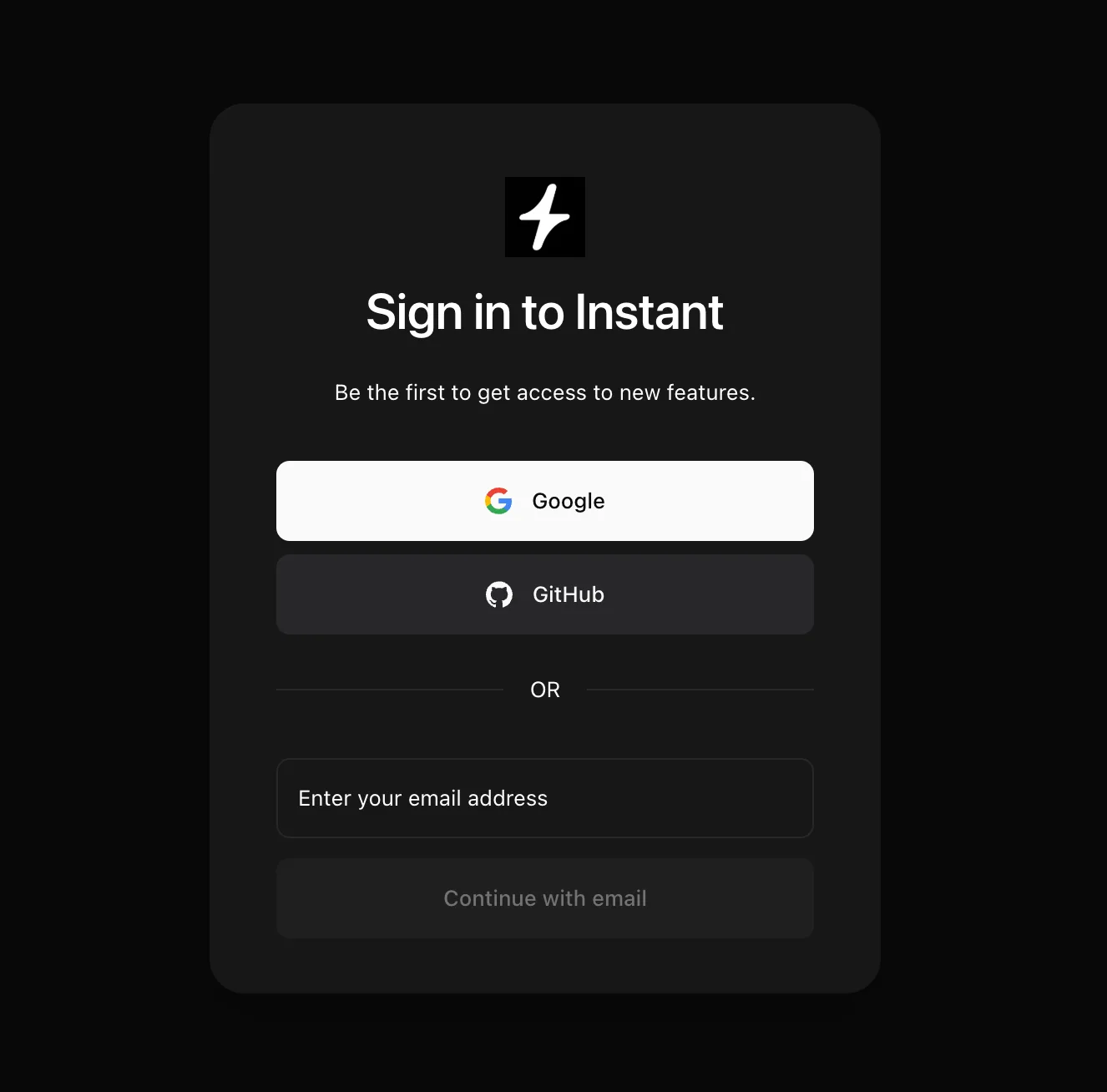
The Sign in to Instant screen, offering Google, GitHub, or email sign-in with the line ‘Be the first to get access to new features.’

For twenty years, Instant Domain Search has been a tool you use, not a place you sign into. Today that changes, a little. You can now create a free account so saved domains follow you to every device.

We know an account doesn’t sound revolutionary. Half the internet asks you to sign up before it shows you anything. That’s exactly why we took our time with this one. We didn’t want a login bolted onto the side of the search. We wanted accounts built the way we’d want them as users: private, secure, intentional, and free. And we wanted the foundation to be right, because accounts quietly unlock some of the most exciting projects on our roadmap.

What an account gets you today

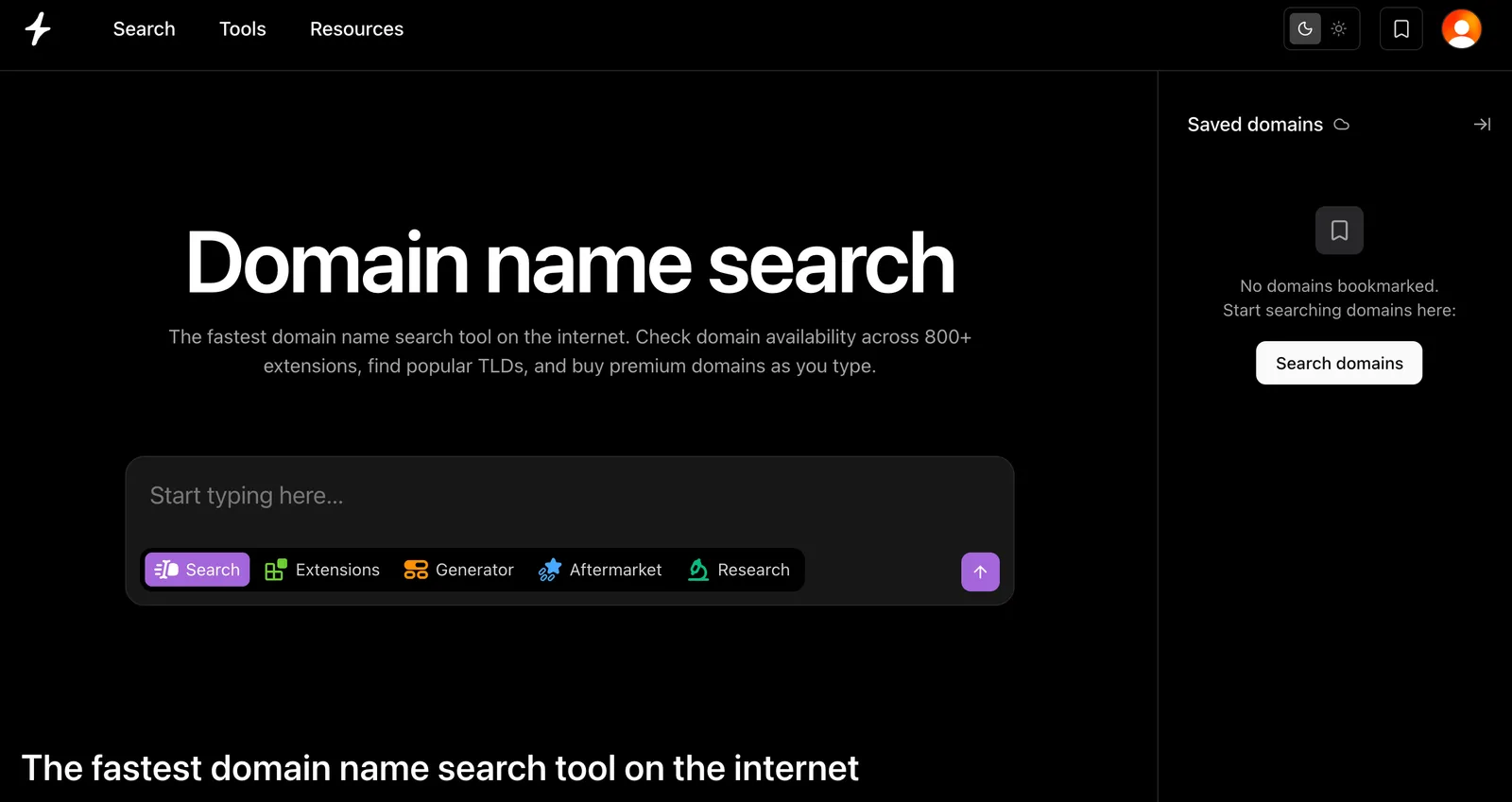
The Instant Domain Search home page with the saved domains panel open in the sidebar, ready to sync your shortlist to your account

Your saved domains, on every device. Until now, your saved domains lived in your browser. Clear your cache or switch machines and your shortlist stayed behind. Sign in once and your list syncs live across every device you use. Save a name on your laptop, and it’s waiting on your phone.

No more save limit. Without an account, you can keep up to 30 domains saved on a device. With a free account, save as many as you like.

10× bigger bulk searches. Bulk search caps at 500 domains per run for anonymous visitors. With a free account, that jumps to 5,000.

First in line for what’s next. Everything we’re building on top of accounts (more below) will reach account holders first.

Private and intentional, from day one

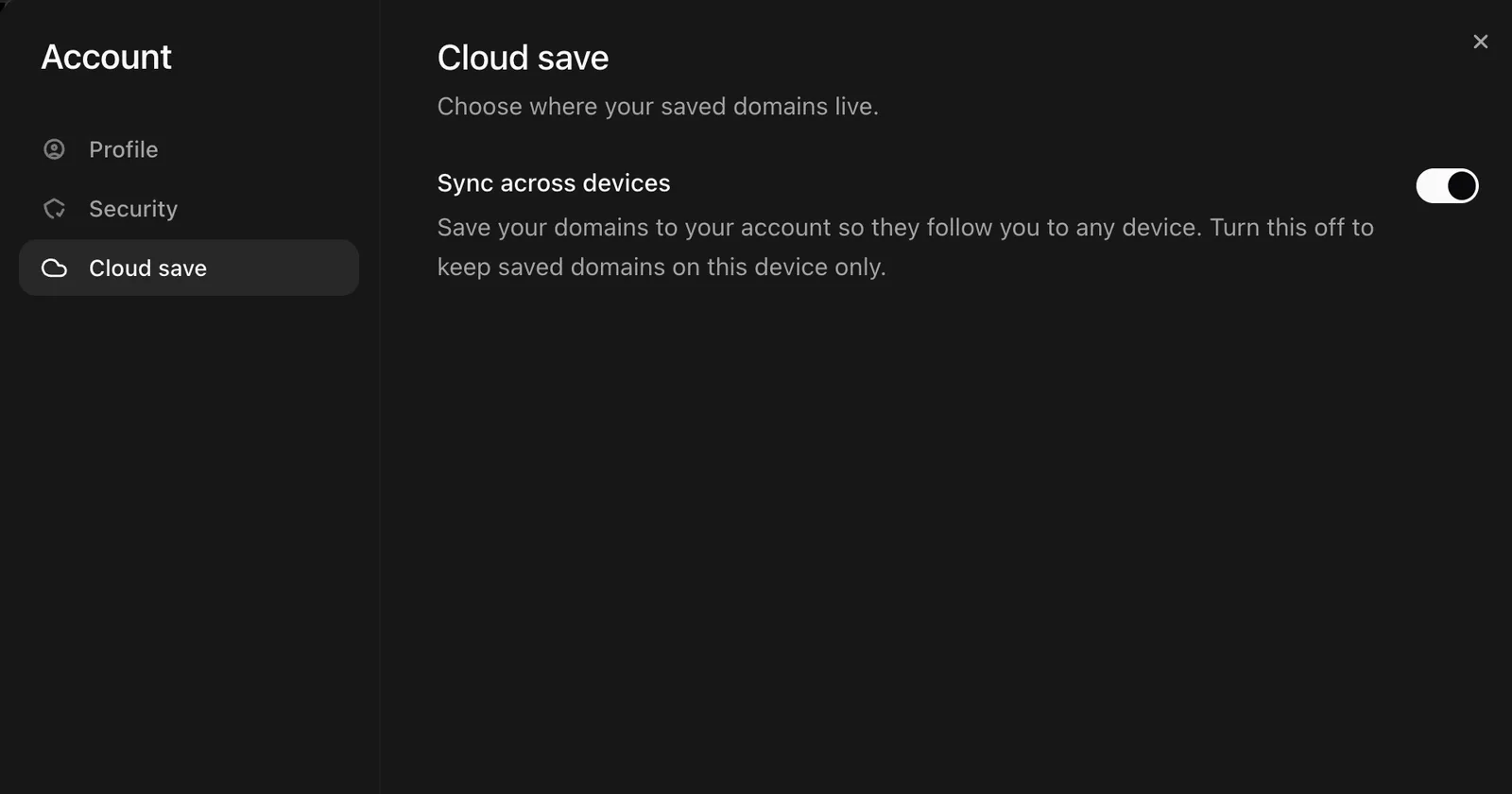
The Cloud save section of Instant Domain Search account settings, with a ‘Sync across devices’ toggle that can be turned off to keep saved domains on one device only

People search for names here that they’d rather nobody else see. A brand you haven’t trademarked yet. A product you haven’t announced. An idea you had ten seconds ago. We’ve spent two decades earning trust as a tool that asks nothing of you, and we want to maintain that trust as we introduce new layers to our tools. So here’s how accounts are built:

  • Your searches stay yours. An account syncs what you choose to save, nothing else. Searching never requires an account, and your searches aren’t tied to your identity.
  • Cloud sync is a choice. There’s a device-only mode in your account settings. Flip it on and your saved domains never touch our servers, even while you’re signed in. And the first time you sign in, we ask before merging anything you’d already saved locally. Nothing uploads without your say-so.
  • We never see your password. Sign-in is handled by Clerk, the same dedicated auth platform trusted by thousands of products. Credentials never live on our servers.
  • Your list is yours to take. Export your saved domains to CSV any time, from /saved-domains.

The honest reason we’re excited

Here’s a reality of running a free public tool in 2026 that doesn’t get talked about much: a huge share of our traffic isn’t human. Meta’s AI crawlers alone hit our site about 20,000 times a day. Add the other AI labs, the scrapers, and the bots running entire dictionaries through our checkers, and the picture is clear: every feature we put on a public page, we’re also handing to every bot on the internet.

For instant search, that’s fine. We’ve spent years making availability checks fast and cheap enough to serve at that scale, and we’re proud that the tool is open to everyone with no login in sight.

But the things our users keep asking us for cost real money on every single lookup: deeper, authoritative availability verification, domain valuations, keyword search volume, social handle checks, trademark signals. Put those on a public page and bots would drain them within hours, and we’d effectively be paying to enrich someone else’s crawler instead of your domain research.

An account solves this in the simplest possible way: it tells us there’s a human on the other end. And that means we can start giving humans things we could never give the bots.

What accounts unlock next

This is the part we’ve been waiting for. With accounts in place, here’s what’s on the roadmap:

  • More accurate checks. Deeper verification for signed-in users, straight from the registries. It’s the kind of per-lookup accuracy we can’t expose on a public page.
  • Domain enrichments. Valuations, search volume, social handles, and trademark signals layered onto your saved domains and searches.
  • Lists. Build, organize, and share collections of domains for your projects, your clients, or your portfolio.
  • Credits and a Pro tier. For advanced domain investors who need serious depth and volume, we’ll offer credits for premium data and, eventually, a Pro account.
  • An API. Accounts open the door to a self-serve Instant Domain Search API. It’s coming.

And to be unmistakably clear about one thing: Instant Domain Search is free, and it always will be. The search you use today is not going behind a login. Accounts are free. Saved domains are free. What we’ll charge for, someday, is the advanced layer: the premium data and volume that professional domain investors need. The tool itself stays open to everyone, the way it’s been for twenty years.

Create your account

Click Sign in at the top of the page. It takes about thirty seconds.

We’d love to hear what you’d want your account to do. Tell us: hello@instant.ai.

Search Domains From Your AI Assistant

Connect the free Instant Domain Search MCP to Claude, ChatGPT, or Cursor to check domain availability and generate names in your AI chat.

Domain Search MCP concept: the Instant Domain Search logo connected to Cursor, Claude, and ChatGPT

More and more, the first place an idea gets described out loud is an AI assistant. “Help me name my company.” “Draft a landing page for this.” “Give me ten brand ideas.” And then, every time, the same record scratch: you leave the chat, open a browser, and start pasting names into a domain search to see what’s actually available.

The Instant Domain Search MCP closes that gap. It’s a free connector that plugs real-time domain data straight into Claude, ChatGPT, and Cursor. This means that the assistant brainstorming names can check whether they’re available, compare pricing, and suggest registrable alternatives without you ever switching tabs.

What your assistant can do with it

Once connected, your AI assistant gains three domain tools it can call on its own, mid-conversation:

  • Search domains — give it a name or a fragment and it checks availability across many extensions at once, the same domain search you’d run in the browser.
  • Generate variations — when your first choice is taken, it produces pronounceable, brand-coherent alternatives (prefixes, suffixes, and semantic twists, similar to our domain generator) and only suggests names that are actually registrable.
  • Check availability — hand it a single name or a whole list (like a bulk search) and get a definitive, registry-verified yes/no, plus pricing and a link to register.

In other words, your assistant stops guessing whether acme.ai is free and starts knowing.

See it in action

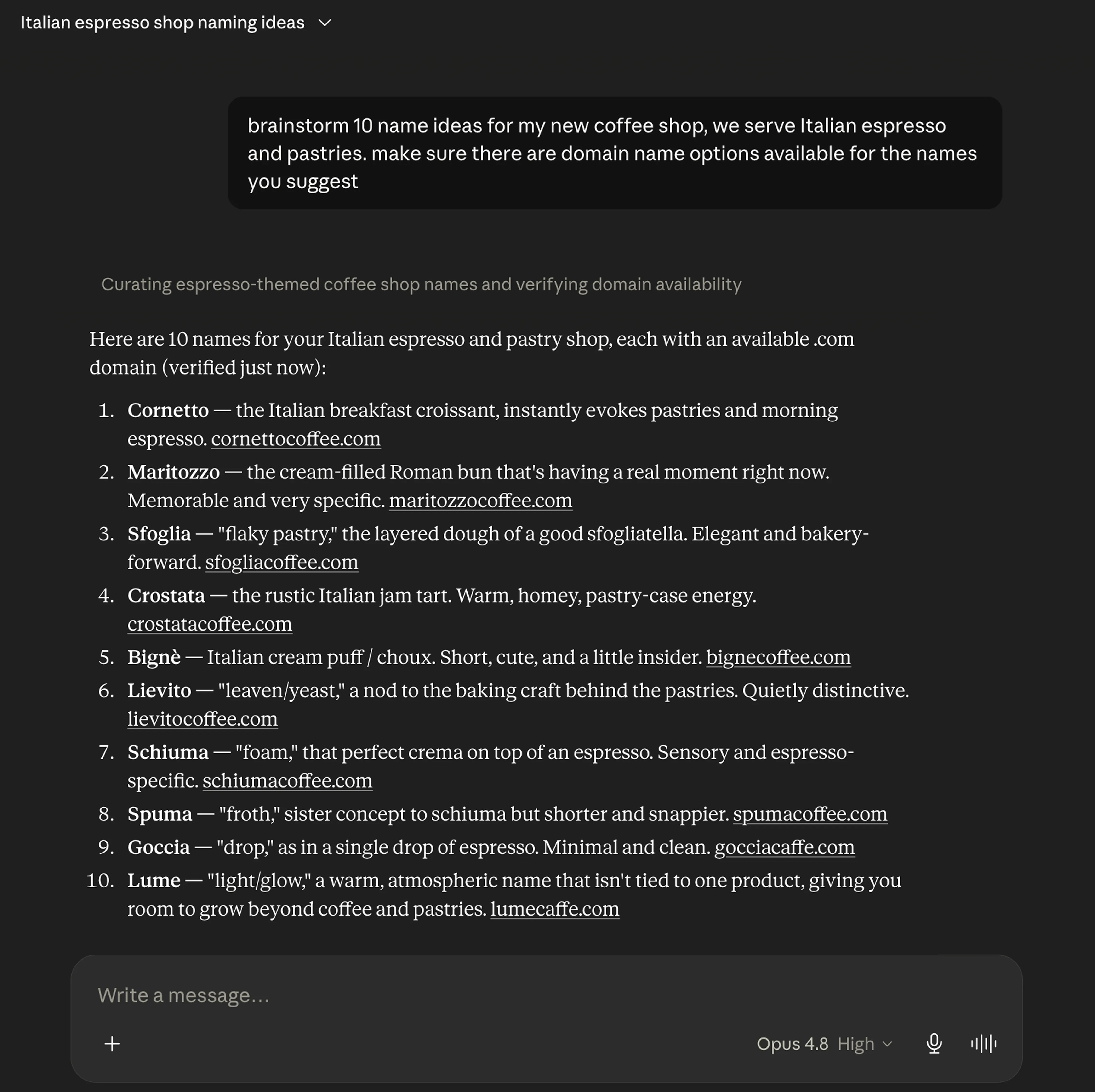
A Claude conversation using the Instant Domain Search MCP to brainstorm ten Italian coffee-shop names, each returned with an available .com domain

Why it’s different from asking an AI to “suggest domains”

Ask a raw LLM for available domains and it will happily suggest names that were registered years ago, as it has no live data. The MCP fixes that at the source:

  • Real, registry-level data. Results come from authoritative registries (VeriSign, PIR, and others) — the same infrastructure behind Instant Domain Search — not a stale guess. Here’s how that data pipeline works.
  • Fast. Sub-10ms responses, so checking dozens of names mid-chat doesn’t slow the conversation down. (More on how we keep it that fast.)
  • Private. Queries go direct to registries and bypass retail registrars, so the names you explore don’t land in a sales database — or quietly turn “premium” the next day.

It’s also, as far as we know, the only domain search tool with a dedicated MCP surface.

Set it up in under two minutes

The MCP works with Claude (Web & Desktop), ChatGPT, and Cursor. It’s free, needs no account, and requires no API key. Simply point your assistant at the server endpoint:

https://mcp.instantdomainsearch.com/mcp

We’ve written a short guide for each platform. Pick yours and you’ll be running in a couple of minutes:

(Full walkthrough: instantdomainsearch.com/mcp/setup.)

Why we built it

Naming is one of the first concrete steps in turning an idea into something real, and increasingly, that idea takes shape inside an AI assistant. It never made sense that you’d have to leave the conversation to find out whether the name is even available. The MCP keeps your whole loop of idea, name, availability, and registration link all in one place.

It’s also where we think search is heading. As more research and building happens through AI assistants, the tools those assistants can reach matter as much as the websites people visit. A domain search your AI can call directly is our bet on that future.

Try it

Connect the domain search MCP to your assistant and ask it to find you a name. When you’ve got a winner, open it in Check domain availability for the full report, or run a domain search to compare every extension.

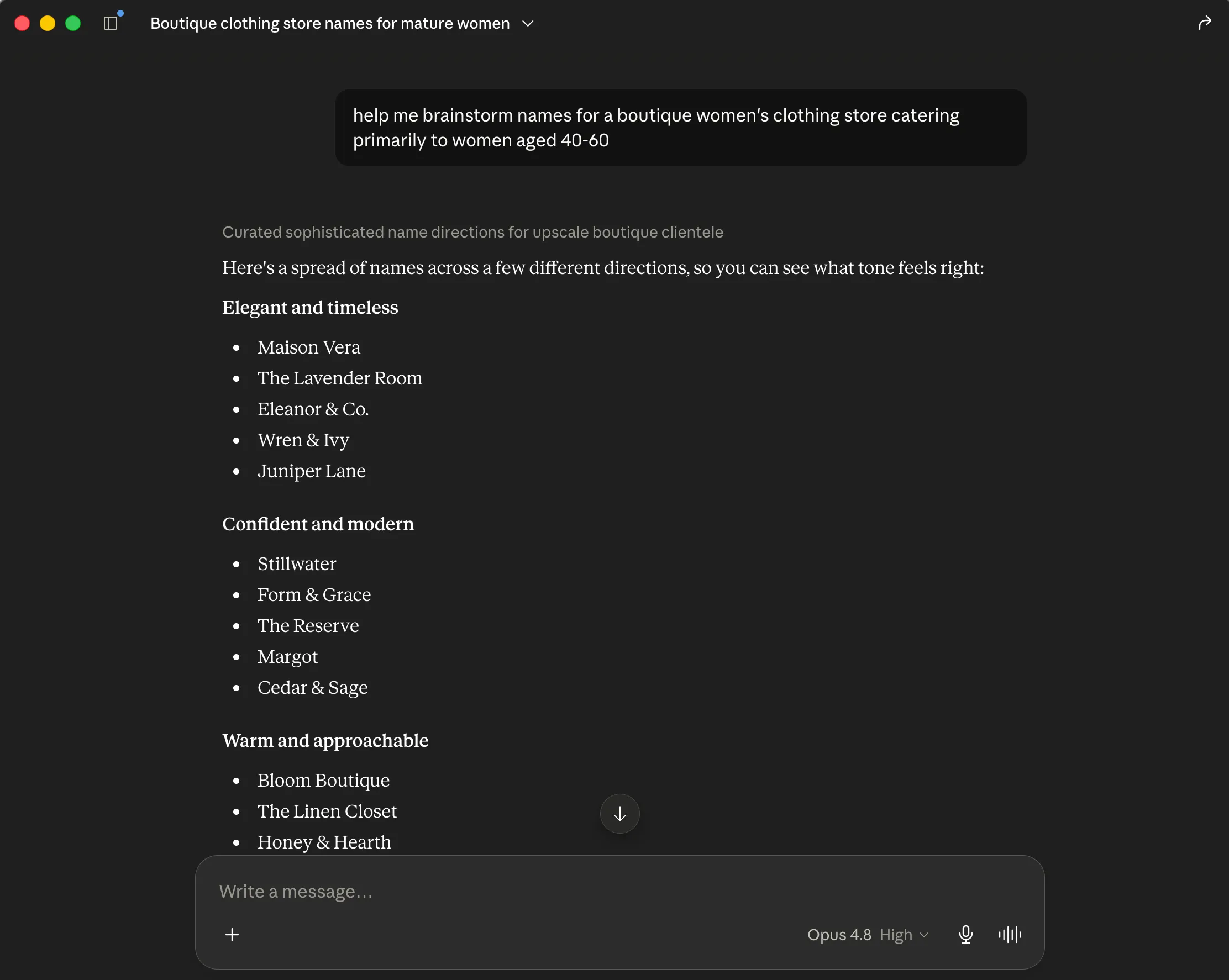
A Claude conversation brainstorming boutique women’s clothing-store names, grouped by tone — elegant and timeless, confident and modern, and warm and approachable
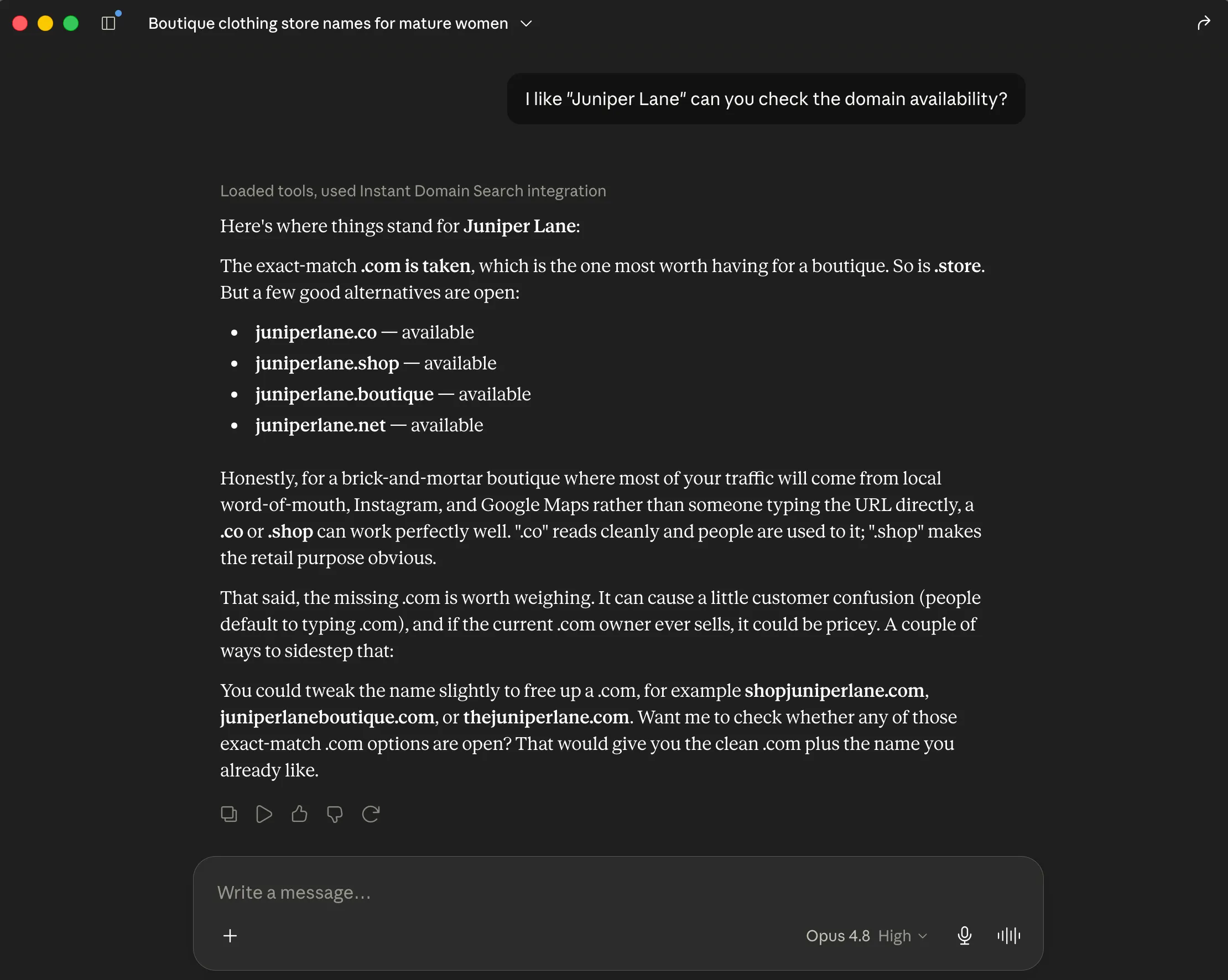
Claude using the Instant Domain Search MCP integration to check availability for ‘Juniper Lane’ — the .com is taken while juniperlane.co, .shop, .boutique, and .net are available

Introducing Reverse Dictionary — Find the Word You’re Thinking Of

Describe a concept and find the related English word instantly — then check domain availability in one click. Meet the Instant Domain Search reverse dictionary.

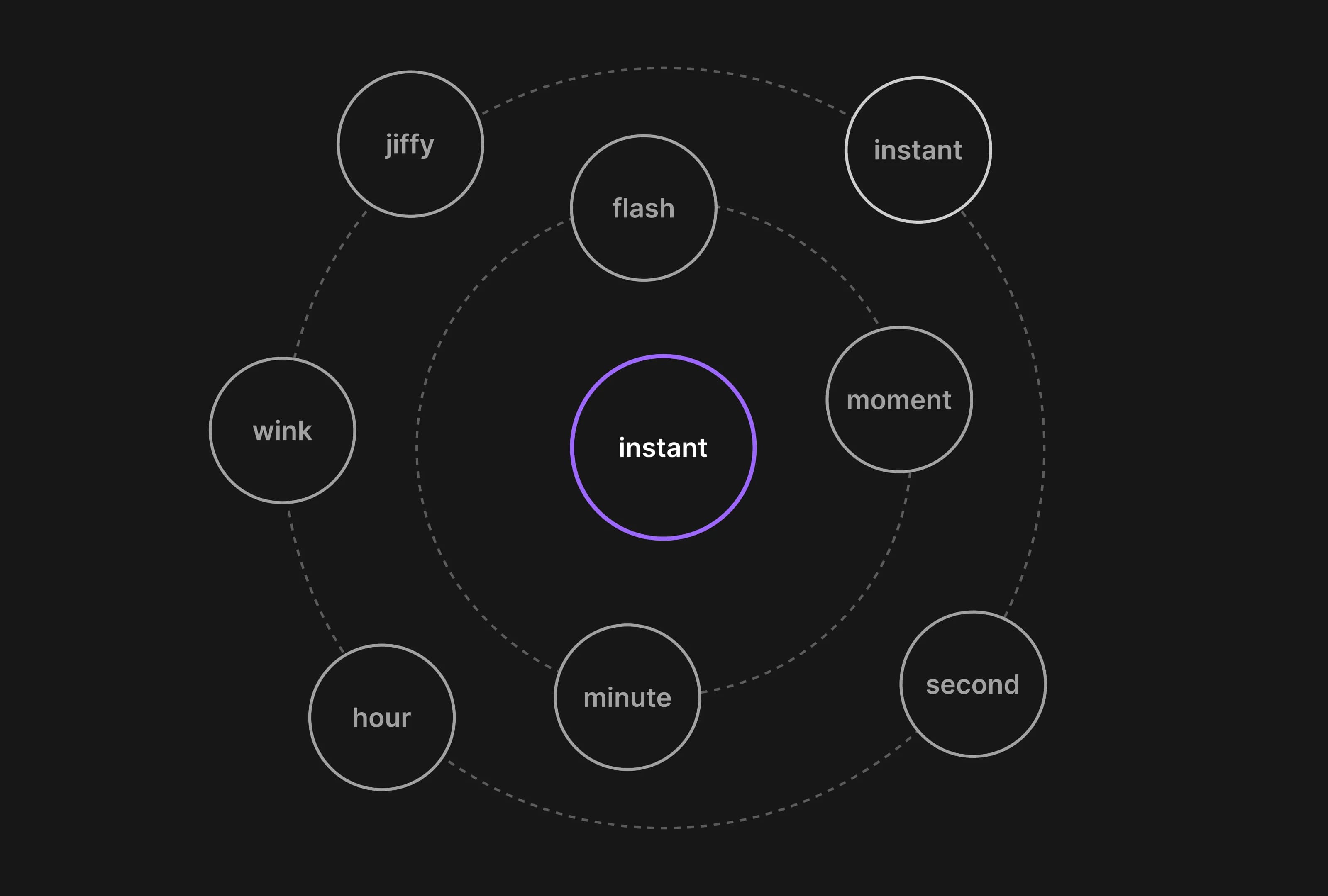
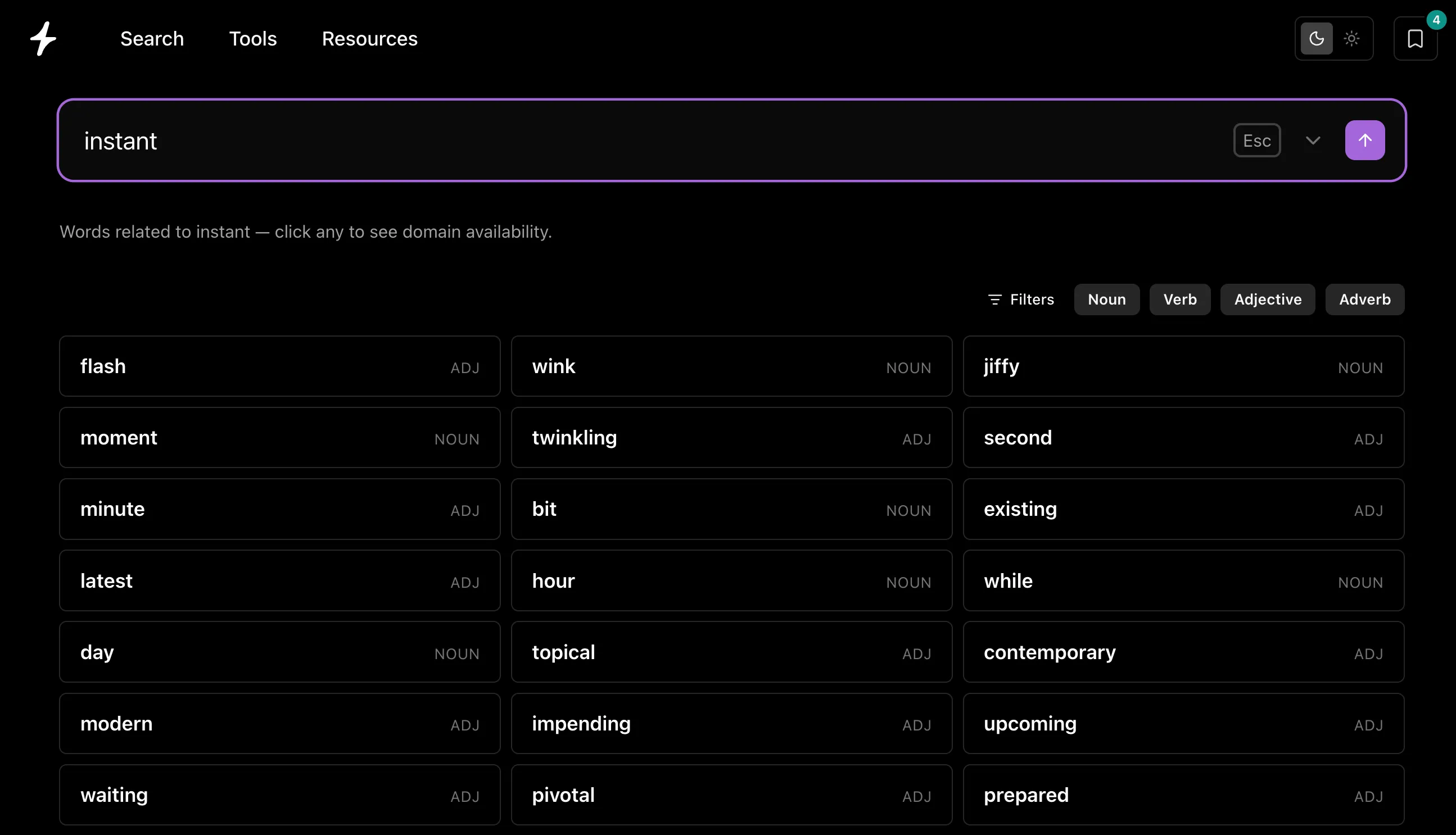
Reverse Dictionary concept: the word ‘instant’ at the center of a web of related words like jiffy, flash, moment, minute, and second

You know the feeling. There’s a word that means exactly what you want — the precise one — but it’s stuck just out of reach. Or you’re naming a company and you need a word that captures a feeling: something that sounds fast, or calm, or rare. A normal dictionary is no help, because you don’t know the word yet. You only know what it means.

That’s what a reverse dictionary is for. A regular dictionary goes word → meaning. A reverse dictionary goes the other way: meaning → word. Describe the concept, and it finds the words that fit.

We built one, and wired it straight into domain search. It’s live at Reverse Dictionary.

Meaning in, words out

Type a concept using a few words and you’ll get a ranked grid of related English words, streaming in as you type. Start broad: mountain, fast, big house.

The reverse dictionary showing words related to ‘instant’ — flash, jiffy, moment, minute, wink and more — each tagged by part of speech, with noun, verb, adjective, and adverb filters

Here’s the fun part. Search a word like “instant” and you don’t just get the obvious synonyms, you’ll see words like jiffy and trice. Right away these might not click, but then you realize: a jiffy is an instant, and something done in a trice happens instantly. That little “oh, nice” moment is the whole point. It nudges you toward names you’d never reach from a synonym list.

Each result carries its part of speech and a short definition, so you can tell swift the adjective from swift the bird at a glance. Want only nouns for a brand name, or only verbs for an action-driven product? Filter the grid to nouns, verbs, adjectives, or adverbs.

How it works

So why does it surface jiffy for instant? Instead of matching synonyms, the reverse dictionary scans the definitions of every word in the dictionary and surfaces the ones whose meaning is associated with your concept, ranked by how strongly they relate. Working from meanings rather than a synonym list is exactly what turns up those adjacent, evocative words. It’s built on a structured lexical database (WordNet) and the same fast Rust search service behind the rest of Instant Domain Search. This means results stream in as you type, the way a domain search does.

It’s the latest in a line of language tooling we’ve built and written about: a blazing-fast word segmenter in Rust, real-time translation with word vectors, and the embedding models that keep our search under 10ms. Reverse Dictionary sits on top of that foundation.

From a word to a domain, in one click

This is where it stops being a vocabulary toy and becomes a naming tool. Click any word in the results and, right there in the grid, you’ll see:

  • TLD competitiveness — how many extensions for that word are already registered versus still open.
  • Available extensions — the open TLDs you can register right now (.com, .io, .ai, .co, and more), color-coded by status and price.
  • Generator alternatives — domain generator-style suggestions built around the word, with exact-match extensions pinned to the top.

So the path runs concept → the right word → an available domain, without ever leaving the page. When something looks promising, open it in Check domain availability for the full report — ownership, pricing across registrars, and alternatives.

Why this helps with naming

The best one-word domains went years ago — but the language is enormous, and most of it never gets considered, simply because you don’t think of it. A reverse dictionary widens the net.

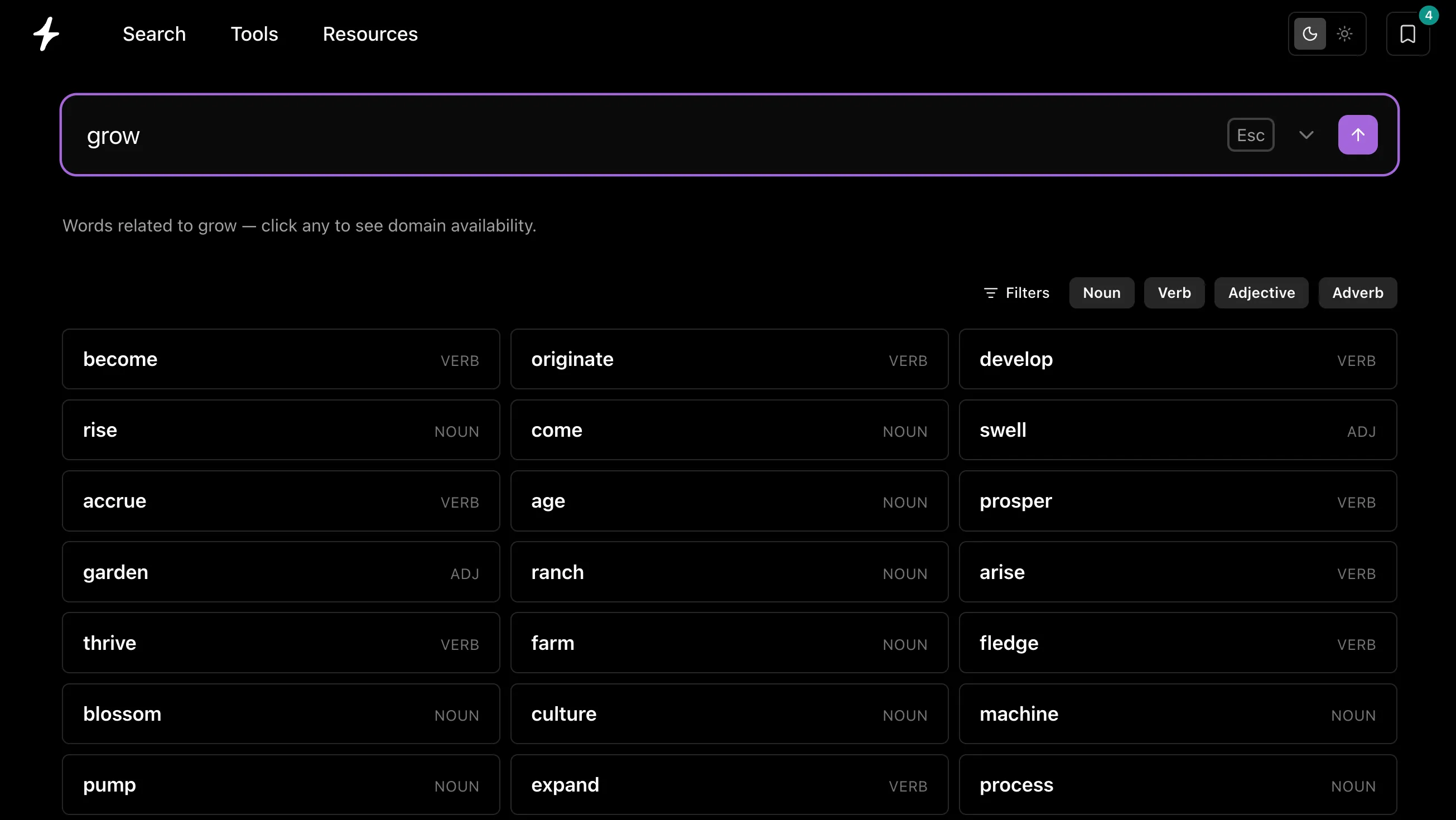
It’s the creative complement to our domain generator. The generator takes your keyword and takes the direct route to available prefixes, suffixes, and TLDs around it. The reverse dictionary is the indirect route, for when you only have the idea: describe the value your business delivers (say your product helps people grow) and you’ll surface words that tell that story without the obvious, already-taken match.

Reverse dictionary results for ‘grow’ — become, develop, rise, thrive, blossom, prosper and more — each tagged by part of speech
  • Evocative brand names — describe the feeling you want (“calm,” “speed,” “trust”) and surface words you’d never have brainstormed.
  • Unexpected angles — adjacent and associated words often make better brands than the obvious noun.
  • One-word availability — pair it with our one-word dictionary domain lists and the domain generator to find names that are both meaningful and open.

For the bigger picture on turning a word into a brand, see how to choose a domain name and how to name your business.

Try it

Reverse Dictionary is live and free at instantdomainsearch.com/words — no account needed. You’ll also find it under the Tools menu in the nav bar.

Describe what you mean. We’ll find the word — and the domain name search to go with it.

Curated Domain Lists, Refreshed Daily

Live, curated lists of available domain names: 4-letter domains, two-word brands, dictionary words, and tech names, refreshed daily.

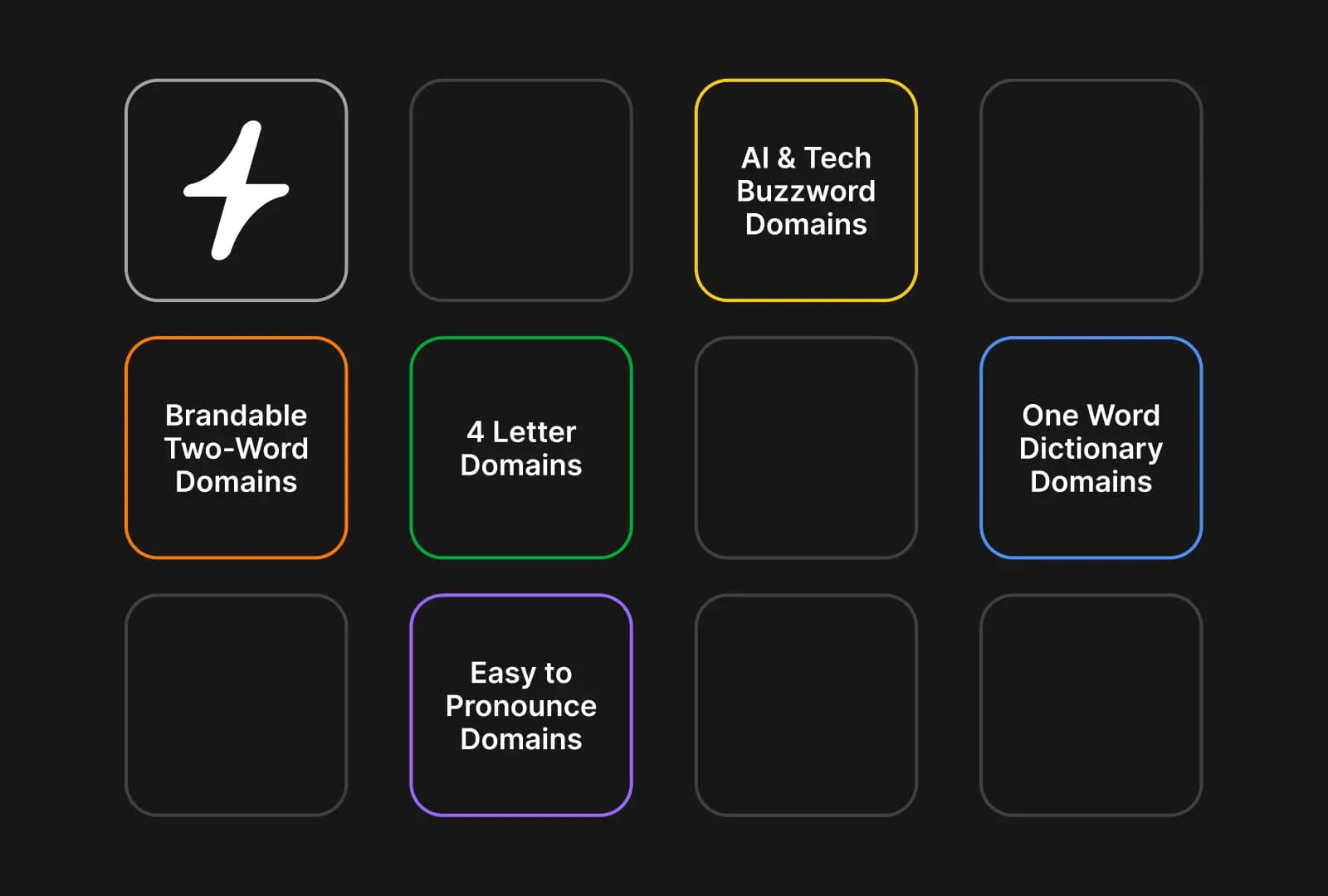
Instant Domain Lists concept: a grid of colored tiles labeled Brandable Two-Word Domains, 4 Letter Domains, AI & Tech Buzzword Domains, One Word Dictionary Domains, and Easy to Pronounce Domains, with the Instant lightning-bolt logo

Most “available domain name” lists you find online are stale before you finish reading them. Someone’s blog post from 2022, recommending names that got registered six hours after it went live. We built Instant Domain Lists so that doesn’t happen here.

Every list is regenerated against live registry data. The names on the page are the names you can actually register today, not what was open the last time someone manually checked.

What’s on /lists today

Ten hand-curated lists, organized into four categories at /lists:

  • Available 4-Letter Domains — short, pronounceable four-character names checked against .com, .io, .dev, .app, .co, .net, .org, .xyz, and more. Often under $25/year.
  • Brandable Two-Word Domains — adjective-plus-noun and verb-plus-noun combinations that read like real brands. Think DropBox, MailChimp, BlueApron.
  • Single-Word Dictionary Domains — actual English words still available across popular TLDs. The most valuable category of domain. Hunting for a specific meaning instead? The reverse dictionary finds words from a description, each with live availability.
  • AI & Tech Startup Domains — names built from the AI, ML, dev, and SaaS vocabulary. For the next Claude, Cursor, or Perplexity.
  • Pronounceable Brandable Domains — invented words that follow natural speech patterns. The Spotify / Roku / Hulu shape.
  • Verb & Action Domains — names built around action verbs like Launch, Build, Sprint, and Soar. The Stripe / Shopify / Lyft shape.
  • Health & Wellness Domains — calming, natural-sounding names for clinics, studios, coaches, and supplement brands. Think PureCalm, GlowHeal, NourishLeaf.
  • Fintech & Banking Domains — trustworthy, modern names for neobanks, payment apps, lending, and investing startups. Think RampPeak, FinFund, AltoSilver.
  • Travel & Hospitality Domains — evocative names for hotels, resorts, tour operators, vacation rentals, and travel startups. Think SereneCape, CharmingCoast, GildedVilla.
  • Food & Restaurant Domains — mouthwatering names for restaurants, cafes, bakeries, food trucks, catering, and specialty food brands. Think SmokyTavern, RusticTable, CharredFeast.

Filter the hub by category to narrow in (Brandable, Short, Dictionary, Tech & AI), and each list cross-links to two related lists at the bottom so you can keep digging.

Live data, not a stale snapshot

Here’s what actually makes these different from the lists in someone’s listicle.

Every domain on every list is checked against live registry data. We pull availability directly from registries — VeriSign, Identity Digital, Public Interest Registry, and 380+ others we partner with — instead of going through retail registrar APIs that throttle, cache, or serve stale results. Each list page shows you the totals upfront: how many domains are in it, how many are available right now, and the percentage that’s still open.

That counter moves. Domains expire, get registered, change hands. The next time the list rebuilds, the page reflects reality.

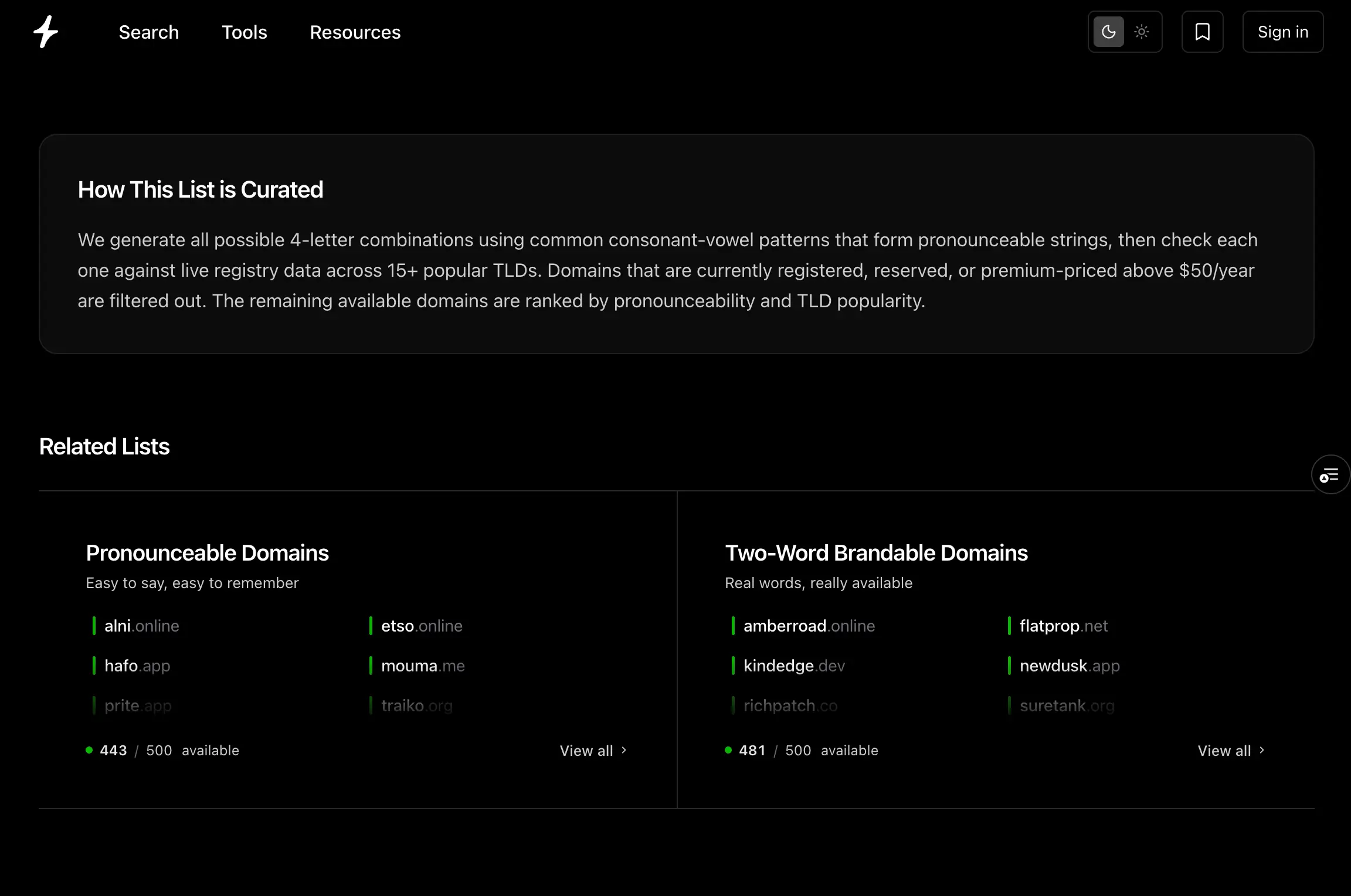
The data behind each list is also published openly: every list page documents its methodology. How the names were generated, what filters were applied, which TLDs are checked. The aim is that the list is good not just because the names are good, but because you can see exactly how we got to them.

A list detail page showing the ‘How This List Is Curated’ methodology block — describing 4-letter domain generation, live registry checks across 15+ TLDs, and the filter for premium-priced names — plus a Related Lists section linking to Pronounceable Domains and Two-Word Brandable Domains with live availability counts

Open any list in bulk

Lists work best when they connect to action. Every list has a “Check all” button that loads the entire list into bulk domain search. From there you can:

  • Filter by TLD to narrow to .com, .io, .ai, or whatever extension fits.
  • Filter by price to find the cheap-to-register names or the premium ones.
  • Sort by length, status, or pricing.
  • Export the filtered set to CSV.
  • Bookmark individual names into the new Saved Domains sidebar so you can come back to your shortlist.

A “list” on most sites is a dead end. On Instant it’s the start of your research — a curated input you can slice, save, and act on without ever leaving the tool.

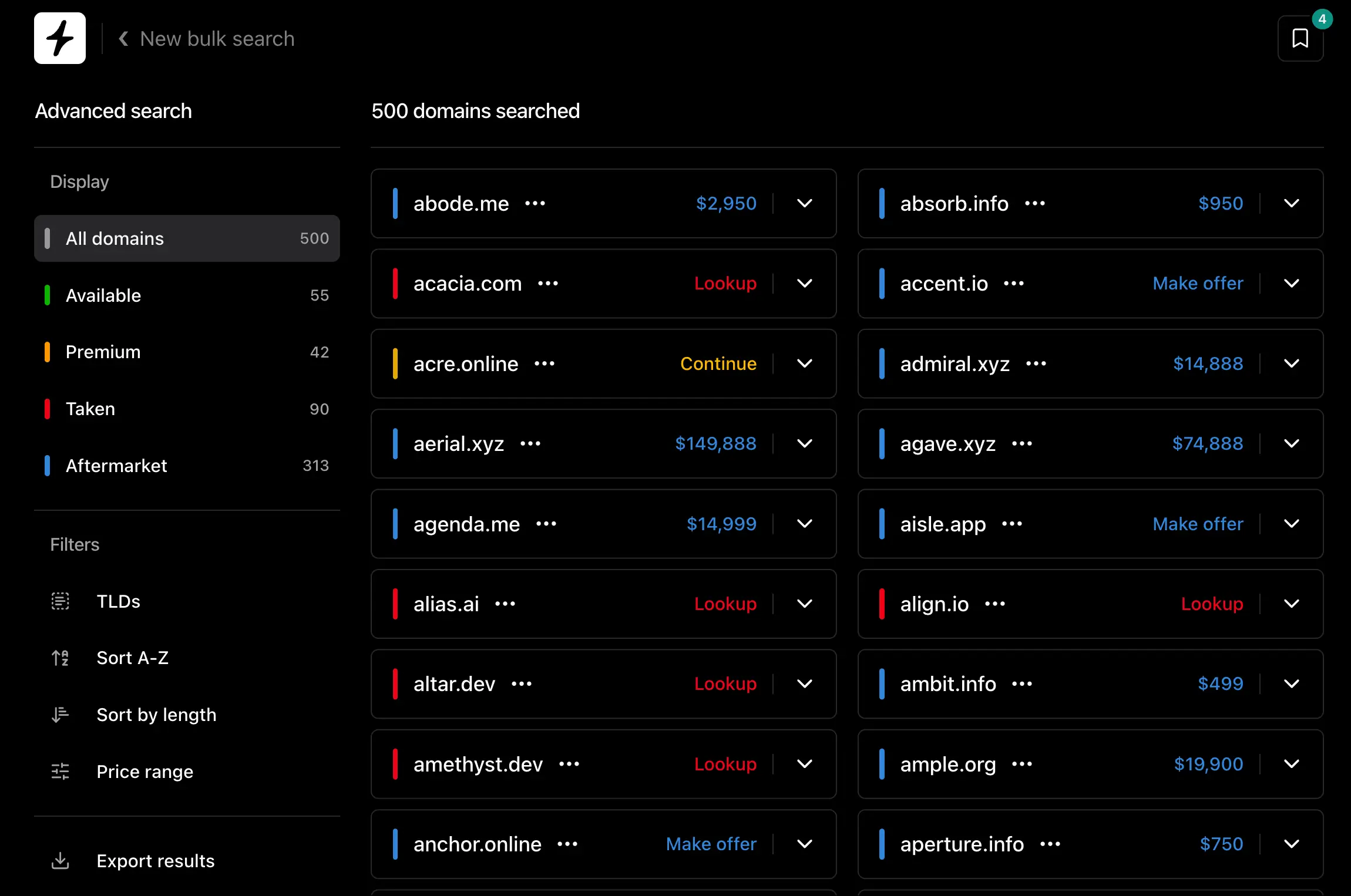
A list opened inside bulk domain search — 500 domains loaded with the Display sidebar showing All (500), Available (55), Premium (42), Taken (90), Aftermarket (313), and filter options for TLDs, Sort A-Z, Sort by length, Price range, and Export results

Why the data underneath matters

Most “available domains” lists fall apart for the same reason: the data behind them is slow or inaccurate, so they get stale fast and nobody trusts them.

This works on Instant because the underlying search stack is built for fresh data at scale:

  • Direct registry partnerships across 380+ TLDs. Availability comes straight from registries, not through retail registrar APIs that rate-limit aggregators. (How direct registry partnerships work.)
  • Sub-25 ms aftermarket lookups. Aftermarket pricing on each list is fed by a Wikipedia-trained embedding model that ranks names by semantic similarity in under 25 milliseconds.
  • Smart partner routing across seven registrars. Click any domain and we route you to a registrar that actually supports the TLD, with real-time price comparison across all seven of our partners (Namecheap, GoDaddy, Porkbun, Hostinger, Dynadot, Spaceship, Network Solutions).
  • 800+ TLDs supported. Lists span the full extension landscape we cover, not just the popular .coms.

That’s why the counts on every list are honest. We’re checking the same way we check when you type a name into the search box.

What’s next

Right now /lists is curated by us. The next chapter is letting you curate too — save your own list of bookmarked names, share it with a link, watch the availability tick down as registrations come in. We’ll have more on that soon.

In the meantime, every weekly drop on social goes here first. If a new list shows up at /lists, it’s the freshest source.

Try it

Browse /lists, pick a list that fits what you’re naming, click into it, and use the “Check all” button to open the full set in bulk domain search. Bookmark the ones worth a second look.

A list you’d want us to build? hello@instant.ai.

Filter Domain Availability Instantly

Filter search results by available, premium, aftermarket, or taken — without a server round-trip, in a tool that has to stay instant.

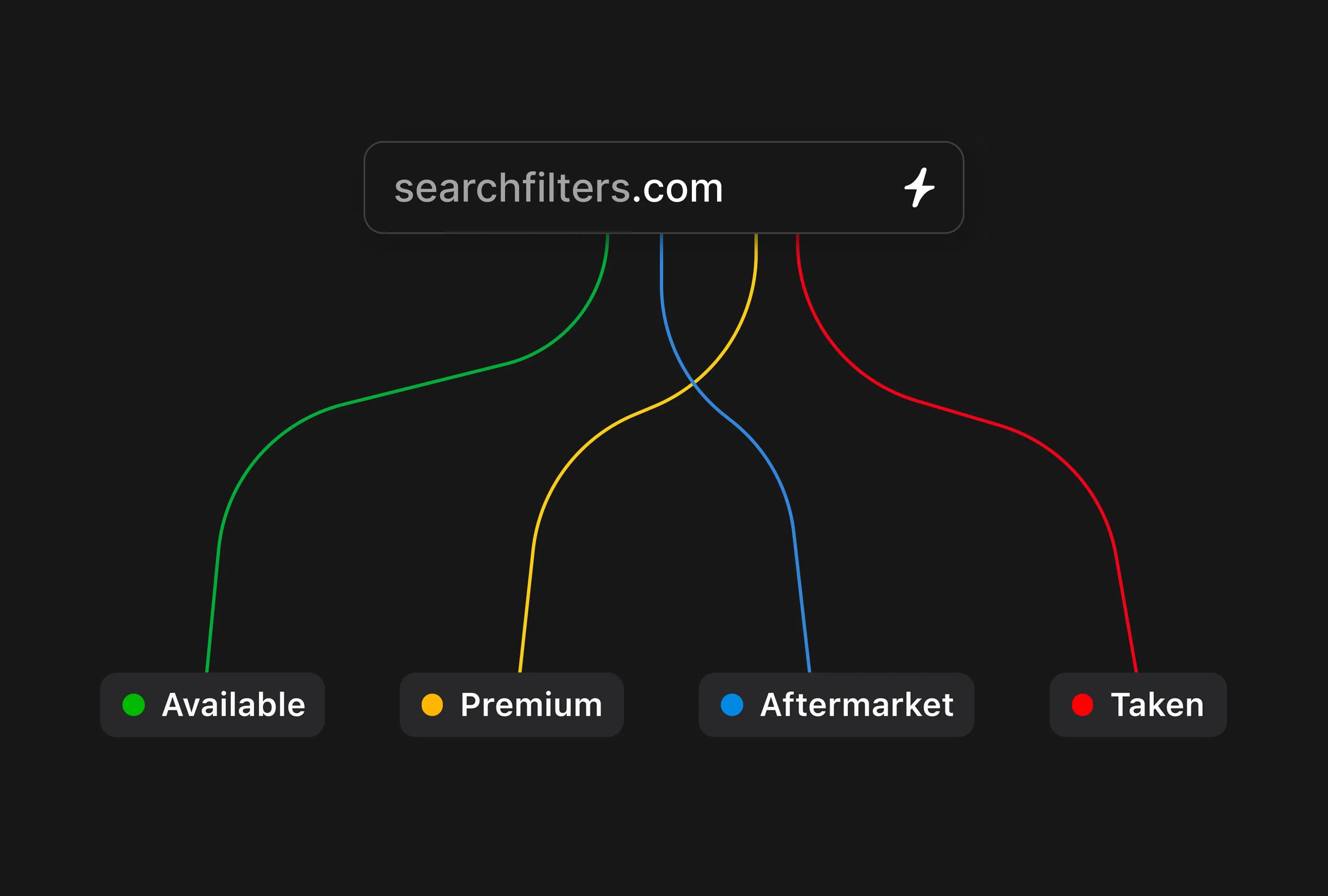
Search Filters concept: a domain search box for searchfilters.com branching out into colored paths labeled Available, Premium, Aftermarket, and Taken

We just shipped filters on Instant Domain Search — narrow your results to available, premium, aftermarket, or taken with a single click. It’s been our most-requested feature for years. Getting it onto a tool that has to stay instant turned into one of the more interesting design problems we’ve worked on.

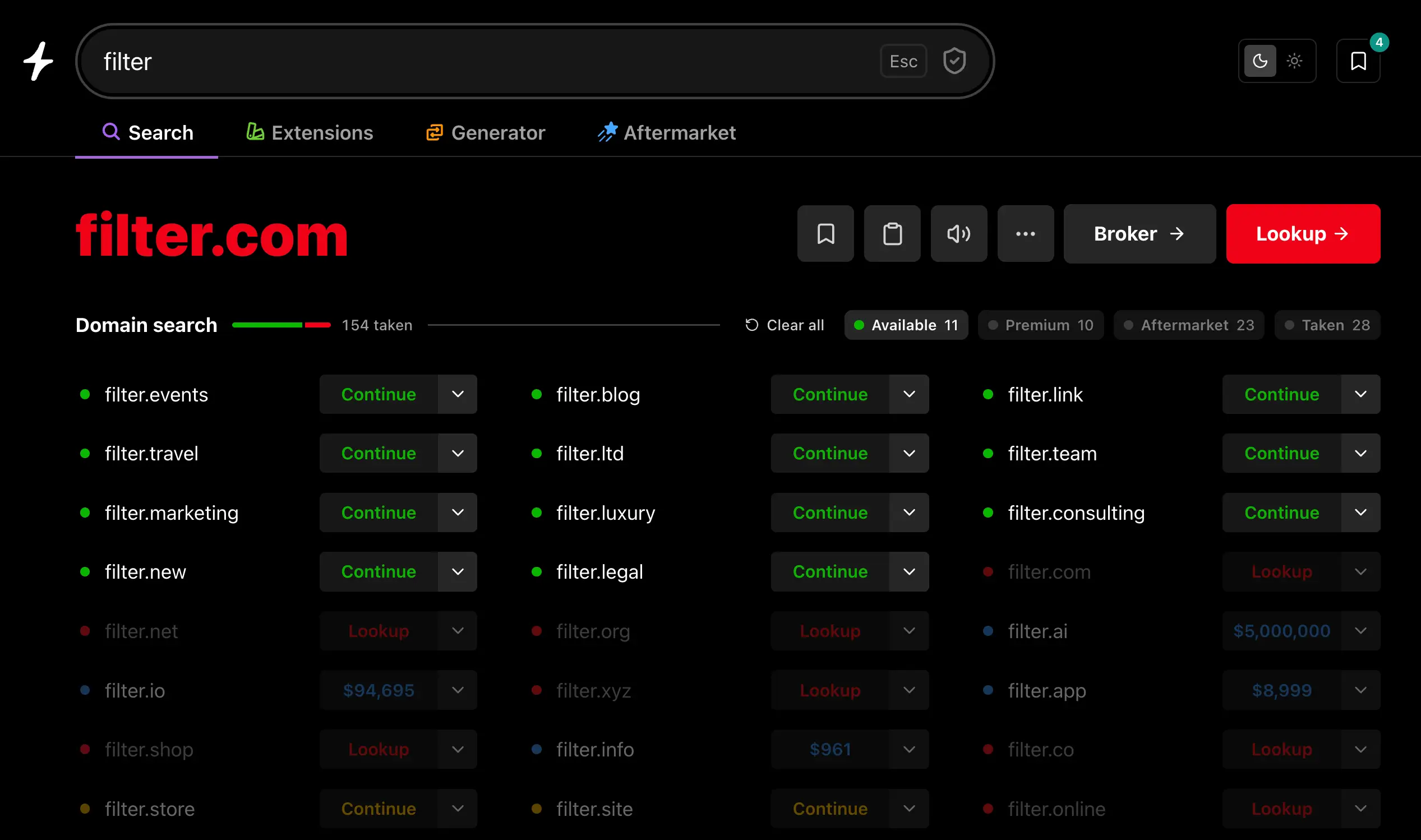
Instant Domain Search results for filter with the Available filter active — chip counts show Available 11, Premium 0, Aftermarket 23, Taken 28. Available results like filter.events, filter.travel, and filter.marketing are pinned to the top while non-matching taken names like filter.com and filter.net dim into the background

Why filters were hard

On most search tools, filters are a server thing. Click a filter, fire a new query, swap in a fresh page of results. That works because most of those tools already make you wait a moment for results to begin with — another half-second on top of that doesn’t feel any worse.

It doesn’t work on a tool whose results land faster than your keystrokes. The first version we tried sent a server query on every filter toggle and the page flashed every single time. Type a letter, flash. Toggle a filter, flash. Type another letter, flash again. The whole point of Instant is that you stay in flow, and we’d just shipped a feature that broke it.

So we kept punting on filters for years, even though they were the single feature people asked for most.

How we built them

The trick was to stop treating filters as a server concern.

When you search a name on Instant Domain Search, one streaming query delivers every relevant result into the page at the speed of your typing. We pull availability directly from registries (we have partnerships with 380+ of them) instead of going through retail registrar APIs that throttle and cache. Aftermarket matches come from a Wikipedia-trained embedding model that returns results in under 25 ms. Registrar pricing is fetched in parallel from all seven of our partners. The whole stack is built to get the entire result set in front of you faster than you can finish typing.

Once the data’s already there, filters don’t need a server. They just need to re-rank what’s on the page.

So that’s what they do now. Toggle “Available” and the matches jump to the top while non-matching results fade back. Toggle “Aftermarket” and the secondary-market names move up. There’s no round-trip, no flash, no waiting. The page reorganizes in batches as new results stream in, so even mid-query the experience stays smooth.

The result: filters that feel like part of the same instant experience as everything else, instead of a slow extra step bolted on top.

Why most tools can’t do this

Local-first filtering only works if the underlying search is fast enough to deliver the full result set in real time. Most domain search tools paginate or query-on-toggle because their data isn’t streaming in fast enough to filter against — they’re waiting on registrar APIs, hopping between retail partners, or running keyword matches that need the server to do the heavy lifting.

Instant doesn’t have that bottleneck:

  • Direct registry data. We pull availability from VeriSign, Identity Digital, Public Interest Registry, and 380+ other registries we partner with directly. No retail registrar APIs in the search path. (More on how we make it fast.)
  • Sub-25 ms aftermarket. Our aftermarket model ranks names by semantic similarity, not keyword match — so “supercoolapp” surfaces names like “rocketlabs” and “stellartools,” not just literal substring matches.
  • Parallel registrar pricing. Real-time price comparison across all seven of our partners (Namecheap, GoDaddy, Porkbun, Hostinger, Dynadot, Spaceship, Network Solutions), surfaced inline.
  • 800+ TLD coverage. Filters work across every extension we support, not just the popular .coms.

Because the data is all there in milliseconds, filtering it in the browser becomes the obvious move. That’s the only reason this works.

What you can filter

Four status filters, available across domain search, the domain generator, our extension pages, and the aftermarket tab:

  • Available — domains you can register today at standard pricing.
  • Premium — registry-priced premium names with the price surfaced upfront.
  • Aftermarket — names listed on dan.com, Sedo, Atom, BrandBucket, Afternic, and the other marketplaces we work with.
  • Taken — already registered, so you can quickly see what’s been claimed and what’s still open in the same view.

Toggle any combination. The counts update live as more results stream in.

We also added dropdown filters where they make sense: pick a TLD on the domain generator to brainstorm against a specific extension, or filter by TLD and price on bulk domain search when you’re slicing through thousands of names at once.

Try it

Search a domain and use the filter chips above the results. Toggle one on, type a few more letters, and watch the matches stay pinned to the top.

Filters you’d want to see next? hello@instant.ai.

Introducing the Saved Domains Sidebar

Bookmark domains as you search, see full details for any saved name without leaving the page, and keep your shortlist in flow.

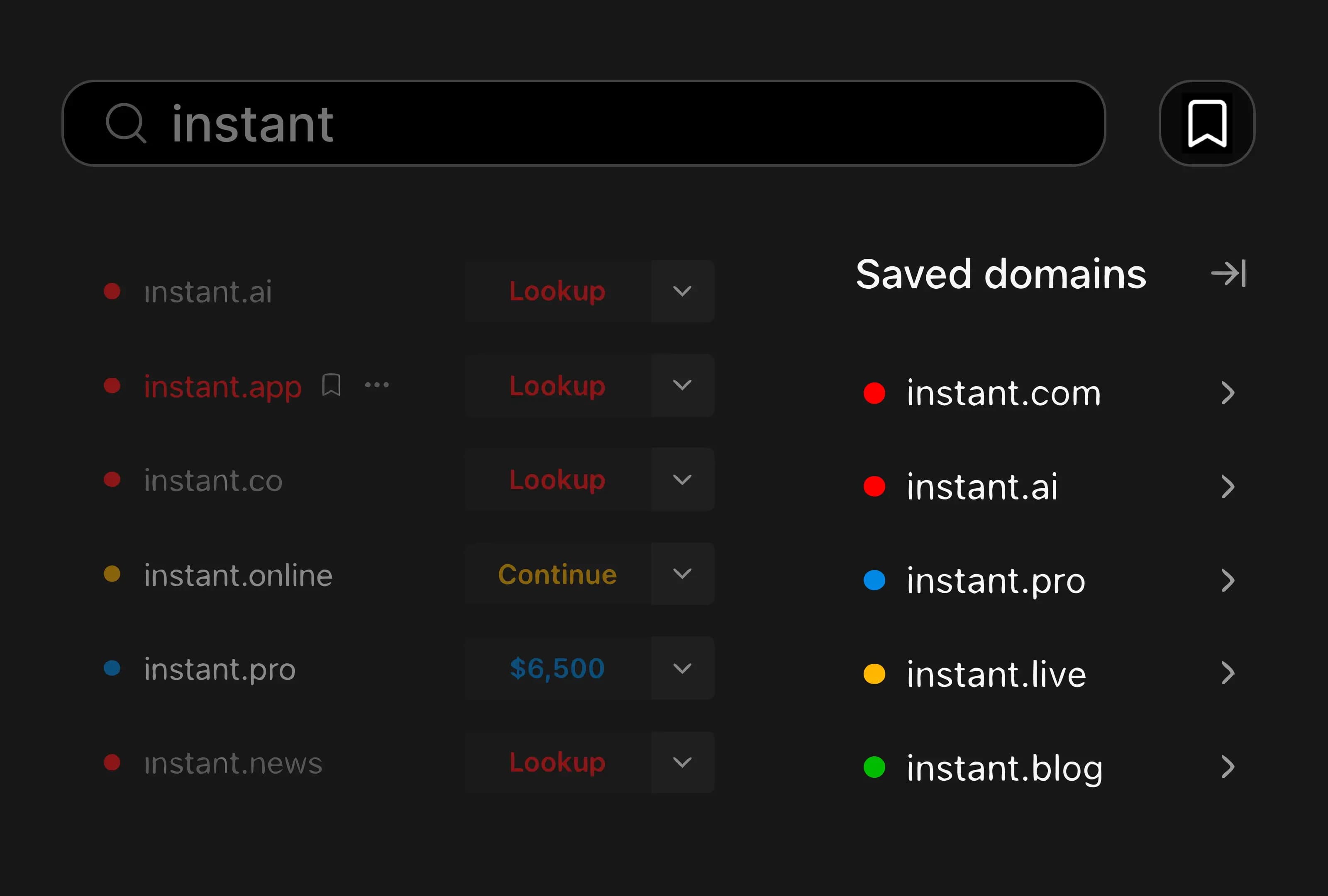
Saved Domains sidebar concept: a domain search showing instant.ai, instant.app, instant.co alongside a shortlist of bookmarked domains

We rebuilt Saved Domains as a sidebar that lives next to your search. Bookmark anything worth a second look, click into the full picture for any saved name without leaving the page, and keep a working shortlist as you go.

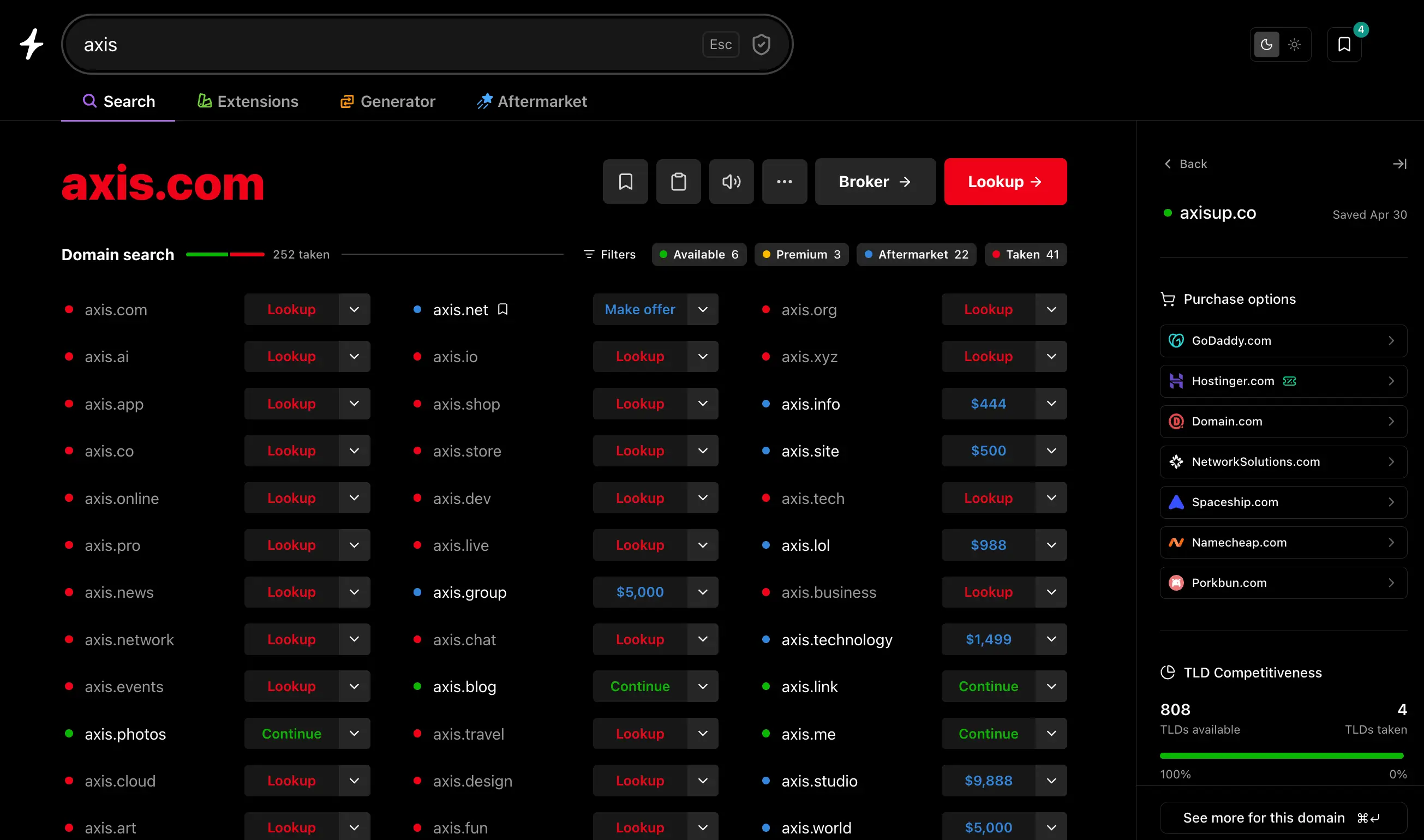
Instant Domain Search results for axis with the Saved Domains sidebar open on the right, showing axisup.co’s registrar pricing across GoDaddy, Hostinger, Domain.com, NetworkSolutions, Spaceship, Namecheap, and Porkbun, plus TLD competitiveness and a save-date timestamp

Why we built it

Picking a domain isn’t one search. It’s twenty. You find a name that could work, chase it through availability, registrar prices, alternate TLDs, the aftermarket — and by the time you’ve actually looked into it, you’ve lost track of the other three you liked.

The old saved-domains dropdown was fine for stashing a name. It wasn’t built for the way people actually narrow down a list. So we rebuilt it as a sidebar that stays open alongside whatever you’re doing. Search, bookmark, click into details, jump back. No page refreshes, no losing your place.

What’s new

Bookmark from anywhere. Every result on Instant Domain Search and Check has a bookmark icon. One click saves it to your sidebar.

Full domain details, in-place. Click any saved domain and the sidebar expands into a details view that adapts to whatever the domain is. You only see what’s relevant for its status:

  • Available — real-time pricing from our seven registrar partners (Namecheap, GoDaddy, Porkbun, Hostinger, Dynadot, Spaceship, Network Solutions), TLD competitiveness across 800+ extensions, and a list of alternative TLDs you can register right now.
  • Premium — the same registrar comparison, with each partner’s premium price surfaced upfront so there are no surprises at checkout.
  • Aftermarket — live listings from dan.com, Atom, Sedo, BrandBucket, Afternic, and the other marketplaces we work with, plus suggested alternative names if you’d rather skip the secondary market.
  • Taken — live OpenGraph data pulled from the site so you can see what’s actually on the page without leaving, full WHOIS (registrant, registration date, expiration), and a curated list of similar names you might be able to register instead.

Persistent across devices. Sign in once and your saved domains follow you between sessions and devices. Prefer to keep things local? An opt-out toggle keeps everything on your browser only — saved domains never have to touch our servers if you don’t want them to.

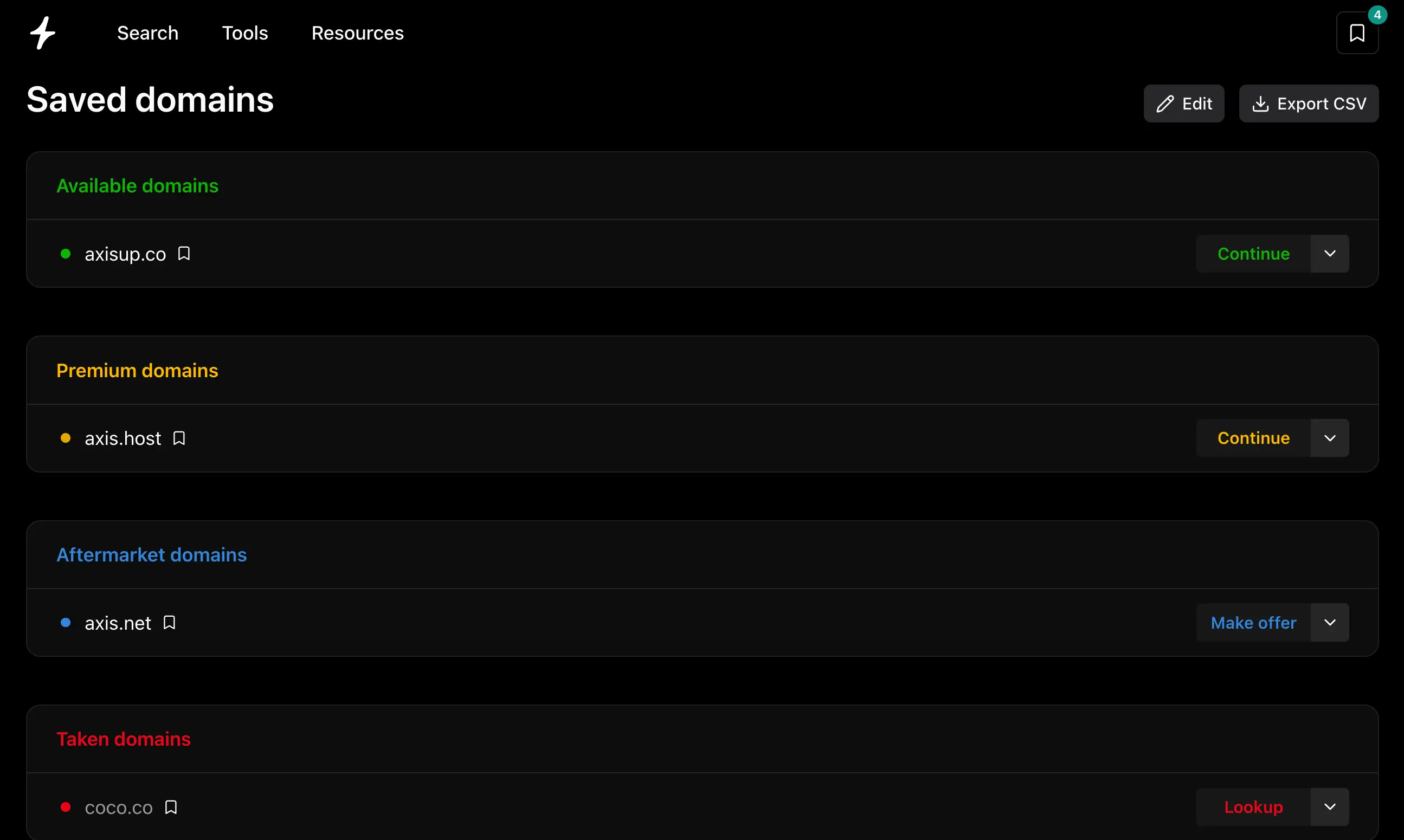
A dedicated page for the long list. When your shortlist outgrows the sidebar, /saved-domains gives you the same data in a sortable table, grouped by status, with one-click CSV export.

The /saved-domains page showing a sortable table of bookmarked domains grouped by availability

Why this works as well as it does

A sidebar is only useful if the data behind it shows up fast. Click a saved name and you should know everything about it before you’ve finished thinking about why you saved it.

That’s why this took us a while to ship. Most domain tools route their availability through retail registrar APIs, which means the moment you click into a name you’re waiting on a third-party server. Instant pulls availability directly from registries — VeriSign, Identity Digital, Public Interest Registry, and 380+ others we have direct partnerships with — so checks come back in milliseconds. Aftermarket listings come from a Wikipedia-trained embedding model that ranks names by semantic similarity in under 25ms. Registrar pricing is fetched in parallel from all seven partners and shown side-by-side, with smart partner routing hiding any registrar that doesn’t actually support the TLD you’re looking at.

In other words: the sidebar isn’t a new data layer. It’s the same fast pipeline our search runs on, surfaced where you need it without taking you away from what you were doing.

It’s also where we’ll keep adding more. Today it surfaces saved domains and check data. Soon it’ll handle generator suggestions, bulk results, and more of the tools we ship — all in one place, none of them a context switch.

Try it

Search a domain and click the bookmark icon on any result. Open the sidebar and click into a saved name to see the full details view. Or jump to /saved-domains for the full table.

What would you want to see in the sidebar next? hello@instant.ai.

Introducing Check Domain Availability

A new tool for investigating individual domains: availability, TLD competitiveness, site previews, registrar pricing, and aftermarket listings.

Check Domain Availability tool showing Instant Domain Search connected to WHOIS, registrar, and availability data sources

We built Check Domain Availability — a new tool for investigating individual domains. Type in any domain and get the full picture: availability, ownership, registrar pricing, TLD competitiveness, aftermarket listings, and alternatives. All on one page, all loading instantly.

Check Domain Availability tool showing instant.ai with TLD competitiveness breakdown, available extensions, and a live site preview

What you get

Type a domain into Check and you’ll see:

  • Availability status — whether the domain is available, taken, or listed on an aftermarket marketplace.
  • TLD competitiveness — a breakdown of how many extensions are available vs. taken for that name across 800+ TLDs. If acme.com is taken, you can instantly see that acme.design, acme.ai, or acme.dev might still be open.
  • Available extensions — up to 12 alternative TLDs you can register right now, with links to check each one individually.
  • Site preview — if the domain is already registered, we pull the live OpenGraph data so you can see what’s currently on the site without leaving the page.
  • Registrar pricing — direct links to register through Namecheap, GoDaddy, Porkbun, Hostinger, Dynadot, and others.
  • Aftermarket listings — if the domain is taken, we show marketplace listings from dan.com, Sedo, BrandBucket, and others with prices where available.
  • Alternative names — AI-generated domain suggestions based on your search, with links to explore further in our domain generator.

Everything loads in parallel. No waiting for one section to finish before the next appears.

Search history

Every domain you check gets saved to a sidebar that persists across your session. You can build up a shortlist of domains you’re comparing, remove ones you’ve ruled out, and jump between them without re-searching. It holds up to 50 domains.

This is useful when you’re narrowing down options — checking a handful of names back to back to compare what’s available, what’s taken, and what the aftermarket looks like for each.

How it’s different from domain search

The distinction matters for how you use each tool:

Domain name search answers: “What’s out there for this keyword?” You get instant results across every extension, generator suggestions, and aftermarket listings — all streaming in as you type. It’s the fastest way to discover domains.

Check domain availability answers: “What’s the full picture for this specific domain?” You get a detailed report on a single name: who owns it, where to buy it, what alternatives exist, and how competitive the name is across TLDs.

Use search when you’re brainstorming. Use check when you’ve found something worth investigating.

Try it

Check is live now at instantdomainsearch.com/check. You can also find it under the Tools menu in the nav bar.

If you’re checking domains in bulk, our bulk domain search tool handles up to 10,000 domains at once. And if you want to search by extension, each TLD has its own dedicated search page with pricing and market data.

Questions or feedback? hello@instant.ai.