Until now, finding a domain for sale on Premium Domains meant starting with a word. That works when you already have a name in mind, and gets in the way when you only know your budget and the kind of name you want.
You can now browse every domain for sale without typing a keyword. Nineteen million aftermarket listings across Afternic, Sedo, Atom, GoDaddy, Sav, DomainAgents, SnapNames, and more open in one live table, ranked by name quality and filtered by your budget.
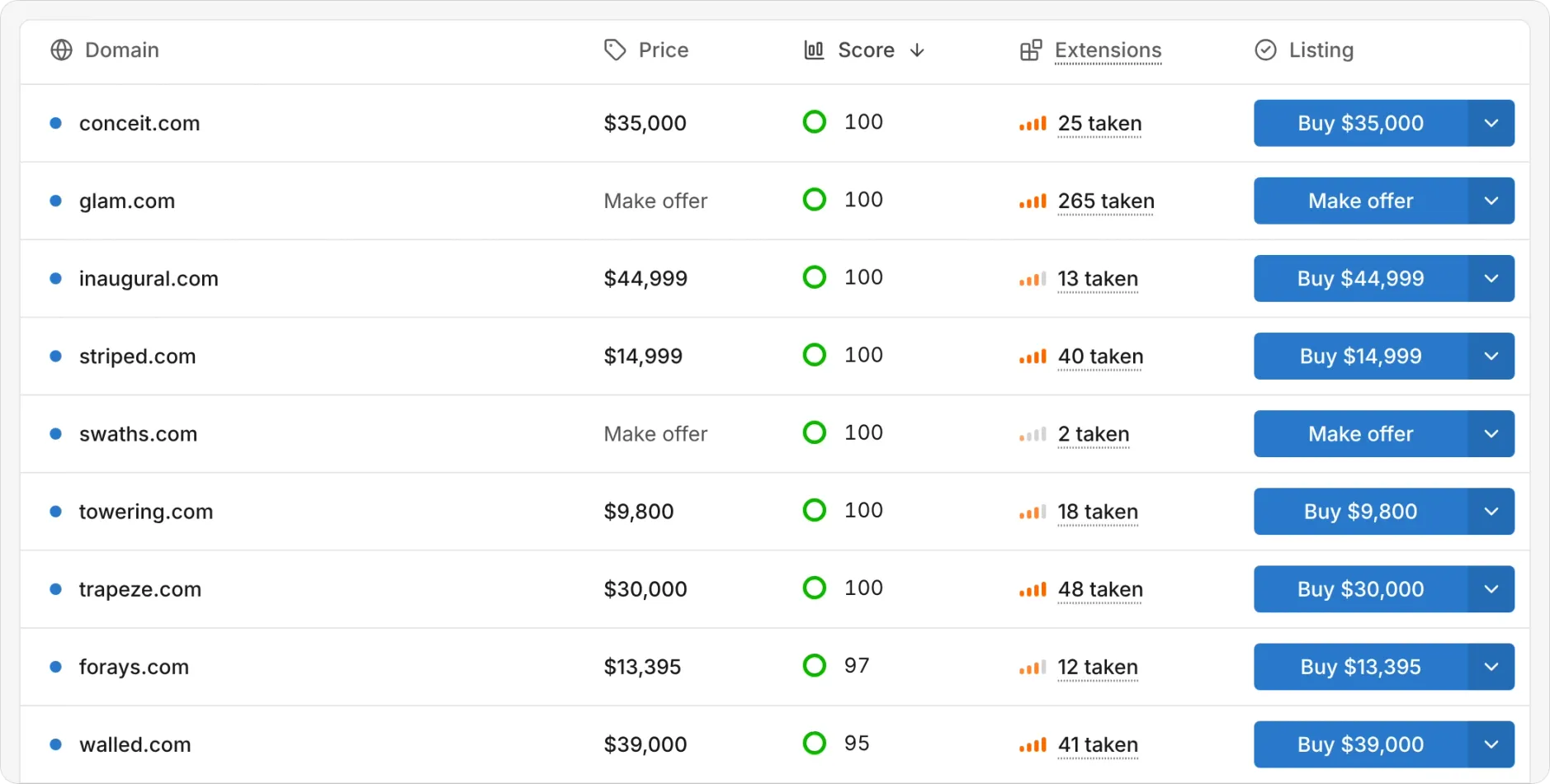
Filter by what you can spend
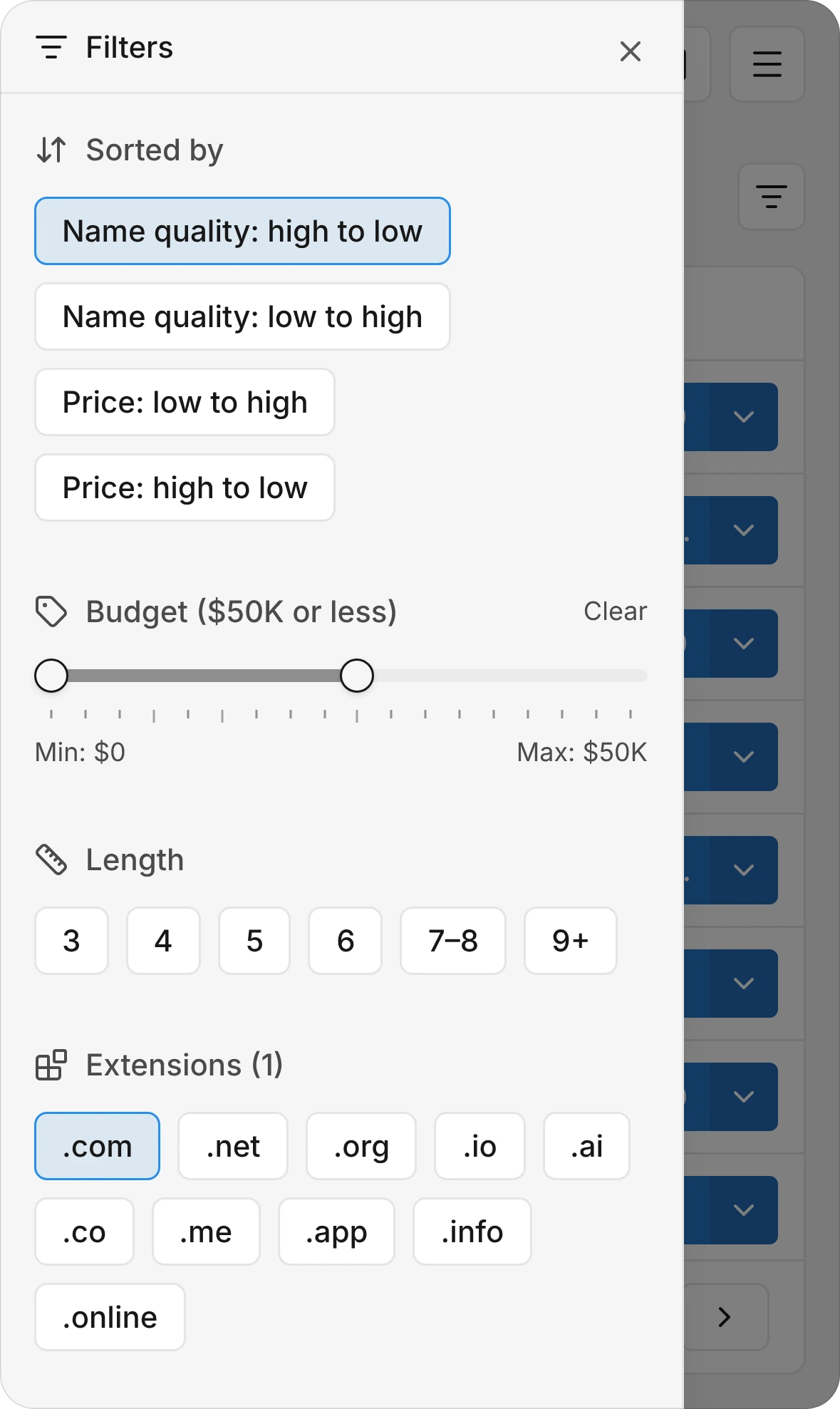
- Budget. Drag the two-handle slider across 17 stops from $0 to $10M (plus No limit) to set a minimum, a maximum, or both. The table updates when you release the handle, so dragging across stops never fires a stack of half-finished searches.
- Length and extensions. Pick character lengths (3, 4, 5, 6, 7–8, or 9+) and toggle any combination of ten extensions (.com, .net, .org, .io, .ai, .co, .me, .app, .info, and .online).
- Name quality. Every listing carries a 0 to 100 score from a name-quality model trained on how names read as brands. Use the Name quality slider in steps of 5 to set a floor or narrow to a band.
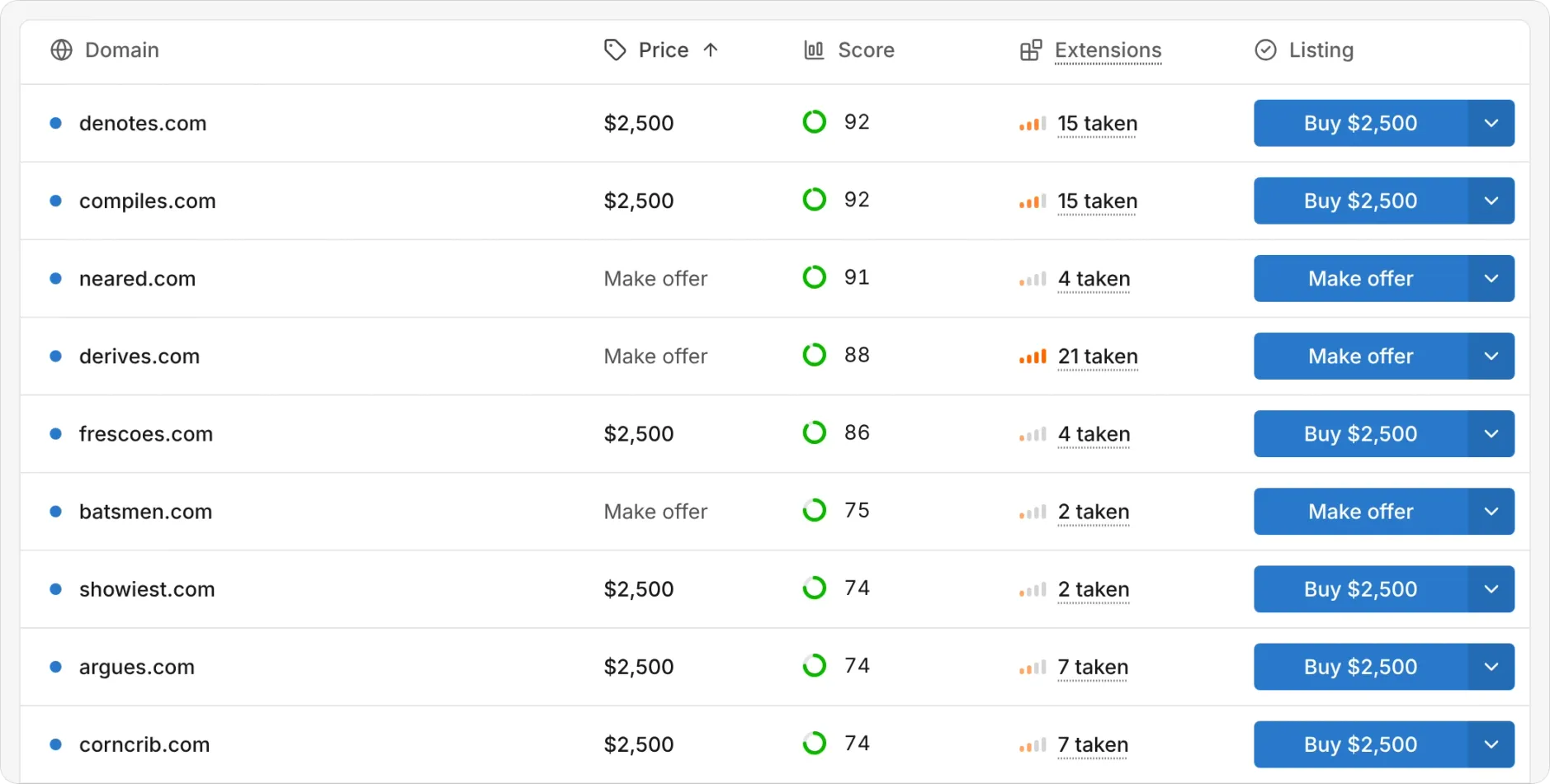
Sort by quality or price, and compare every marketplace
- Sort by Score or Price. The table defaults to Score, highest first. Click Score to flip the direction, or click Price to cycle from lowest first to highest first and back to score order.
- Fixed prices vs. other offers. A row shows a dollar amount and a Buy button only when a marketplace lists a fixed buy-now price. An auction shows Auction, a lease shows Lease or Lease to own, and a listing that only takes offers shows Make offer.
- Every marketplace on the row. When the same domain is listed in more than one place, the chevron beside the action button opens a menu with each marketplace and its offer, plus a link to the WHOIS record.
- On your phone, too. Small screens hide the Price, Score, and Extensions columns, so the Filters sheet adds a Sorted by picker with all four sort directions alongside the budget, length, extension, and quality controls.
- Shareable URLs and bookmarks. Every filter and sort lives in the URL, so reloading, using the back button, or sending the link to a teammate restores the exact view. Bookmark any row to save it to your shared saved-domains list.
Try it
Open Premium Domains listings to browse the full catalog, or start from the filter card on Premium Domains. It is free, and no account is required.
Have feedback or a marketplace you want us to add? Email hello@instant.ai.
Frequently asked questions
Where do the listings and prices come from?
We index aftermarket listings across Afternic, Sedo, Atom, GoDaddy, Sav, DomainAgents, SnapNames, and other major marketplaces. When you click Buy, Auction, Lease, Lease to own, or Make offer, you go directly to the marketplace that carries the listing to complete the purchase.
Why do some rows show Auction, Lease, or Make offer instead of a price?
Only fixed buy-now listings show a dollar amount and a Buy button. An auction shows Auction, a lease shows Lease or Lease to own, and a marketplace that only accepts offers shows Make offer, so none of those is mistaken for a buy-now price.
What does the Score column measure?
It is the Instant name-quality score from 0 to 100, from a model trained on how a name reads as a brand. It is separate from the asking price.
What does “extensions taken” mean?
It counts how many other extensions already have the same name registered. A higher count means more people and businesses already use that name across other TLDs.