Getting started — Instant Domain Search MCP
Introduction
Connect your AI assistant to domain search and indexed USPTO trademark records. Search names across extensions, find .com alternatives, check registration status, and look up trademarks.
Available for Claude (Web & Desktop), ChatGPT, and Cursor, the MCP eliminates the back-and-forth between AI suggestions and manual domain checking. Your AI can now check domain availability instantly while generating ideas, keeping your entire workflow in one place.
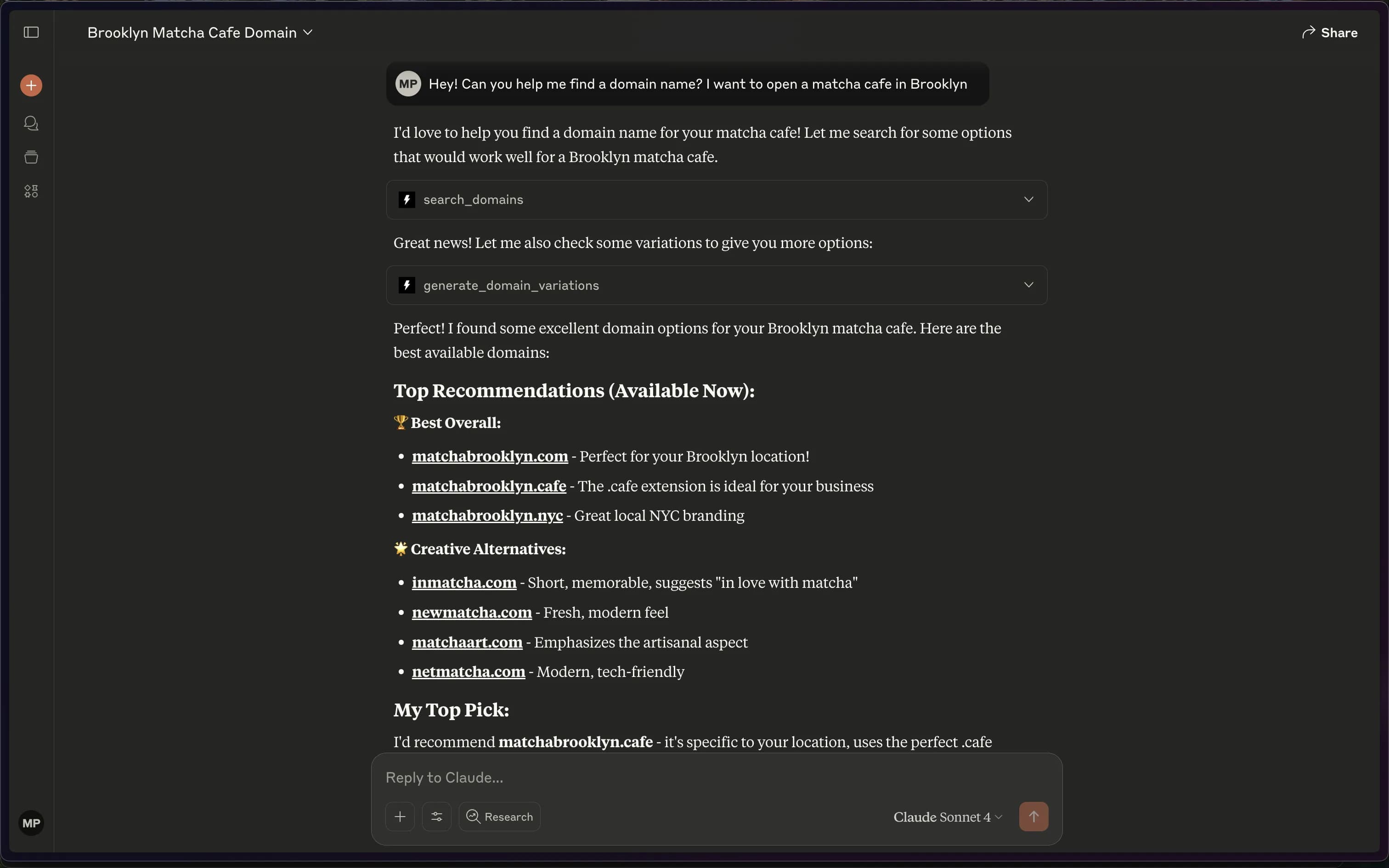
How It Works
Domain status comes from our search index, rebuilt daily from registry zone files and DNS observations. Checks do not make live registry queries. Uncovered extensions can have unknown status. Confirm availability with the registrar before purchase.
Available Tools
search_domains— Checks one name across many extensions. Takes a name without an extension and returns the registration status for each extension you choose, or for the popular ones by default, from an index rebuilt daily.generate_domain_variations— Alternatives when your first choice is taken. Adds common prefixes and suffixes to a name and returns the .com for each, sorted by how common the added word is.check_domain_availability— Check registration status for up to 50 full domain names from the daily index. Uncovered extensions have unknown status. Each result links to the domain’s research page; confirm availability with the registrar before purchase.search_trademarks— Search indexed USPTO trademark records with exact, prefix, fuzzy, or phonetic matches. Filter by status, class, or owner, and return up to 100 matches. Results include the snapshot freshness.get_trademark_details— Look up a trademark by its eight-digit USPTO serial number. Get its status, dates, owners, classes, goods and services, filing flags, and snapshot freshness.
Privacy & Security
Domain checks use our own index instead of a live query to a retail registrar. No account or API key is required for the MCP server.
Supported Platforms
Check out each of our guides for the following platforms:
- Claude Web
- Claude Desktop
- ChatGPT
- Cursor
- Coding agents — Claude Code, Codex, Grok Build, and the Cursor plugin
Technical Implementation
The MCP server endpoint is:
https://mcp.instantdomainsearch.com/mcp
The server uses Streamable HTTP and requires no authentication. Every tool listed above is available through this endpoint.
Need Help?
- Email: hello@instant.ai
- Website: instantdomainsearch.com
Next Steps
- Choose your platform from the guides above
- Complete the setup (typically under 2 minutes)
- Start searching with natural language queries like:
- "Find an available domain for my coffee shop"
- "Check if myproject.dev is available"
- "Generate variations of 'techstartup' that I can register"
The Instant Domain Search MCP transforms your AI chats into an intelligent domain research partner — no browser tabs, no copy-paste, just instant results.