
Cursor
This guide details how to add Instant Domain Search's MCP to the Cursor IDE.
Requirements
The Instant Domain Search MCP is free to use. You'll need Cursor installed on your machine with MCP support enabled.
How It Works
Domain status comes from our search index, rebuilt daily from registry zone files and DNS observations. Checks do not make live registry queries. Uncovered extensions can have unknown status. Confirm availability with the registrar before purchase.
search_domains— Checks one name across many extensions. Takes a name without an extension and returns the registration status for each extension you choose, or for the popular ones by default, from an index rebuilt daily.generate_domain_variations— Alternatives when your first choice is taken. Adds common prefixes and suffixes to a name and returns the .com for each, sorted by how common the added word is.check_domain_availability— Check registration status for up to 50 full domain names from the daily index. Uncovered extensions have unknown status. Each result links to the domain’s research page; confirm availability with the registrar before purchase.search_trademarks— Search indexed USPTO trademark records with exact, prefix, fuzzy, or phonetic matches. Filter by status, class, or owner, and return up to 100 matches. Results include the snapshot freshness.get_trademark_details— Look up a trademark by its eight-digit USPTO serial number. Get its status, dates, owners, classes, goods and services, filing flags, and snapshot freshness.
Setup Guide
Option 1: Quick Install (Recommended)
Simply click the following link:
Add Instant Domain Search to Cursor
This will open the installation page in Cursor. Just click "Install" and you're done!
Option 2: Manual Configuration
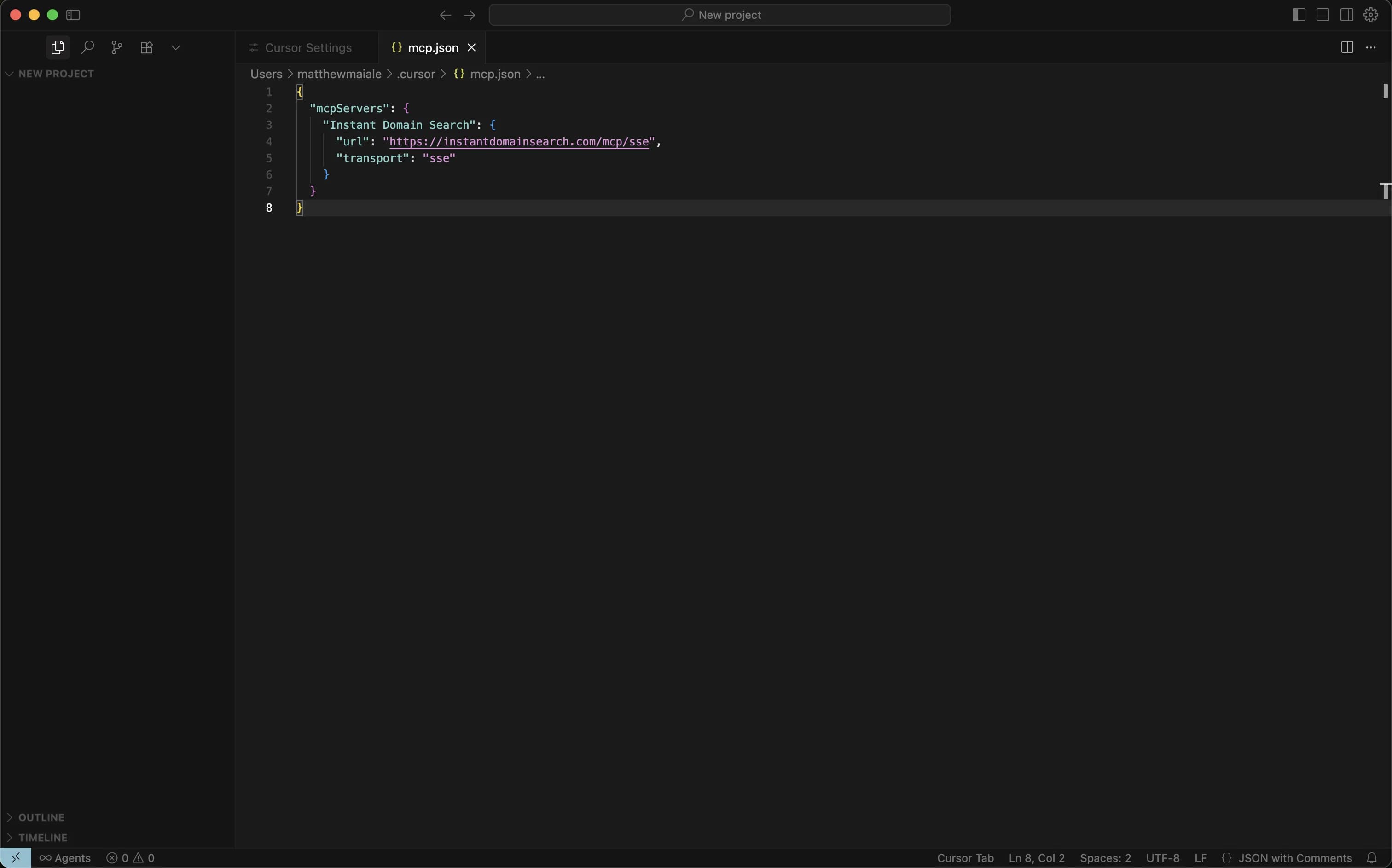
If you prefer to configure manually, add this to your mcp.json file:
{
  "mcpServers": {
    "Instant Domain Search": {
      "url": "https://mcp.instantdomainsearch.com/mcp"
    }
  }
}
To access your mcp.json file:
- Open Cursor Settings
- Navigate to "Tools & Integrations"
- Click "New MCP Server" to view/edit the configuration
Save the file and restart Cursor to load the MCP.
Using the MCP in Cursor
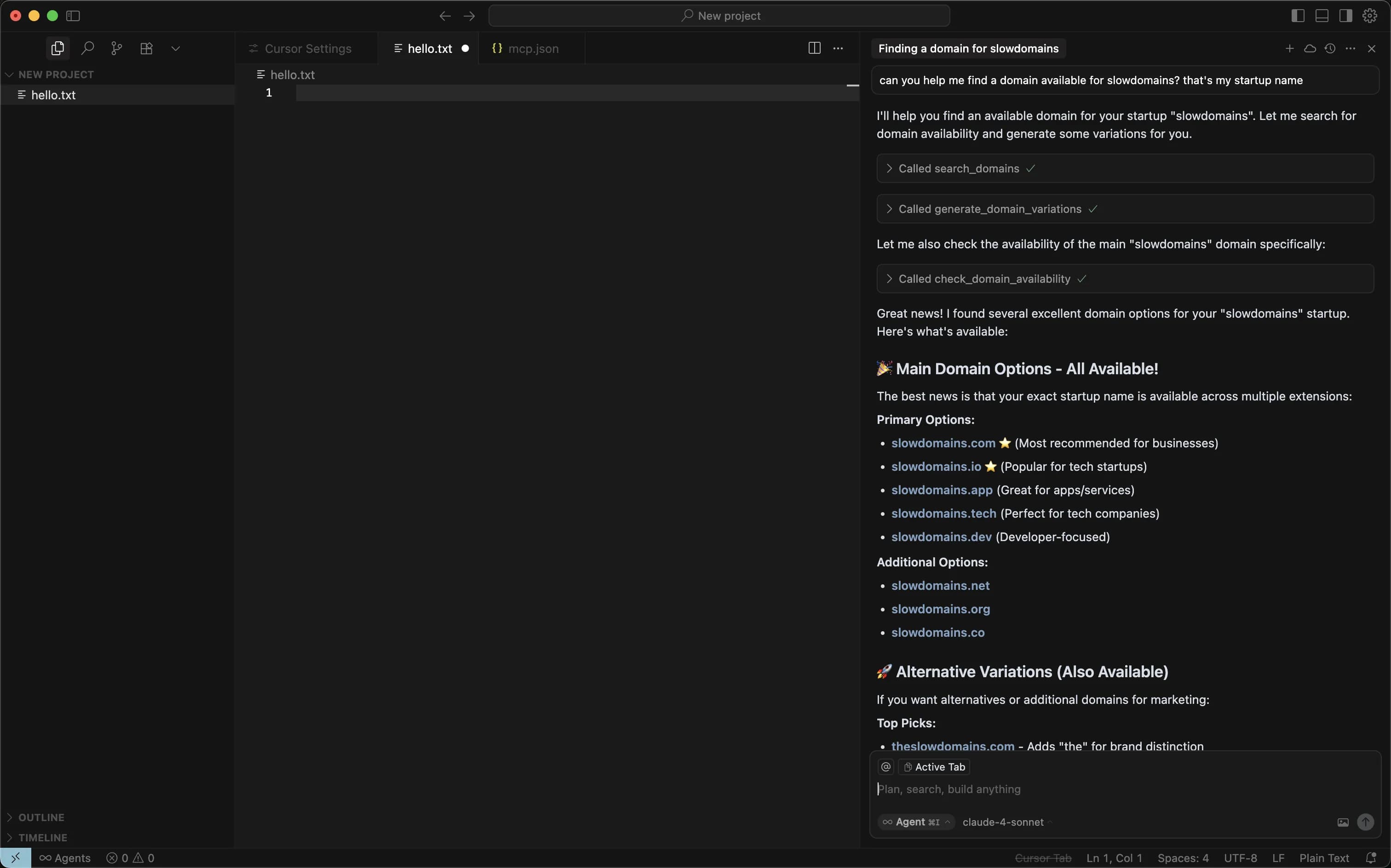
Once installed, you can use the Instant Domain Search MCP directly in your chat:
Can you help me find a domain available for slowdomains? That's my startup name
The MCP will automatically search for available domains and provide intelligent suggestions.
Example Use Cases
- Project naming: "I need a domain for my new SaaS project"
- Client work: "Find available domains for my client's restaurant"
- Open source projects: "Check if projectname.dev is available"
- Bulk checks: "Check these 10 domain names for availability"
Privacy & Security
Domain checks use our own index instead of a live query to a retail registrar. No account or API key is required for the MCP server.
Troubleshooting
MCP not appearing in Cursor Ensure you've restarted Cursor after adding the configuration.
Connection errors
Verify the URL is exactly: https://mcp.instantdomainsearch.com/mcp
Need help?
Contact our team at hello@instant.ai.
Next Steps
Start using the MCP by asking Cursor to help you find domains. Try prompts like:
- "Find available domains for my startup"
- "Check if this list of domains is available"
- "Generate creative variations for my brand name"
The Instant Domain Search MCP brings domain index results and USPTO trademark records into your development workflow.