
Claude Desktop
This guide details how to add Instant Domain Search's MCP to Claude's desktop application.
Requirements
Instant Domain Search's MCP is free and listed in the Claude directory as Instant. Claude's custom connectors work on every Claude plan, and the Free plan allows one. On Team and Enterprise plans, an organization Owner adds the connector first; members then connect to it from their own Connectors settings.
How it works
Domain status comes from our search index, rebuilt daily from registry zone files and DNS observations. Checks do not make live registry queries. Uncovered extensions can have unknown status. Confirm availability with the registrar before purchase.
search_domains— Checks one name across many extensions. Takes a name without an extension and returns the registration status for each extension you choose, or for the popular ones by default, from an index rebuilt daily.generate_domain_variations— Alternatives when your first choice is taken. Adds common prefixes and suffixes to a name and returns the .com for each, sorted by how common the added word is.check_domain_availability— Check registration status for up to 50 full domain names from the daily index. Uncovered extensions have unknown status. Each result links to the domain’s research page; confirm availability with the registrar before purchase.search_trademarks— Search indexed USPTO trademark records with exact, prefix, fuzzy, or phonetic matches. Filter by status, class, or owner, and return up to 100 matches. Results include the snapshot freshness.get_trademark_details— Look up a trademark by its eight-digit USPTO serial number. Get its status, dates, owners, classes, goods and services, filing flags, and snapshot freshness.
Install from the Claude Directory
Open Instant in the Claude directory and connect it. Then start a new chat and ask:
Help me find a domain name for my Brooklyn matcha cafe
Add It as a Custom Connector
If the directory listing is not available to you, add the server as a custom connector.
Setting up the Instant Domain Search MCP takes less than two minutes:
Step 1: Open Claude Settings
In the Claude desktop app, click on "Claude" in the menu bar and select "Settings".
Step 2: Access Connectors
Click on "Connectors" in the left sidebar, then the "Add custom connector" button.
Step 3: Add Custom Connector
Fill in the following details:
- Name: Instant Domain Search (or your preferred name)
- URL:
https://mcp.instantdomainsearch.com/mcp - Leave "Advanced settings" as default (no API key needed!)
Click "Add" to confirm. You can now go into a normal chat to prompt the MCP.
Step 4: Start Using It
To start using the MCP, you'll need to first prompt Instant Domain Search in the chat. This is as simple as asking:
Help me find a domain name for my Brooklyn matcha cafe
Before it queries Instant Domain Search, it will ask for permission. We recommend clicking "Allow always".
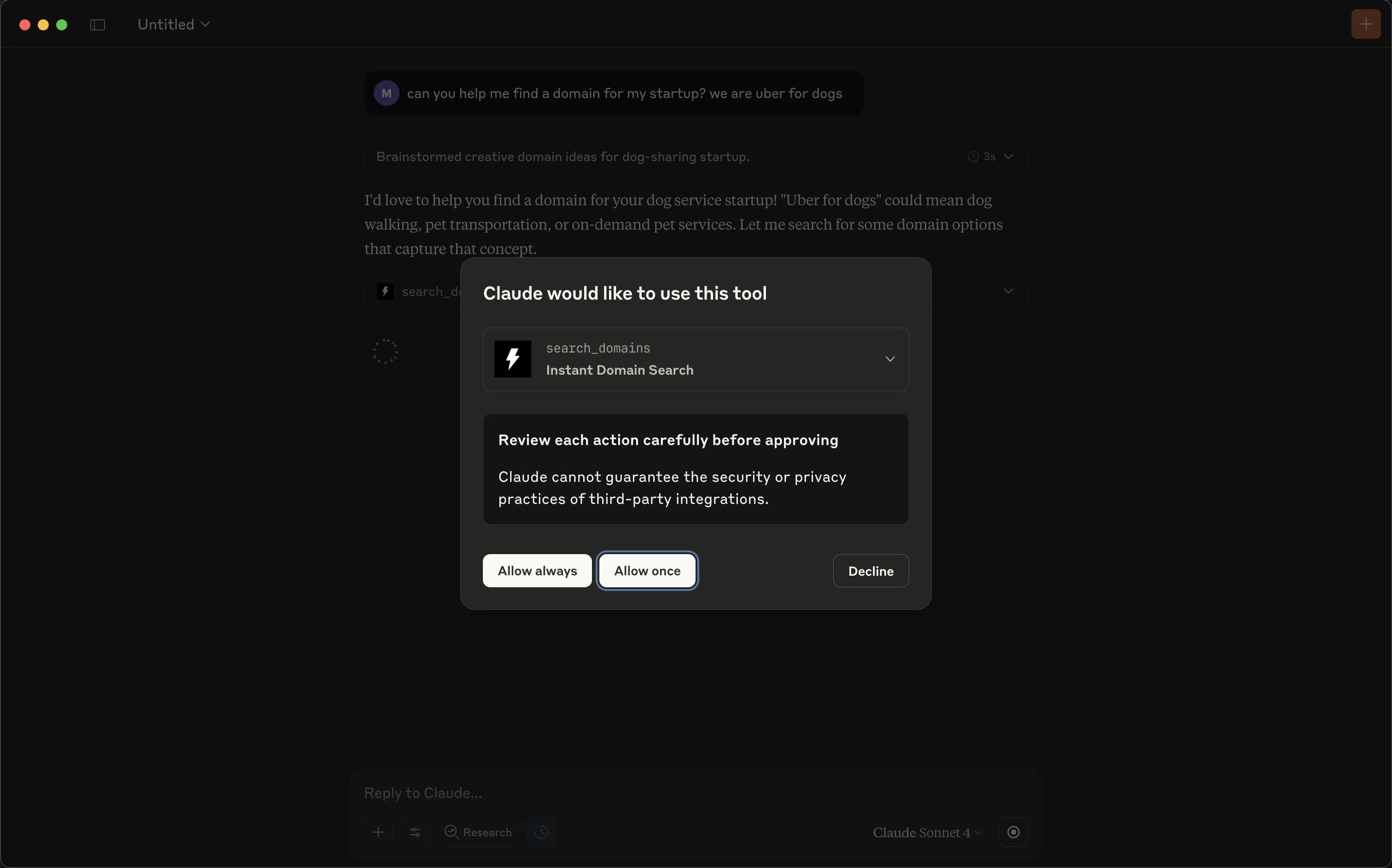
After you allow the permissions, it will start using the MCP connection directly in the chat.
Privacy & Security
Domain checks use our own index instead of a live query to a retail registrar. No account or API key is required for the MCP server.
Need help?
Contact our team at hello@instant.ai.
Getting started
Start a new conversation with Claude and try commands like:
- "Find me an available .com domain for a coffee shop"
- "Check if myawesomeidea.com is available"
- "Generate variations of 'techstartup' that are available"
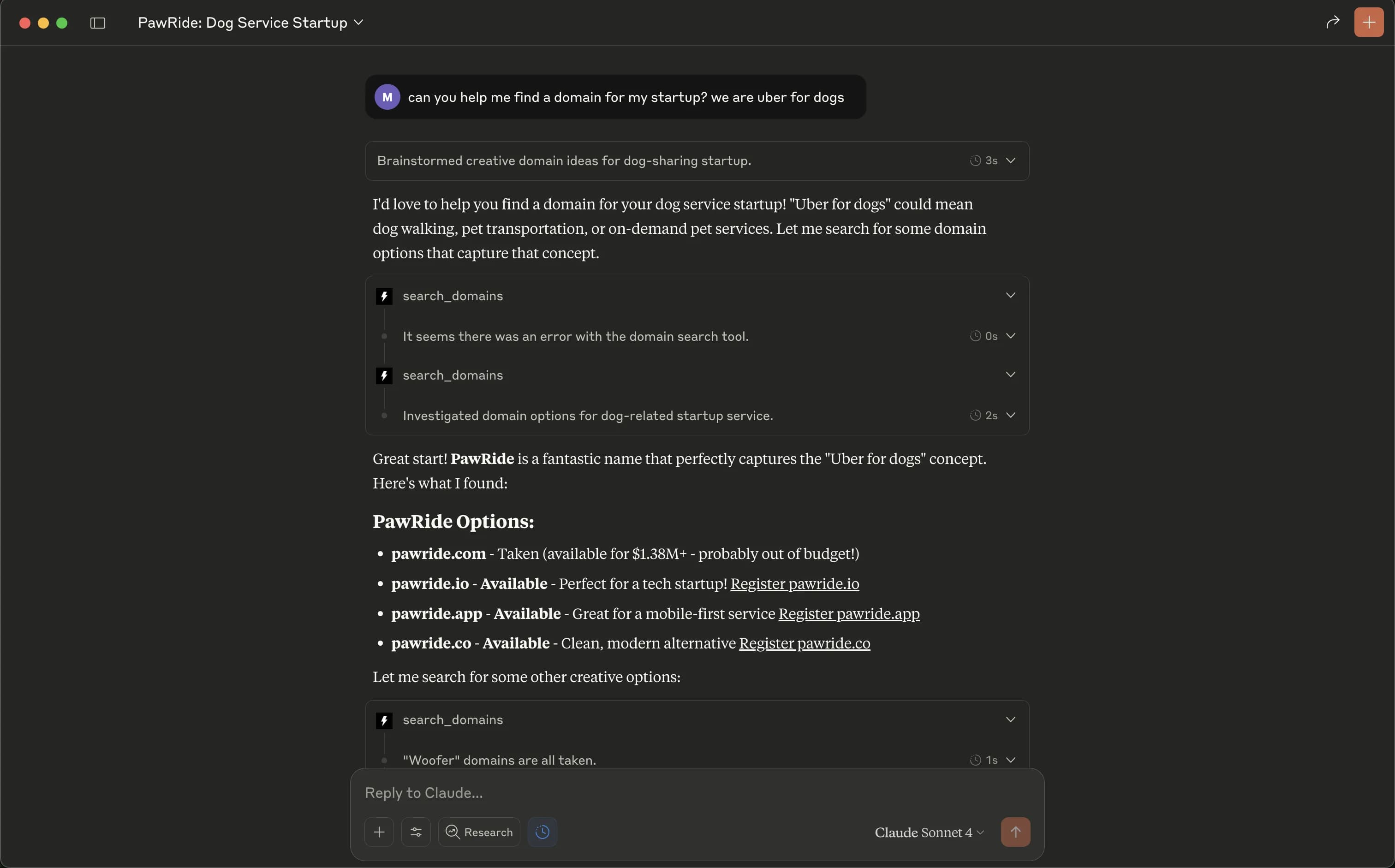
The Instant Domain Search MCP transforms Claude into your intelligent domain research assistant — no browser tabs required.