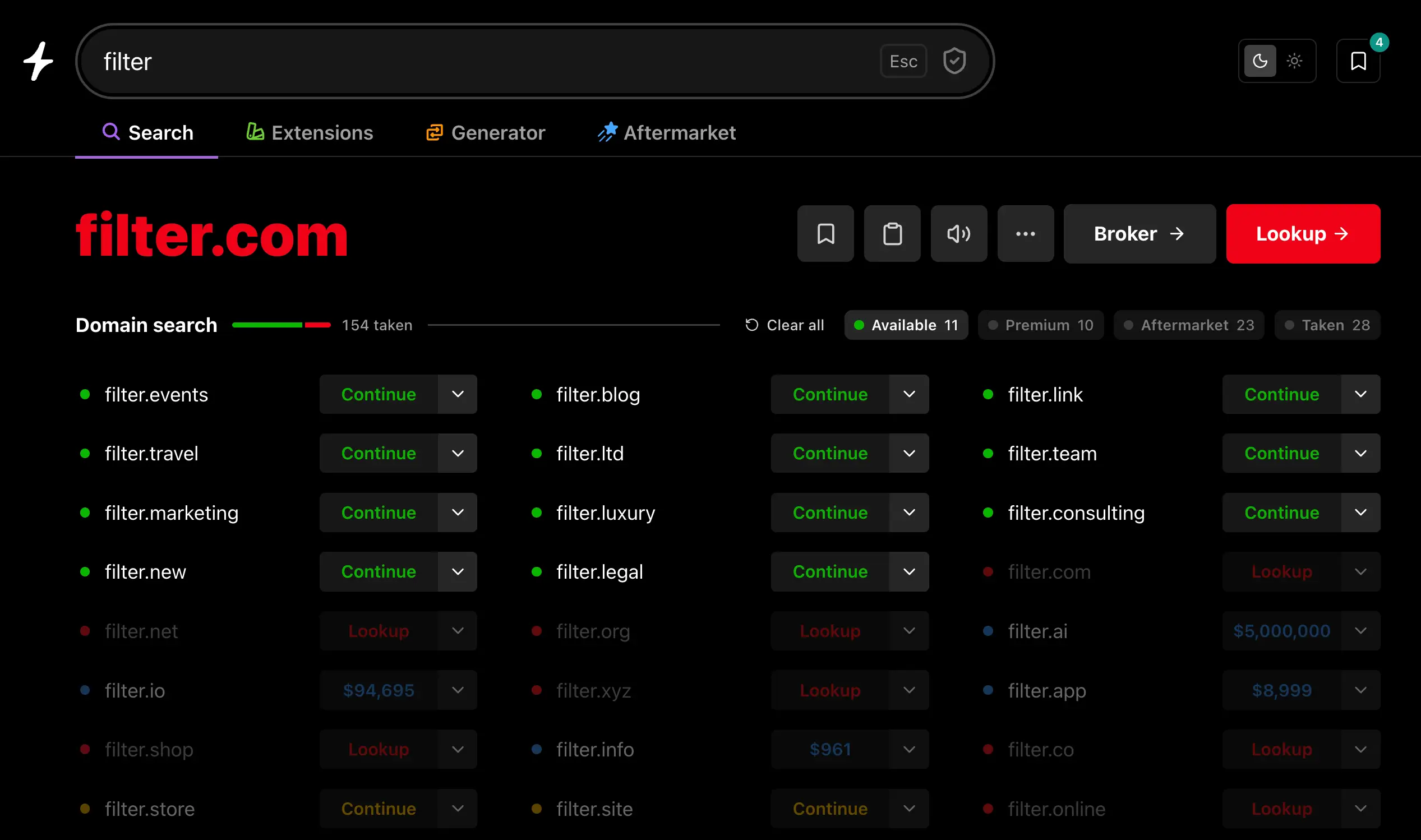
We just shipped filters on Instant Domain Search — narrow your results to available, premium, aftermarket, or taken with a single click. It’s been our most-requested feature for years. Getting it onto a tool that has to stay instant turned into one of the more interesting design problems we’ve worked on.
Why filters were hard
On most search tools, filters are a server thing. Click a filter, fire a new query, swap in a fresh page of results. That works because most of those tools already make you wait a moment for results to begin with — another half-second on top of that doesn’t feel any worse.
It doesn’t work on a tool whose results land faster than your keystrokes. The first version we tried sent a server query on every filter toggle and the page flashed every single time. Type a letter, flash. Toggle a filter, flash. Type another letter, flash again. The whole point of Instant is that you stay in flow, and we’d just shipped a feature that broke it.
So we kept punting on filters for years, even though they were the single feature people asked for most.
How we built them
The trick was to stop treating filters as a server concern.
When you search a name on Instant Domain Search, one streaming query delivers every relevant result into the page at the speed of your typing. We pull availability directly from registries (we have partnerships with 380+ of them) instead of going through retail registrar APIs that throttle and cache. Aftermarket matches come from a Wikipedia-trained embedding model that returns results in under 25 ms. Registrar pricing is fetched in parallel from all seven of our partners. The whole stack is built to get the entire result set in front of you faster than you can finish typing.
Once the data’s already there, filters don’t need a server. They just need to re-rank what’s on the page.
So that’s what they do now. Toggle “Available” and the matches jump to the top while non-matching results fade back. Toggle “Aftermarket” and the secondary-market names move up. There’s no round-trip, no flash, no waiting. The page reorganizes in batches as new results stream in, so even mid-query the experience stays smooth.
The result: filters that feel like part of the same instant experience as everything else, instead of a slow extra step bolted on top.
Why most tools can’t do this
Local-first filtering only works if the underlying search is fast enough to deliver the full result set in real time. Most domain search tools paginate or query-on-toggle because their data isn’t streaming in fast enough to filter against — they’re waiting on registrar APIs, hopping between retail partners, or running keyword matches that need the server to do the heavy lifting.
Instant doesn’t have that bottleneck:
- Direct registry data. We pull availability from VeriSign, Identity Digital, Public Interest Registry, and 380+ other registries we partner with directly. No retail registrar APIs in the search path. (More on how we make it fast.)
- Sub-25 ms aftermarket. Our aftermarket model ranks names by semantic similarity, not keyword match — so “supercoolapp” surfaces names like “rocketlabs” and “stellartools,” not just literal substring matches.
- Parallel registrar pricing. Real-time price comparison across all seven of our partners (Namecheap, GoDaddy, Porkbun, Hostinger, Dynadot, Spaceship, Network Solutions), surfaced inline.
- 800+ TLD coverage. Filters work across every extension we support, not just the popular .coms.
Because the data is all there in milliseconds, filtering it in the browser becomes the obvious move. That’s the only reason this works.
What you can filter
Four status filters, available across domain search, the domain generator, our extension pages, and the aftermarket tab:
- Available — domains you can register today at standard pricing.
- Premium — registry-priced premium names with the price surfaced upfront.
- Aftermarket — names listed on dan.com, Sedo, Atom, BrandBucket, Afternic, and the other marketplaces we work with.
- Taken — already registered, so you can quickly see what’s been claimed and what’s still open in the same view.
Toggle any combination. The counts update live as more results stream in.
We also added dropdown filters where they make sense: pick a TLD on the domain generator to brainstorm against a specific extension, or filter by TLD and price on bulk domain search when you’re slicing through thousands of names at once.
Try it
Search a domain and use the filter chips above the results. Toggle one on, type a few more letters, and watch the matches stay pinned to the top.
Filters you’d want to see next? hello@instant.ai.