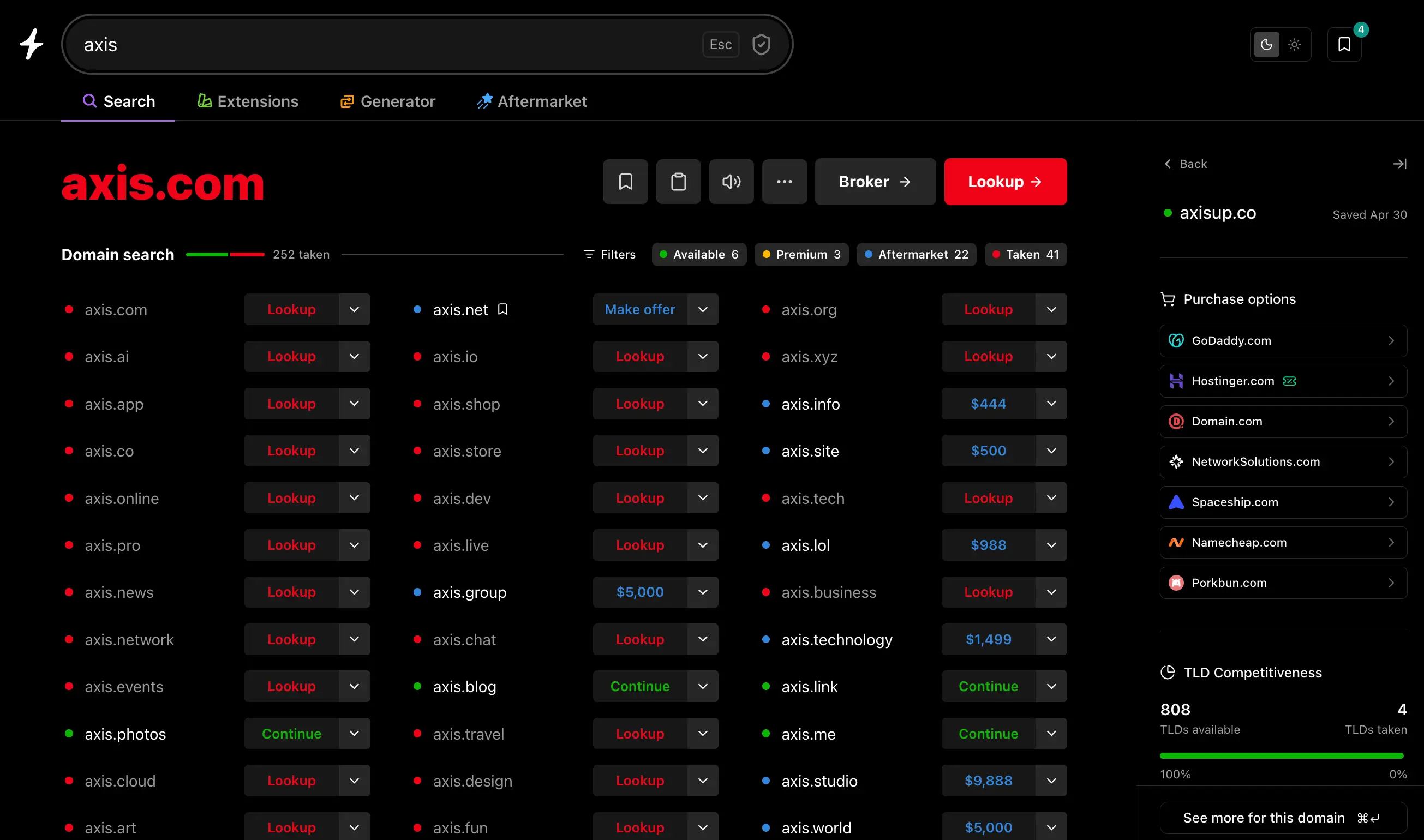
We rebuilt Saved Domains as a sidebar that lives next to your search. Bookmark anything worth a second look, click into the full picture for any saved name without leaving the page, and keep a working shortlist as you go.
Why we built it
Picking a domain isn’t one search. It’s twenty. You find a name that could work, chase it through availability, registrar prices, alternate TLDs, the aftermarket — and by the time you’ve actually looked into it, you’ve lost track of the other three you liked.
The old saved-domains dropdown was fine for stashing a name. It wasn’t built for the way people actually narrow down a list. So we rebuilt it as a sidebar that stays open alongside whatever you’re doing. Search, bookmark, click into details, jump back. No page refreshes, no losing your place.
What’s new
Bookmark from anywhere. Every result on Instant Domain Search and Check has a bookmark icon. One click saves it to your sidebar.
Full domain details, in-place. Click any saved domain and the sidebar expands into a details view that adapts to whatever the domain is. You only see what’s relevant for its status:
- Available — real-time pricing from our seven registrar partners (Namecheap, GoDaddy, Porkbun, Hostinger, Dynadot, Spaceship, Network Solutions), TLD competitiveness across 800+ extensions, and a list of alternative TLDs you can register right now.
- Premium — the same registrar comparison, with each partner’s premium price surfaced upfront so there are no surprises at checkout.
- Aftermarket — live listings from dan.com, Atom, Sedo, BrandBucket, Afternic, and the other marketplaces we work with, plus suggested alternative names if you’d rather skip the secondary market.
- Taken — live OpenGraph data pulled from the site so you can see what’s actually on the page without leaving, full WHOIS (registrant, registration date, expiration), and a curated list of similar names you might be able to register instead.
Persistent across devices. Sign in once and your saved domains follow you between sessions and devices. Prefer to keep things local? An opt-out toggle keeps everything on your browser only — saved domains never have to touch our servers if you don’t want them to.
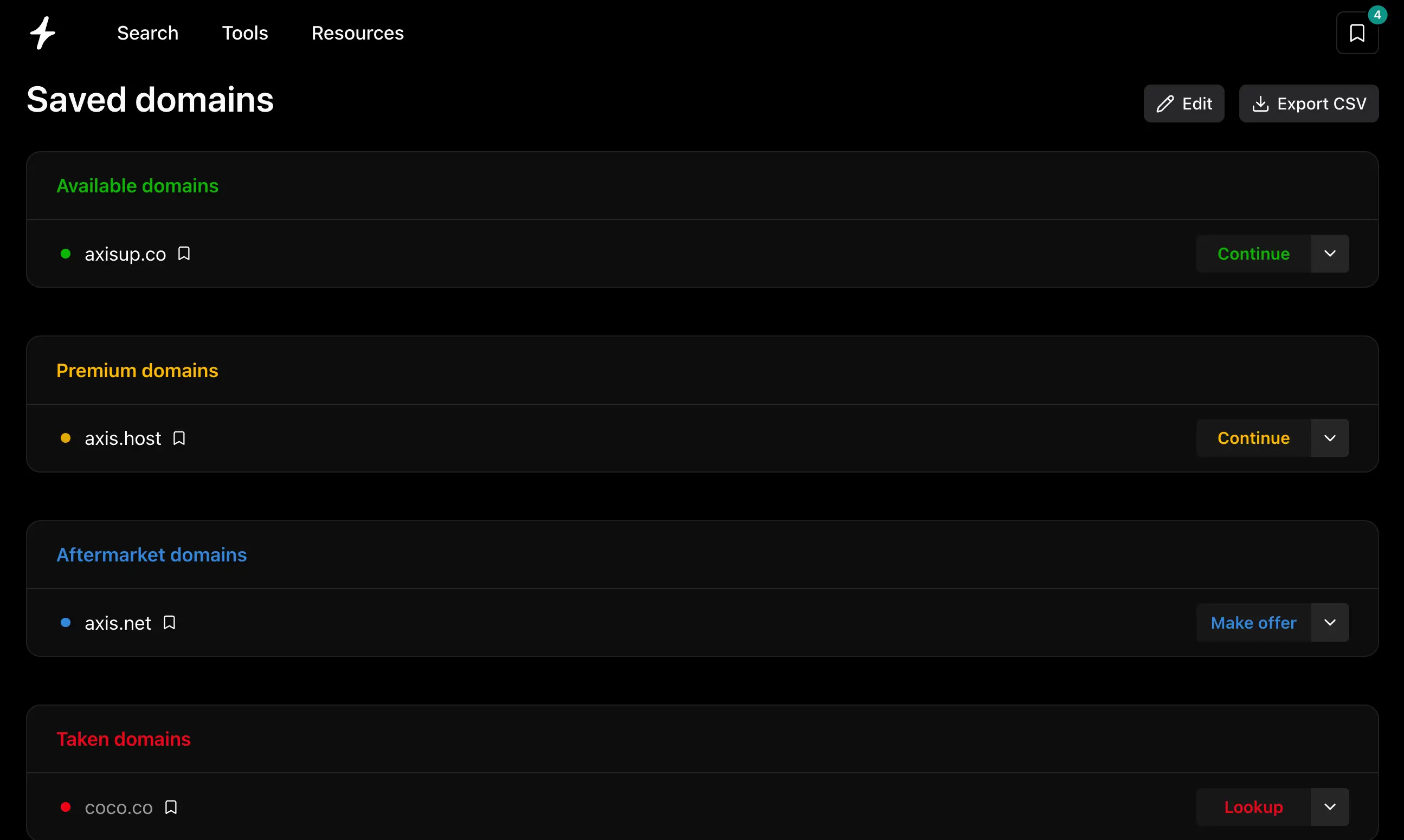
A dedicated page for the long list. When your shortlist outgrows the sidebar, /saved-domains gives you the same data in a sortable table, grouped by status, with one-click CSV export.
Why this works as well as it does
A sidebar is only useful if the data behind it shows up fast. Click a saved name and you should know everything about it before you’ve finished thinking about why you saved it.
That’s why this took us a while to ship. Most domain tools route their availability through retail registrar APIs, which means the moment you click into a name you’re waiting on a third-party server. Instant pulls availability directly from registries — VeriSign, Identity Digital, Public Interest Registry, and 380+ others we have direct partnerships with — so checks come back in milliseconds. Aftermarket listings come from a Wikipedia-trained embedding model that ranks names by semantic similarity in under 25ms. Registrar pricing is fetched in parallel from all seven partners and shown side-by-side, with smart partner routing hiding any registrar that doesn’t actually support the TLD you’re looking at.
In other words: the sidebar isn’t a new data layer. It’s the same fast pipeline our search runs on, surfaced where you need it without taking you away from what you were doing.
It’s also where we’ll keep adding more. Today it surfaces saved domains and check data. Soon it’ll handle generator suggestions, bulk results, and more of the tools we ship — all in one place, none of them a context switch.
Try it
Search a domain and click the bookmark icon on any result. Open the sidebar and click into a saved name to see the full details view. Or jump to /saved-domains for the full table.
What would you want to see in the sidebar next? hello@instant.ai.