RDAP

RDAP (Registration Data Access Protocol) is the modern replacement for WHOIS, providing standardized access to domain name registration data. While WHOIS returns inconsistent plain text over unencrypted connections, RDAP delivers structured JSON responses over secure HTTPS with support for authenticated access. ICANN mandated RDAP support from domain registries and registrars starting in 2019, making it the current standard for querying domain ownership information.

Last updated: November 20259 min read
Technical

What Is RDAP?

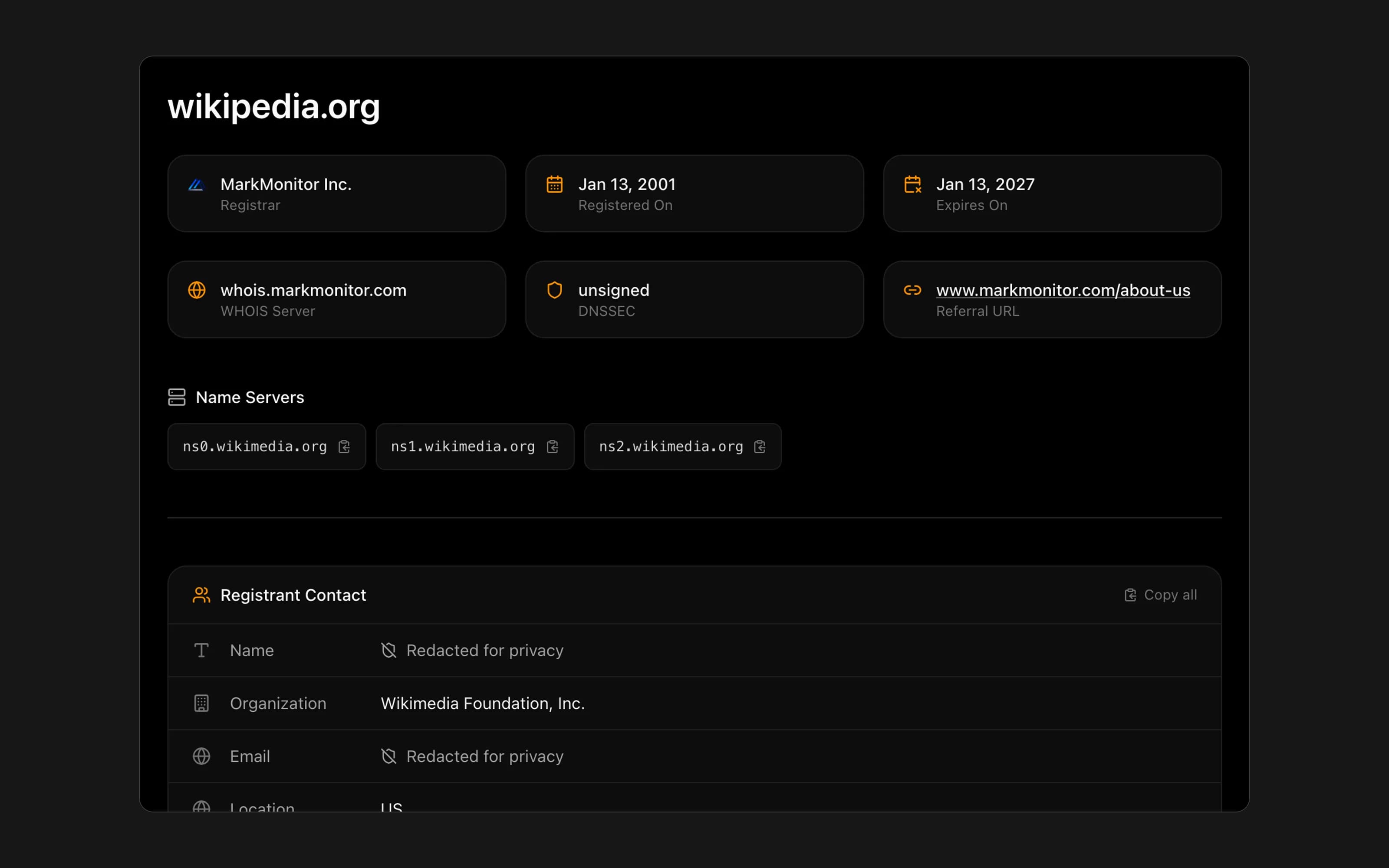
RDAP stands for Registration Data Access Protocol. It's a query protocol that retrieves registration information for domain names, IP addresses, and autonomous system numbers—the same data traditionally accessed through WHOIS, but delivered through modern technology.

When you look up domain registration information today, whether through a web tool or command line, you're increasingly querying RDAP servers rather than legacy WHOIS servers—even if the interface still says "WHOIS lookup."

RDAP was developed by the Internet Engineering Task Force (IETF) and standardized in RFC 7480-7484 (2015). ICANN required deployment starting in 2019.

What RDAP provides:

  • Domain registrant information (subject to privacy rules)
  • Registration and expiration dates
  • Registrar details
  • Name server information
  • Domain status codes
  • Contact information for abuse reporting

Why RDAP Replaced WHOIS

WHOIS served the internet for decades but had fundamental problems:

Inconsistent formatting: Every registry and registrar formatted WHOIS responses differently. Automated parsing required custom code for each provider, and responses frequently broke when providers changed their output format.

No encryption: WHOIS transmitted queries and responses as plain text over port 43. Anyone monitoring network traffic could see what domains you were looking up.

No authentication: WHOIS was all-or-nothing—anyone could query any data. There was no way to provide more information to verified users (law enforcement, trademark holders) while protecting privacy from anonymous queries.

Poor internationalization: WHOIS struggled with non-ASCII characters. Domain names and registrant information in Chinese, Arabic, Cyrillic, or other scripts often displayed incorrectly.

No access control: With GDPR and privacy regulations requiring data protection, WHOIS had no mechanism for tiered access—showing different data to different users based on their verified role.

RDAP addresses all these limitations with modern protocol design.

How RDAP Works

RDAP operates as a RESTful web service over HTTPS:

Query process:

  1. Client sends HTTPS GET request to an RDAP server
  2. Server authenticates the request (if credentials provided)
  3. Server determines access level based on authentication
  4. Server returns JSON response with appropriate data
  5. Client parses structured response—no custom parsing needed

Example query:

https://rdap.verisign.com/com/v1/domain/example.com

This returns a JSON object containing registration data for example.com.

Bootstrap process:

RDAP clients need to know which server handles which TLD. IANA maintains a bootstrap registry mapping TLDs to their RDAP endpoints. Clients consult this registry to route queries correctly.

Query types:

  • Domain lookups: Registration data for a specific domain
  • Name server lookups: Information about specific name servers
  • Entity lookups: Information about registrants or registrars by handle
  • Help queries: Server capabilities and supported features

RDAP vs. WHOIS

FeatureWHOISRDAP
Data formatPlain text, inconsistentStructured JSON
TransportUnencrypted (port 43)HTTPS (encrypted)
AuthenticationNoneSupported
Access controlAll-or-nothingTiered levels
InternationalizationPoorFull Unicode
ReferralsManualAutomatic
StandardizationLoose conventionsIETF RFCs
Machine parsingDifficultEasy

For end users: The experience is similar—you enter a domain and see registration data. The underlying protocol is different, but results look comparable.

For developers: RDAP is dramatically better. Consistent JSON responses eliminate parsing headaches. HTTPS provides security. Standardization means code works across all providers.

RDAP Response Structure

RDAP returns well-defined JSON objects. A domain lookup response includes:

Core fields:

  • objectClassName: Response type ("domain")
  • handle: Registry's unique identifier
  • ldhName: Domain in LDH (letters, digits, hyphens) format
  • unicodeName: Domain with international characters
  • status: Array of status codes

Registration data:

  • events: Timestamps for registration, expiration, last update
  • entities: Associated contacts (registrant, admin, tech) with roles
  • nameservers: Array of name server objects

Metadata:

  • links: URLs for related resources
  • notices: Legal notices, terms of service
  • remarks: Additional information from registry/registrar

This structure is consistent across all RDAP providers, unlike WHOIS's variable formatting.

Tiered Access in RDAP

RDAP's most significant improvement is differentiated access:

Anonymous access:

Unauthenticated queries receive minimal data—typically registration dates, registrar info, name servers, and status. Personal contact information is redacted, similar to post-GDPR WHOIS.

Authenticated access:

Users who authenticate may see additional data based on their verified role:

  • Law enforcement: Full registrant data for criminal investigations
  • Trademark holders: Contact data for domains matching their marks
  • Security researchers: Expanded access for investigating domain abuse
  • Registrars: Full data for domains they manage or transfer verification

How authentication works:

RDAP supports standard web authentication mechanisms. Specific implementation varies by registry and registrar. ICANN has developed frameworks for standardized access, though adoption remains inconsistent across providers.

Privacy by design:

Unlike WHOIS (which exposed everything by default), RDAP was built with privacy as a core feature. Redaction is the default; expanded access requires verification.

Using RDAP

Web lookup tools:

Most "WHOIS lookup" websites now query RDAP behind the scenes. Enter a domain, receive formatted results—the underlying protocol is invisible to users.

Direct queries:

Query RDAP servers directly via browser or command line:

curl https://rdap.verisign.com/com/v1/domain/example.com

Returns raw JSON for programmatic use.

RDAP clients:

Command-line tools and libraries handle bootstrap routing, redirects, and response parsing automatically:

  • Python: python-rdap
  • JavaScript: rdap-client
  • Go: rdap

Finding RDAP servers:

IANA's bootstrap registry (https://data.iana.org/rdap/) lists endpoints for all TLDs. Most queries route automatically through bootstrap.

RDAP and Privacy

RDAP was designed with post-GDPR privacy requirements in mind:

Redaction by default:

Anonymous queries return redacted personal data. This isn't a workaround—it's intended behavior reflecting modern privacy law.

Legitimate purpose access:

The tiered system enables disclosure to parties with valid reasons while protecting registrants from bulk data harvesting.

Audit capabilities:

RDAP servers can log authenticated queries, creating accountability for data access that WHOIS never provided.

Consent mechanisms:

RDAP can indicate whether registrants consented to data publication, allowing differentiated treatment.

Data minimization:

Responses can include only fields relevant to the query type and access level, rather than exposing everything.

RDAP Adoption Status

Registry adoption:

All gTLD registries (.com, .net, .org, etc.) support RDAP. Most ccTLD registries have implemented it, though some smaller country codes lag behind.

Registrar adoption:

ICANN-accredited registrars must support RDAP. Major registrars (GoDaddy, Namecheap, Cloudflare) provide RDAP endpoints.

Tool adoption:

Major lookup services have transitioned to RDAP. Many still label their interfaces "WHOIS" for user familiarity while using RDAP underneath.

WHOIS sunset:

ICANN hasn't mandated shutting down legacy WHOIS servers. Many providers maintain both for backward compatibility. WHOIS will gradually fade as tools and users complete the transition.

RDAP for Developers

If you're building tools that query registration data, use RDAP:

Implementation tips:

Bootstrap first: Query IANA's bootstrap file to find the correct RDAP server for any TLD. Cache results and refresh periodically.

Handle redirects: RDAP servers may redirect queries. Follow HTTP redirects to reach the authoritative server.

Parse JSON: Responses follow RFC 9083 structure. Use standard JSON libraries—no custom parsing needed.

Respect rate limits: RDAP servers impose query limits. Implement backoff for 429 responses.

Check status codes: HTTP status indicates results (200 success, 404 not found, 403 forbidden).

Implement authentication: If your use case qualifies for elevated access, implement the provider's credential system.

Cache appropriately: Registration data doesn't change frequently. Cache responses to reduce server load.

RDAP Limitations

Inconsistent credentialing:

No universal system exists for identity verification and access grants. Each registry or registrar may have different processes for elevated access.

Incomplete adoption:

Some TLDs, especially smaller ccTLDs, don't fully support RDAP yet.

Rate limiting:

Providers restrict query volume more aggressively than legacy WHOIS, which can complicate bulk research.

Search limitations:

RDAP's search capabilities vary by provider. Pattern matching and wildcard searches aren't universally available.

No historical data:

RDAP provides current snapshots only. Historical registration data requires commercial services that archive records over time.

Frequently Asked Questions

What is RDAP?

RDAP (Registration Data Access Protocol) is the modern standard for querying domain name registration information. It replaced WHOIS with a secure, standardized protocol that delivers structured data over HTTPS and supports tiered access based on user verification.

What does RDAP stand for?

RDAP stands for Registration Data Access Protocol. It's an IETF-standardized protocol for accessing domain registration data, IP address information, and autonomous system number details.

Is RDAP the same as WHOIS?

RDAP serves the same purpose—looking up domain registration information—but uses modern technology. RDAP returns structured JSON over encrypted HTTPS connections with support for authenticated access, while WHOIS returns inconsistent plain text over unencrypted connections.

How do I use RDAP?

Most "WHOIS lookup" tools now use RDAP automatically. For direct queries, access RDAP endpoints via HTTPS (e.g., https://rdap.verisign.com/com/v1/domain/example.com). Libraries exist for Python, JavaScript, Go, and other languages.

Why did RDAP replace WHOIS?

WHOIS had critical limitations: inconsistent formatting, no encryption, no authentication, poor international character support, and no mechanism for privacy-compliant tiered access. RDAP addresses all these issues with modern protocol design built for current privacy requirements.

Is RDAP data public?

Basic information (registration dates, registrar, name servers, status) is public. Personal registrant data is typically redacted for anonymous queries. Verified users—law enforcement, trademark holders, security researchers—can request access to additional information through authentication.

When was RDAP required?

ICANN mandated RDAP support from gTLD registries and ICANN-accredited registrars starting in 2019. Most providers now offer RDAP, though legacy WHOIS servers often remain available for backward compatibility.

More Terms

Quick Tools