Every day, people type a name they love into a search box and hold their breath. Sometimes it’s open. Usually, it’s already taken. Checking domain availability is the moment an idea meets reality, and doing it well saves you from falling for a name you can never actually own.
We’ve spent 20 years and nearly 50 million searches to make checking domain availability a seamless process. It takes seconds, it’s free, and you don’t need to make an account. This guide covers every way to do it: checking a single name, every extension at once, who owns a taken domain, and a whole list in one go. We’ll also show you how to read the results so “premium,” “parked,” and aftermarket listings don’t trip you up. Here’s how to do it right.
The fastest way to check domain availability
The quickest method is to type your idea into a live domain search and watch the results update as you type. No “search” button, no page reload — availability for .com, .ai, .io, .co, and hundreds of other extensions streams back in under 25 milliseconds.
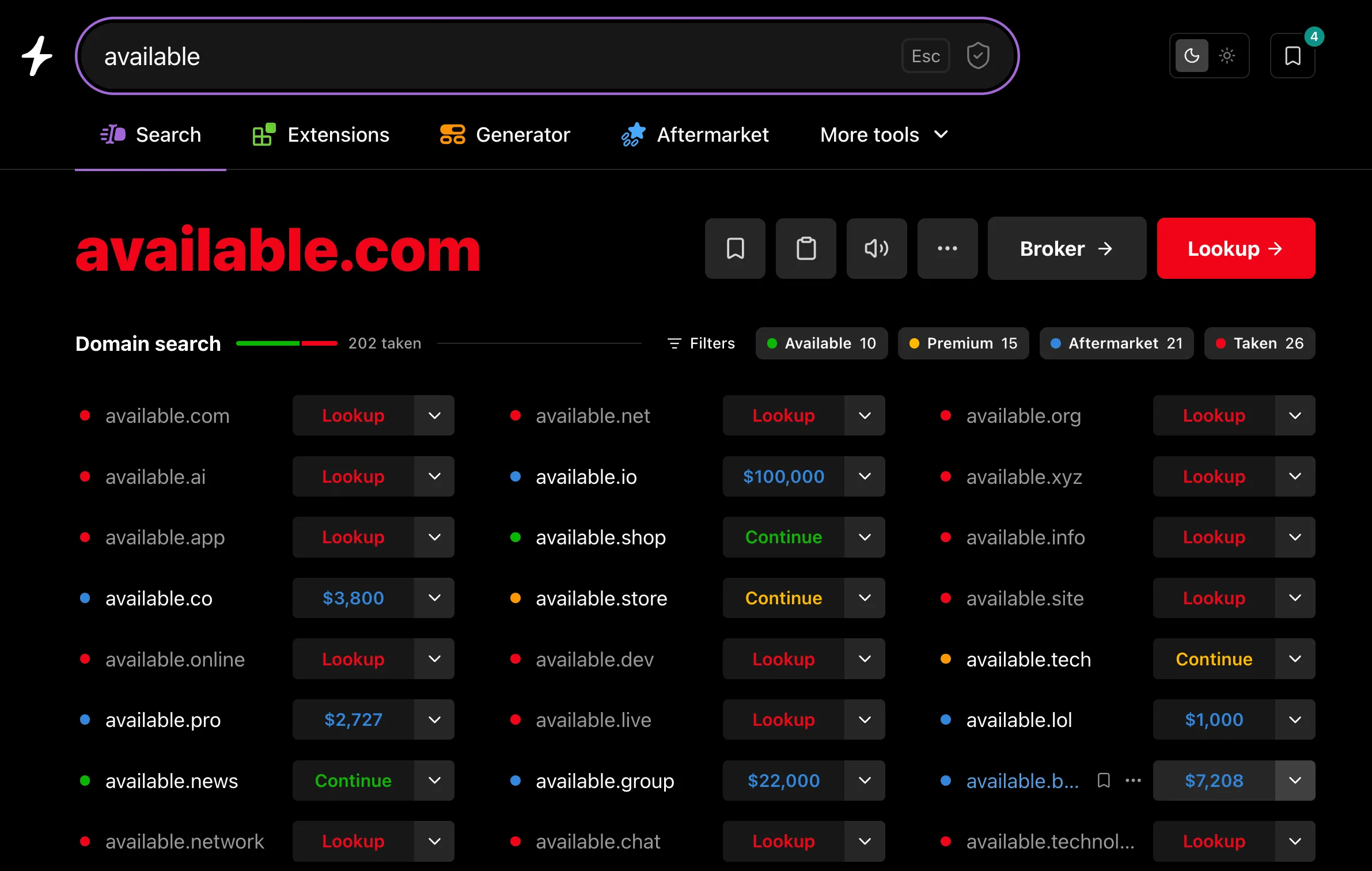
Why as-you-type matters: naming is iterative. You try northstar, see it’s gone, try northstarhq, then trynorthstar, then northstar.studio. When every check is instant, you can run through twenty ideas in the time a traditional registrar takes to load one result page. (More on why speed is a real advantage — and how registry-level data makes it possible — in our best domain search tools comparison.)
Try it: open Instant Domain Search, start typing, and availability updates on every keystroke.
How to check if one specific domain is available
When you have a single name in mind and want the full story, use Check domain availability.
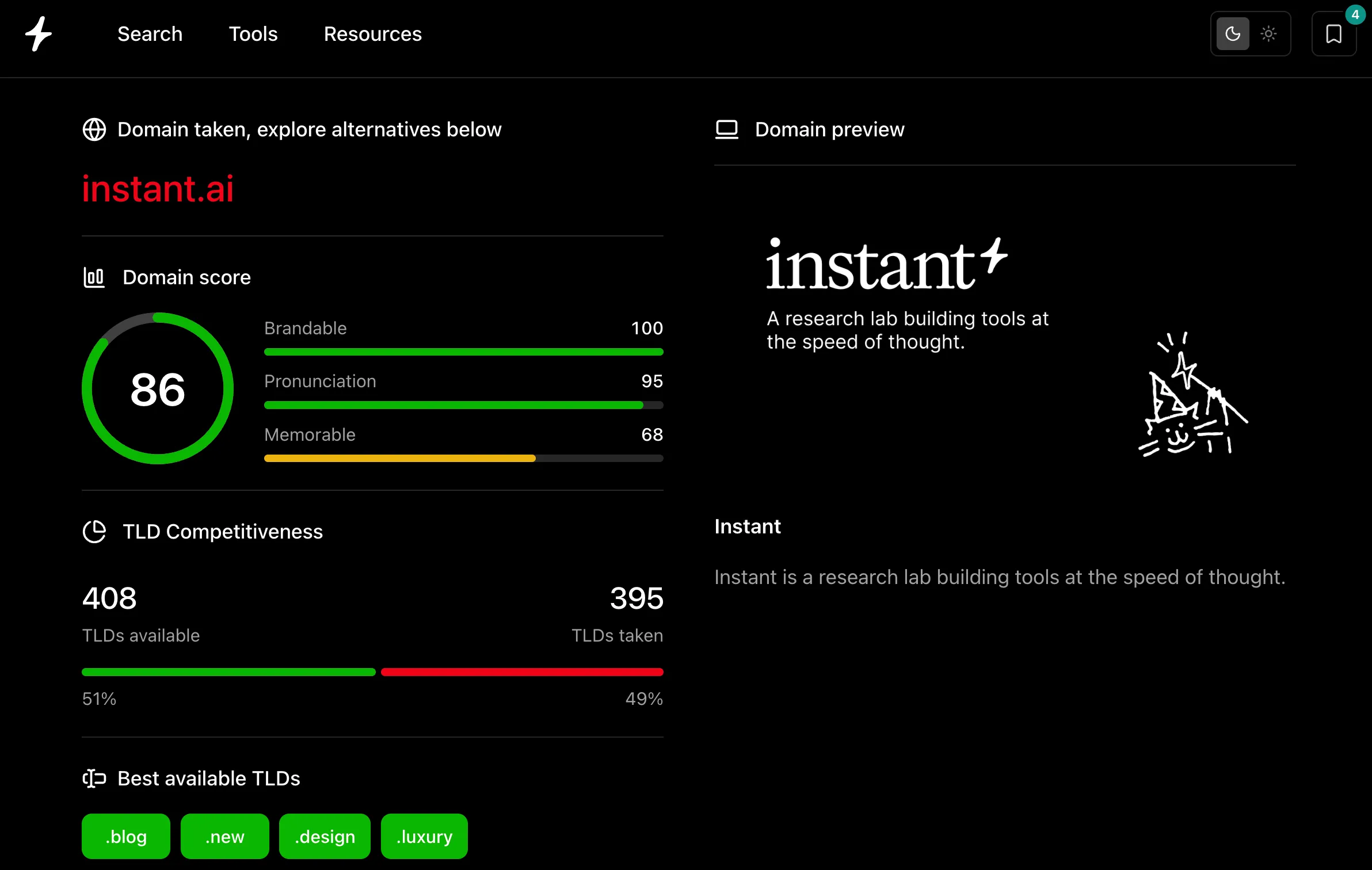
Type one domain and get a complete report:
- Availability status — available, taken, or listed for sale on an aftermarket marketplace.
- Who owns it — if it’s registered, you’ll see registration details and a live preview of whatever is on the site today.
- Where to buy it, and for how much — registration prices compared across registrars like Namecheap, Porkbun, GoDaddy, and Dynadot, so you don’t overpay.
- TLD competitiveness — how many extensions are open versus taken for that name.
- Alternatives — available names and extensions close to your pick.
Use a domain search when you’re brainstorming and want breadth. Use the domain checker when you’ve found something worth investigating and want depth.
How to check domain name availability across every extension
.com taken? That isn’t the end of the search — it’s the beginning. There are now 800+ live extensions, and the right one might be available right now.
When you search a name, you instantly see it across every relevant domain extension: .com, .co, .io, .ai, .dev, .app, .studio, and hundreds more, each with live pricing. If northstar.com is registered, northstar.studio or north.star (a domain hack) might be wide open.
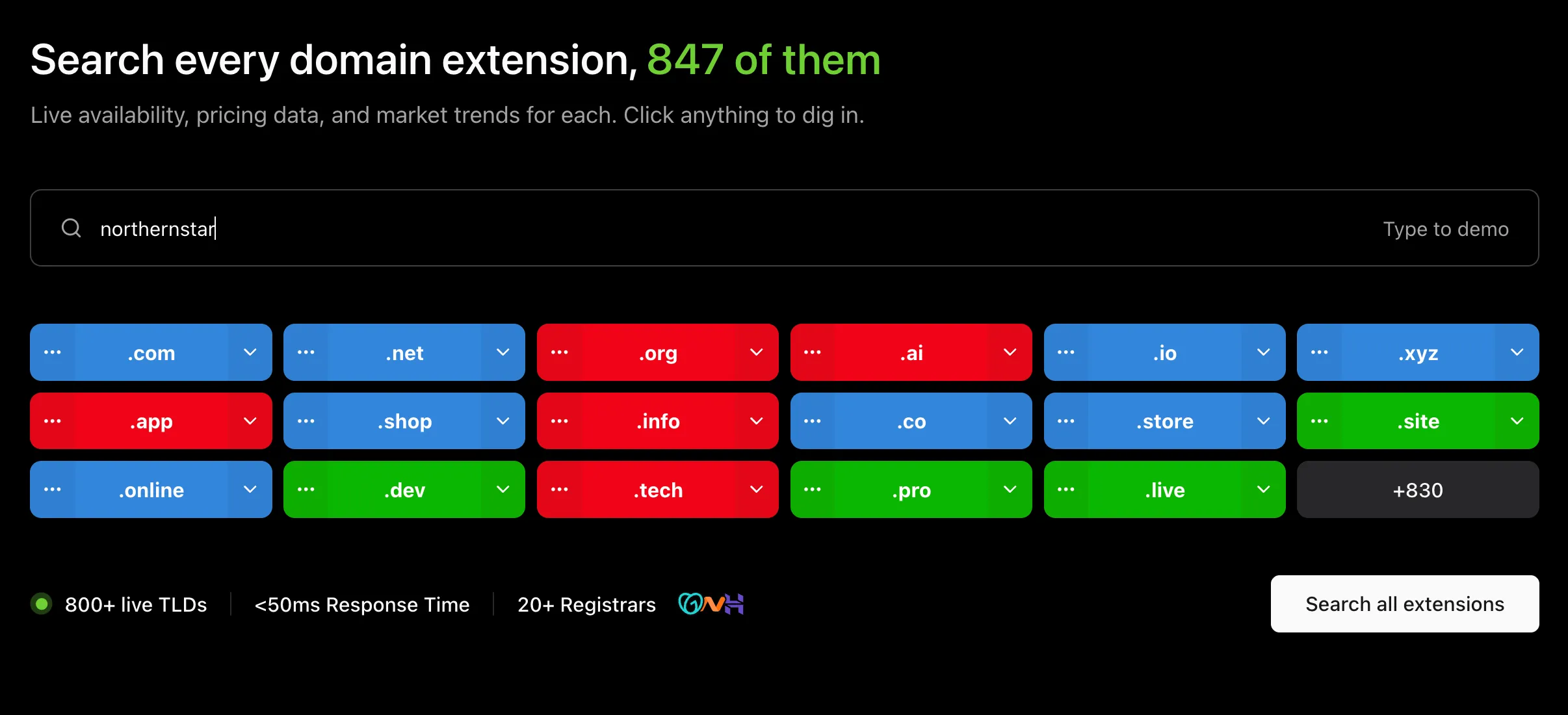
The part after the dot — the TLD — shapes how your brand reads. A .ai signals an AI product; a country code like .ca or .de signals a local business. (We dug into which extensions are growing fastest in our most popular domain extensions report.)
What “available” actually means
A domain checker returns more than a plain yes or no. Knowing the categories saves you from chasing names you can’t realistically get:
- Available — unregistered. You can register it right now at the standard price.
- Taken (registered) — someone owns it. It may be an active site, or it may be parked and doing nothing. Either way, it isn’t available to register — though it might be for sale (see below).
- Premium — available, but the registry has priced it above standard rates because the name is desirable. Premium
.coms and short names can run from a few hundred to many thousands of dollars. - Aftermarket — taken, but listed for resale on a marketplace. Browse aftermarket domains to see asking prices.
- Recently dropped — a registration that lapsed and returned to the pool. These expired domains sometimes carry existing backlinks and history — which can be a head start or a liability.
This is why so many searches come back “taken”: the short, obvious names went years ago. Hundreds of millions of domains are already registered across all extensions. (See the numbers behind the biggest TLDs.) The job isn’t finding a name nobody has claimed — it’s finding a great one that’s still open, or a taken one worth buying.
How to check who owns a taken domain
If a name you want is registered, the next question is who holds it and whether they might sell. A WHOIS lookup shows the registration record: when the domain was created, when it expires, and — where it isn’t redacted for privacy — the registrant.
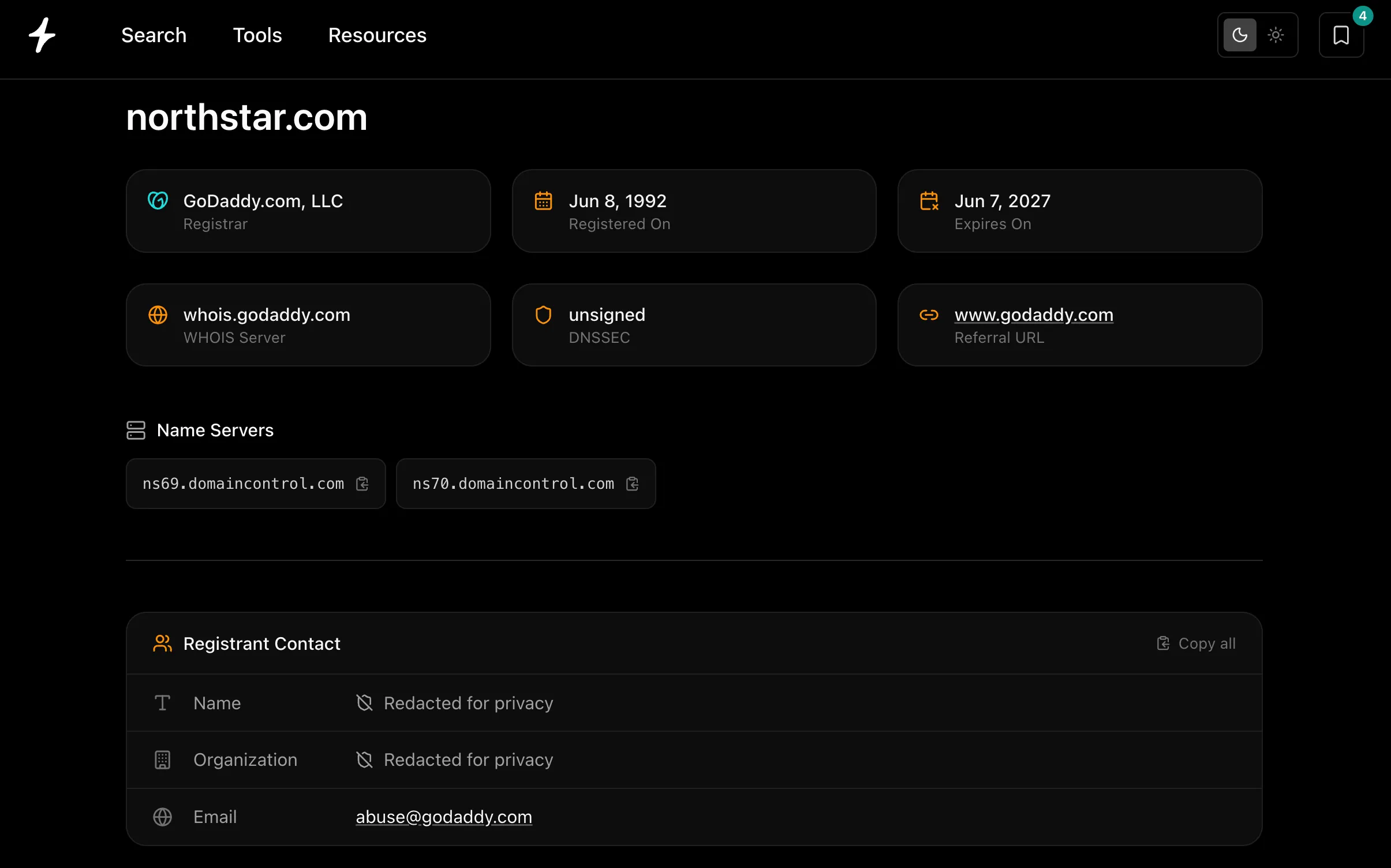
Two quick reads:
- Recently created, with an active site → unlikely to sell.
- Old registration, parked page, expiring soon → it may be worth an offer, or worth watching for a drop.
Before you buy any previously owned domain, check its past. Look it up on the Wayback Machine (archive.org) to make sure it wasn’t used for spam. A bad history can take years to shake off in Google’s eyes.
How to check hundreds of domain names at once
Brainstorming with AI tends to produce a long list of candidates fast. Instead of checking them one by one, paste the whole list into bulk domain search and check them all at once, then filter down to just the available ones.
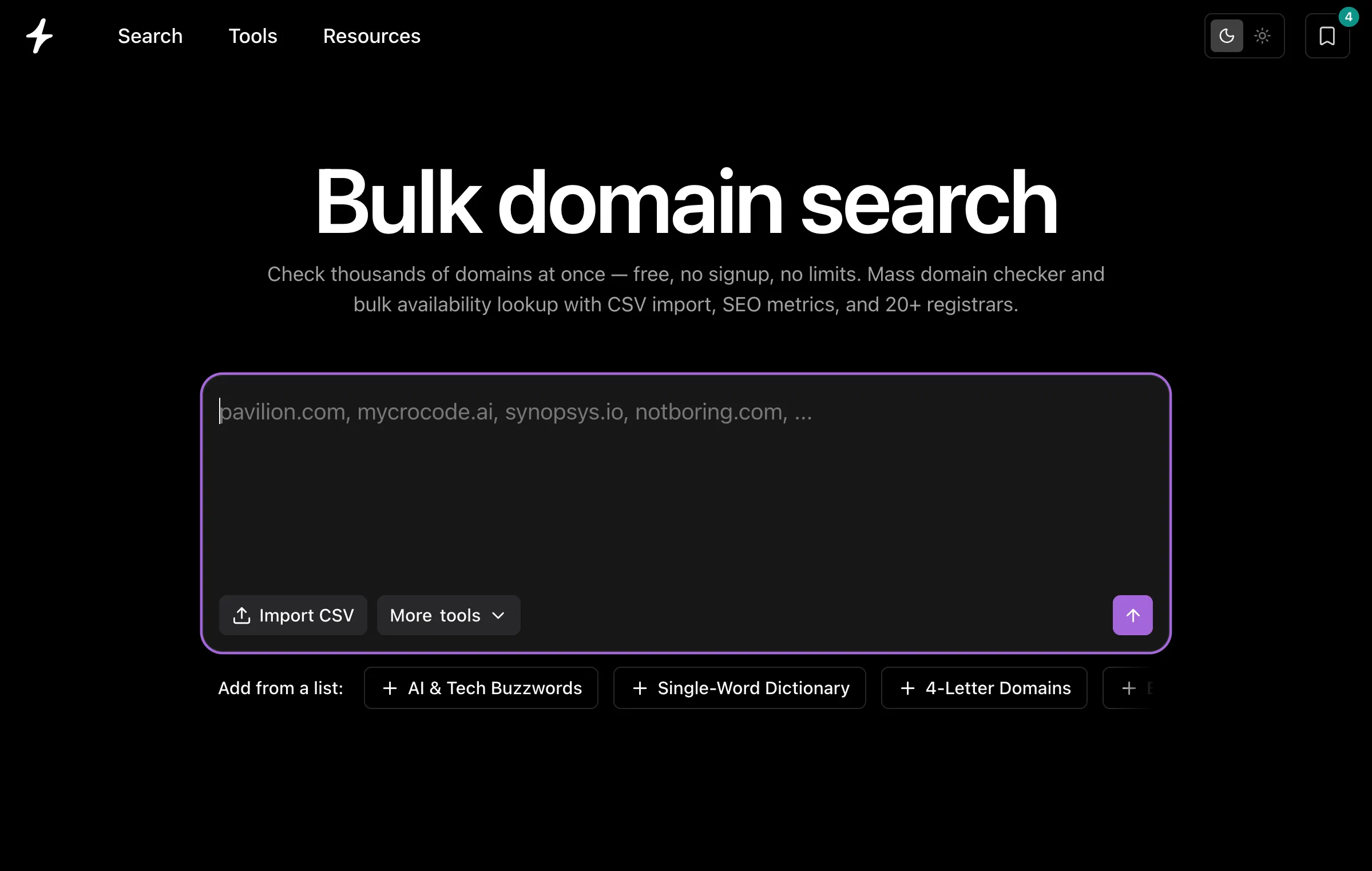
A workflow our users swear by:
- Ask ChatGPT or Claude for 100+ name ideas.
- Paste them into bulk domain search.
- Filter to available to hide everything taken — and by price if you have a budget.
- Deep-dive your favorites in the domain checker.
You can even skip the copy-paste: our free domain search MCP connects to Claude, ChatGPT, and Cursor, so you can ask your AI assistant whether names are available and it queries our index directly.
Why the tool you check with matters
Not all availability checks are equal, and the differences are bigger than they look:
- Accuracy — the most reliable results come from registry-level data (zone files from partners like VeriSign and Google Registry) rather than cached WHOIS, which can lag behind reality. We pull directly from registries, so “available” really means available.
- Privacy — when you check a name on a registrar’s own site, that registrar logs every domain you look at. A search-first tool that doesn’t forward your queries to a retail registrar keeps your shortlist to yourself — which matters when you’re naming something in stealth.
- Speed — registry-level data is exactly what makes sub-25ms, as-you-type results possible in the first place.
The quick version
- Brainstorm broad in a live domain search — watch availability update as you type.
- Go wide on extensions — if
.comis gone, scan the 800+ alternatives. - Deep-dive your top pick in Check domain availability — owner, price, and alternatives on one page.
- Check a taken name’s history with a WHOIS lookup and the Wayback Machine.
- Filter a big list in bulk search.
- Register fast. Good names go quickly, and most extensions run around $10–15 a year (full pricing breakdown).
Frequently asked questions
How do I check if a domain name is available?
Type the name into a domain search and you’ll see its availability across .com and 800+ other extensions instantly. For one specific domain, use Check domain availability to also see who owns it, what it costs, and where to buy it.
Is it free to check domain availability?
Yes. Searching and checking domain availability on Instant Domain Search is completely free and requires no account. You only pay when you register a domain through a registrar.
How can I tell if a domain is taken or just parked?
A domain checker shows the availability status, and a WHOIS lookup shows the registration and expiry dates. A taken domain with a parked page and an approaching expiry date is a candidate to buy — or to watch for a drop.
What’s the difference between a domain search and a domain checker?
A domain name search is built for breadth — discovering available names across many extensions as you type. A domain checker is built for depth — a full report on one specific domain. Use search to explore, and the domain checker to investigate.
How do I check a lot of domains at once?
Use bulk domain search: paste a list of names, check them all in one go, then filter to the available ones. It’s ideal for vetting a big batch of AI-generated ideas.
Can I check domain availability from ChatGPT or Claude?
Yes. Our domain search MCP lets AI assistants like Claude, ChatGPT, and Cursor check availability directly — just ask your assistant whether a name is available and it queries our live index.
Start checking
The best name for your project is probably still out there — you just have to find the open one. Start with a domain search, and when you’ve found a name worth committing to, run it through Check domain availability to see the full picture before you buy.