Someone already has the domain you want. Or a domain just emailed you something that looks a little off. Or a competitor launched on a name you swear was available last month. In every case the question is the same: who owns this domain, and how do I reach them?
The public record for every registered domain is called WHOIS, and reading it takes about ten seconds. The catch is that since 2018 most of the personal details in that record are redacted. This guide covers both halves: how to run a WHOIS lookup and read what it returns, and what to do when the owner’s name is hidden.
Step 1: Run a WHOIS lookup
Open the WHOIS lookup, type the domain, and press enter. You get the registration record straight from the registry and registrar, merged from WHOIS and its successor protocol, RDAP.
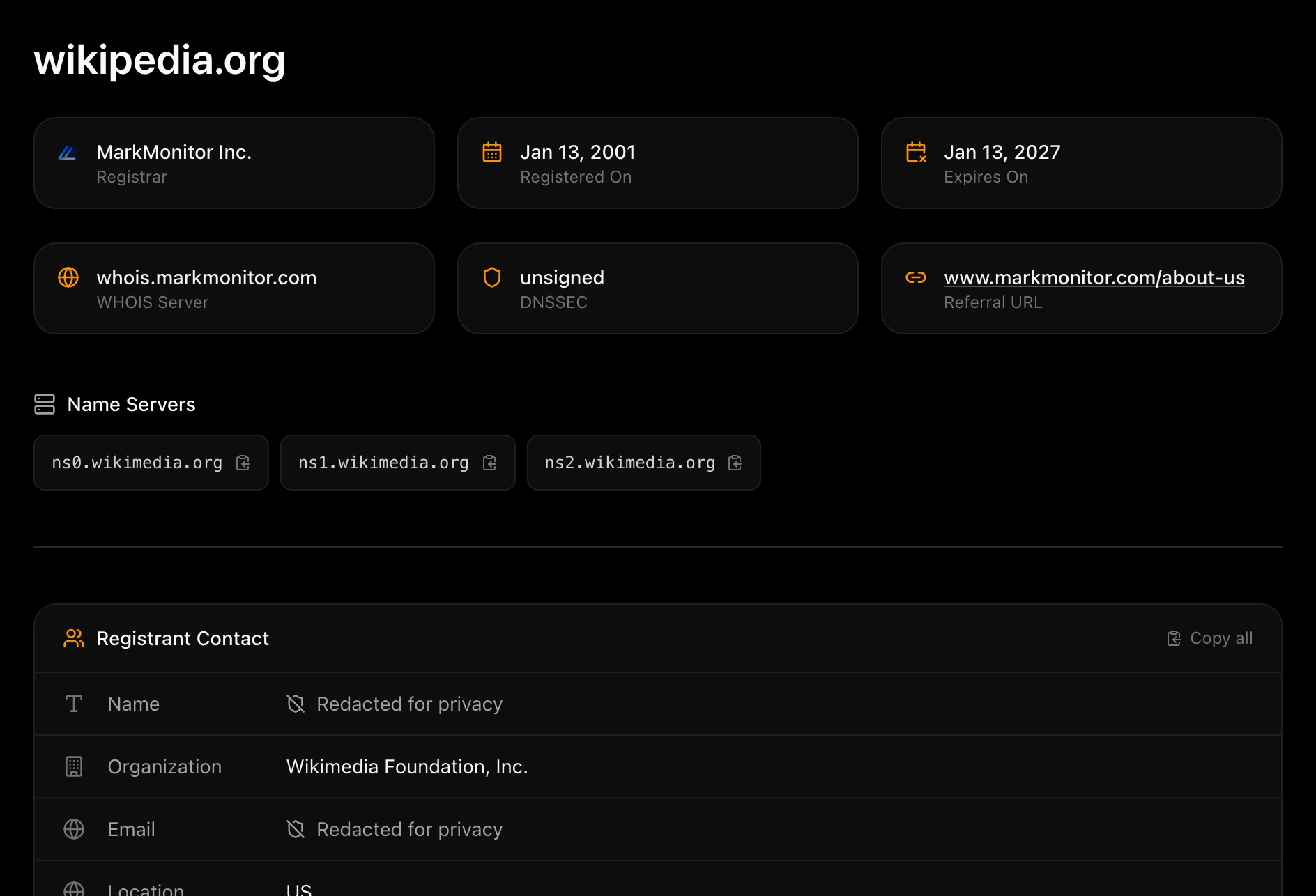
Here is what each part of the record tells you:
- Registrar: the company the domain is registered through. Even when everything else is hidden, this is never redacted, and it is your route to the owner if you need one (more on that below).
- Registered on: the date the domain was first created, with its age next to it. A domain registered in 2001 has a very different story from one registered last Tuesday.
- Expires on: when the current registration ends. If the owner does not renew, the domain eventually drops.
- Name servers and DNSSEC: where the domain’s DNS is hosted. A company’s own name servers are a strong hint about who runs it.
- Registrant contact: the owner’s name, organization, email, and location, as far as the registrar publishes them.
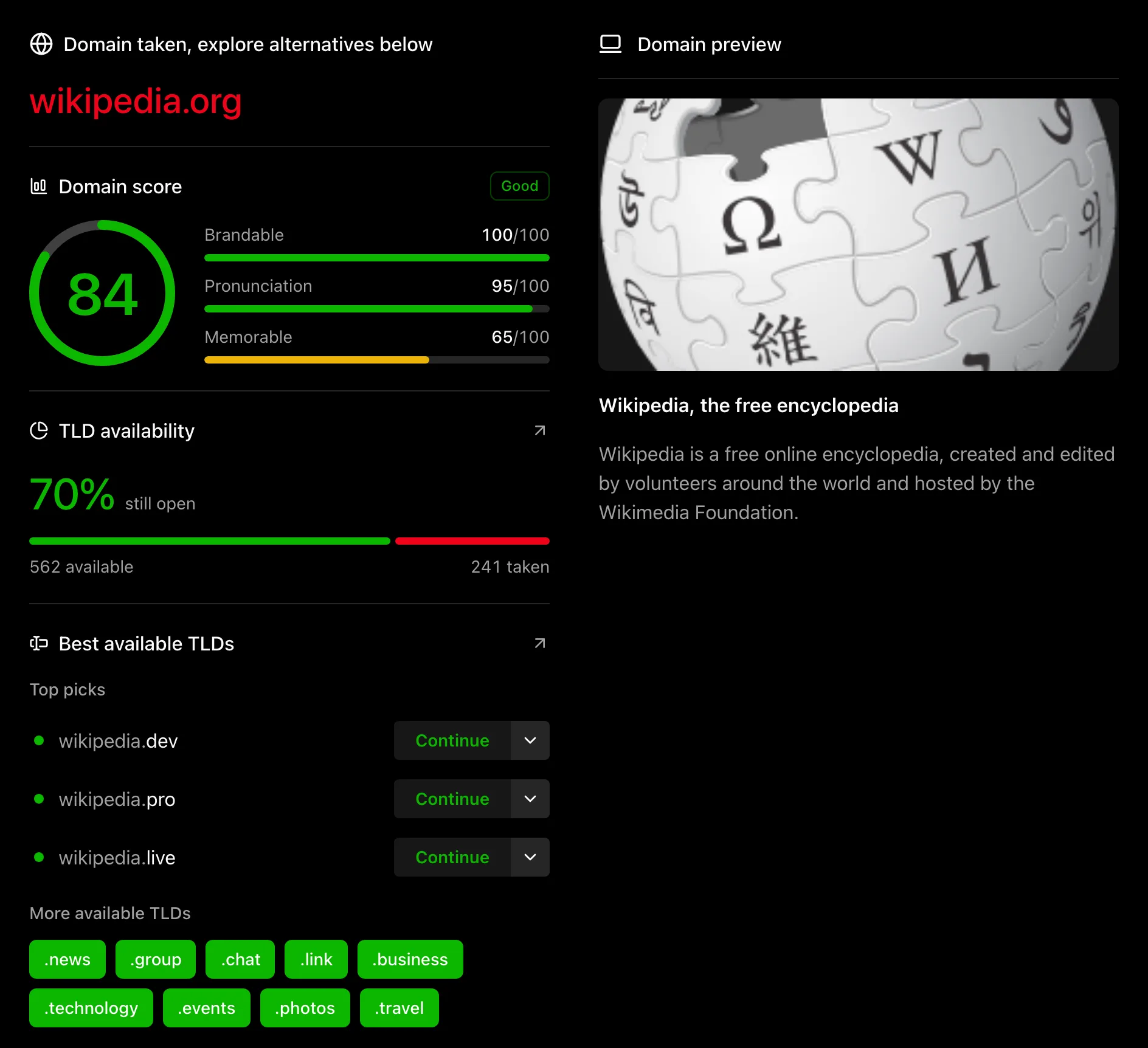
Below the record, the same page checks whether the name is open in other extensions, whether it is listed for sale, and which similar names are available. That is useful if it turns out you cannot reach the owner.
Step 2: Read the registrant contact
The registrant contact is the part everyone scrolls to. For wikipedia.org the name and email are redacted, but the organization, Wikimedia Foundation, Inc., and the country are public. That is typical for domains owned by companies and nonprofits: the personal fields go, the organization stays.
For a domain registered by an individual, or through a registrar that redacts everything by default, the card looks more like this:
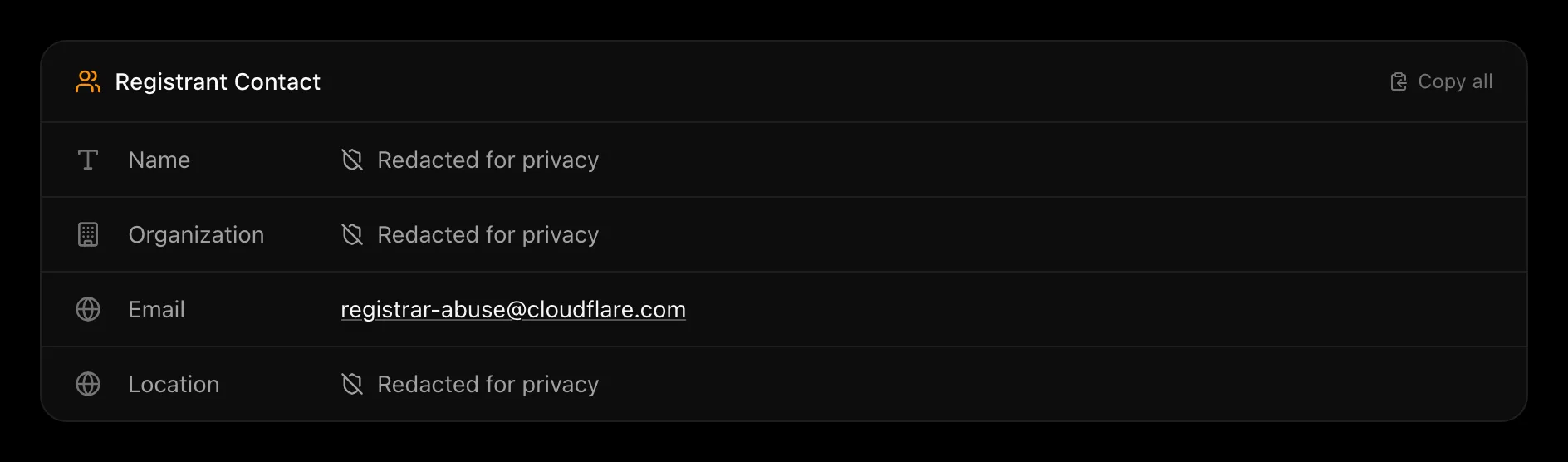
Every field says “Redacted for privacy,” and the only email is the registrar’s abuse address, which exists for reporting spam and phishing, not for buying domains. So what now?
Why WHOIS says “Redacted for privacy”
Until 2018, WHOIS records showed the registrant’s full name, postal address, phone number, and email to anyone who asked. When the EU’s General Data Protection Regulation (GDPR) came into force in May 2018, ICANN, the body that oversees the domain name system, told registrars to stop publishing personal data by default. Most applied the change to every customer, not just those in Europe. Many registrars also offer a privacy service, usually free now, that replaces your details with a proxy’s.
The result is that a redacted record is normal, not a sign that someone is hiding. It also means WHOIS alone is rarely enough to name an individual owner. You have to combine it with a few other sources.
Seven ways to find the owner when WHOIS is redacted
1. Use what is still visible
Start with the fields that survive redaction: the organization, the country, the registrar, and the name servers. An organization name is often enough to find a website and a contact page. Name servers like ns1.examplecorp.com point straight at the company that runs the domain, and a hosting provider’s name servers tell you where to look next.
2. Contact the owner through the registrar
Registrars are required to give you a way to reach a redacted registrant. Most publish a contact form or a forwarding email address for exactly this purpose, and some, GoDaddy and Namecheap among them, put the form right on their own WHOIS result page. Find the registrar in the record, search for “[registrar name] contact domain owner,” and send a short, specific message. The registrar forwards it. Whether the owner replies is up to them, but this is the official channel and it works more often than you would expect.
3. Look at the website itself
If the domain resolves to a live site, the owner has usually told you who they are somewhere: a contact page, a footer, an about page, a privacy policy or terms page that names a legal entity, or an imprint (mandatory for sites in Germany and several other countries). Parked pages are less helpful, but many carry a “this domain may be for sale” link that leads to the owner or their broker.
4. Check the domain’s history
The Wayback Machine at archive.org keeps snapshots of most websites going back to the 1990s. Older versions of a site often show a company name, a person, or contact details that have since been removed. Comparing snapshots with the registration date in the WHOIS record also tells you whether the current owner is the original one or whether the domain changed hands.
5. Search trademark records
If the domain matches a brand, the brand owner has probably filed a trademark, and trademark filings are public and never redacted. A trademark search returns the owner’s name and address for every live and pending US mark. This is often the fastest way to put a legal entity behind a redacted domain.
6. Search for the domain and the organization
Put the domain in quotes and search for it. Press releases, job listings, GitHub profiles, LinkedIn pages, app store listings, and business registries all mention domains, and any of them can connect the domain to a person or company. Business registries (Companies House in the UK, Secretary of State sites in the US) then give you registered addresses and officers.
7. Make an offer without knowing the owner
If your goal is to buy the domain, you may not need the owner’s identity at all. Many registered domains are listed for sale on marketplaces like Afternic, Sedo, and Atom, and the WHOIS results page checks those listings for you. You can also make an offer through a marketplace or a domain broker, who contacts the owner on your behalf. Our aftermarket domain search shows what is listed right now, and our guide to buying a domain name covers the negotiation.
If the domain is about to expire
Sometimes the best move is to wait. The expiration date in the WHOIS record tells you when the current registration ends. A domain that is not renewed goes through a grace period (up to about 45 days, during which the owner can still renew at the normal price), a 30-day redemption period (renewal at a penalty), and a five-day pending-delete window. Then it drops and anyone can register it. That is roughly 75 to 90 days from the expiry date.
If the domain you want is expiring and the site looks abandoned, a backorder with a drop-catching service gives you a shot at it the moment it drops. Our expired domains tool lists names as they enter that pipeline.
Check what your own domain reveals
Run a lookup on a domain you own. If your name, email, and address are visible, turn on WHOIS privacy at your registrar; it is free at most of them now, and our registrar comparison notes which ones include it. If your record is already redacted, make sure the registrar’s contact form actually reaches you, because that is how a buyer, or a security researcher, will try to get in touch.
Try it
The WHOIS lookup is free, needs no account, and returns the record in a second or two. Type a domain, read the registrant card, and if it is redacted, work down the list above. If the name turns out to be taken for good, how to check domain availability covers finding an alternative that is open.
Frequently asked questions
Is a domain owner lookup free?
Yes. WHOIS data is public, and our WHOIS lookup is free with no account or limits. Paid services exist for historical WHOIS records and reverse lookups (every domain owned by one person), but the current record is always free.
Can the owner see that I looked up their domain?
No. A WHOIS query goes to the registry and registrar, not to the domain owner, and nothing is sent to them.
Why does the record say “Redacted for privacy”?
Because the registrar hides personal data by default, as most have since GDPR in 2018, or because the owner uses a privacy service. It is the normal state of a WHOIS record today and does not mean the domain is unavailable or the owner unreachable.
How do I find out how old a domain is?
The Registered On date in the WHOIS record is the domain’s creation date, and the lookup shows the age next to it. This is the age of the current registration: if the domain dropped and was re-registered, the clock started again, which the Wayback Machine can help you spot.
Is the domain owner the same as the website owner?
Usually, but not always. The registrant might be a parent company, a web agency that set the site up, or a privacy proxy. The website’s own legal pages and the trademark record are better sources for who actually operates the business.
Can I look up who owns an IP address?
Not with a domain WHOIS. IP address ownership is published by the regional internet registries: ARIN for North America, RIPE NCC for Europe, APNIC for Asia-Pacific, and so on. Each runs its own lookup.