More and more, the first place an idea gets described out loud is an AI assistant. “Help me name my company.” “Draft a landing page for this.” “Give me ten brand ideas.” And then, every time, the same record scratch: you leave the chat, open a browser, and start pasting names into a domain search to see what’s actually available.
The Instant Domain Search MCP closes that gap. It’s a free connector that plugs real-time domain data straight into Claude, ChatGPT, and Cursor. This means that the assistant brainstorming names can check whether they’re available, compare pricing, and suggest registrable alternatives without you ever switching tabs.
What your assistant can do with it
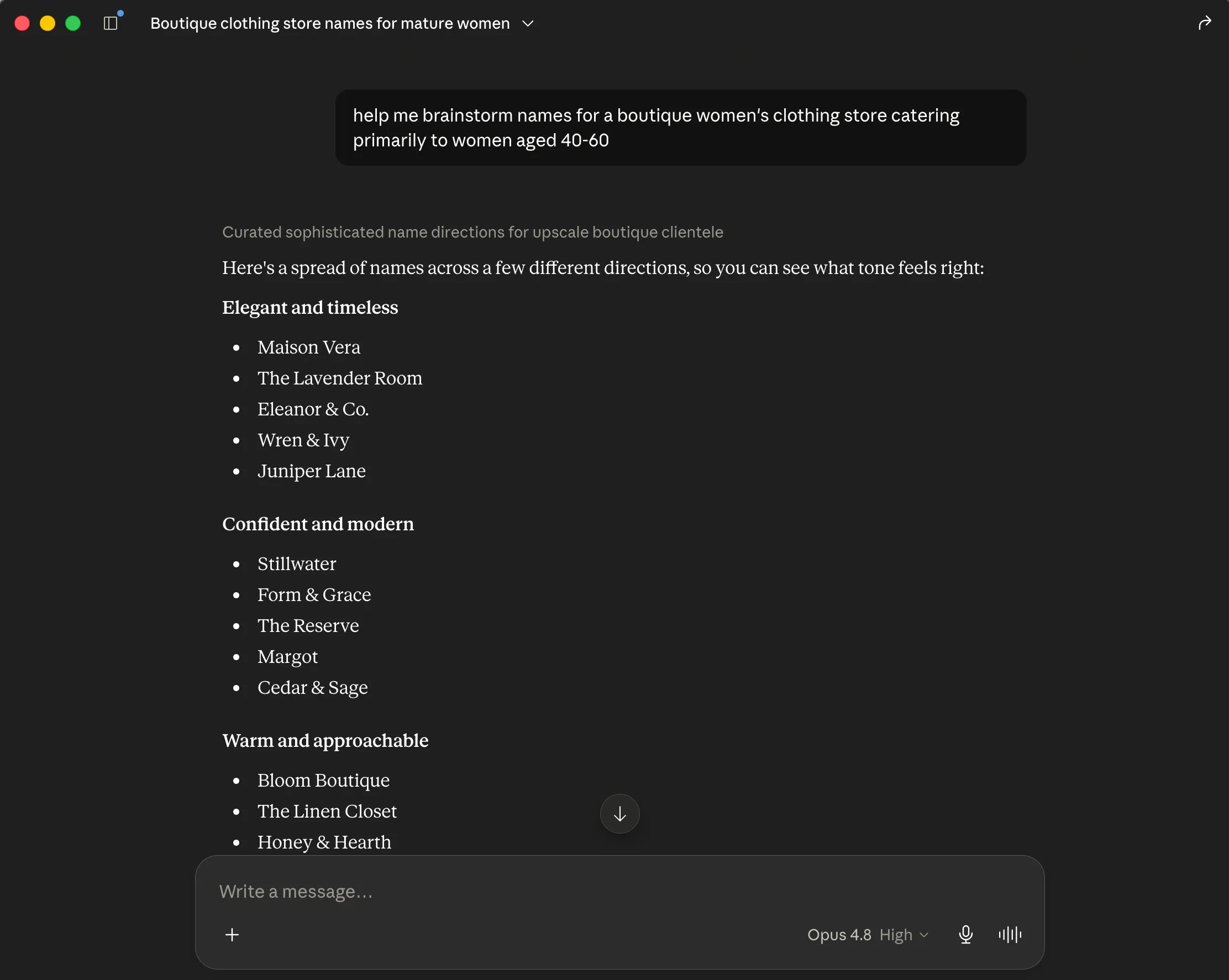
Once connected, your AI assistant gains three domain tools it can call on its own, mid-conversation:
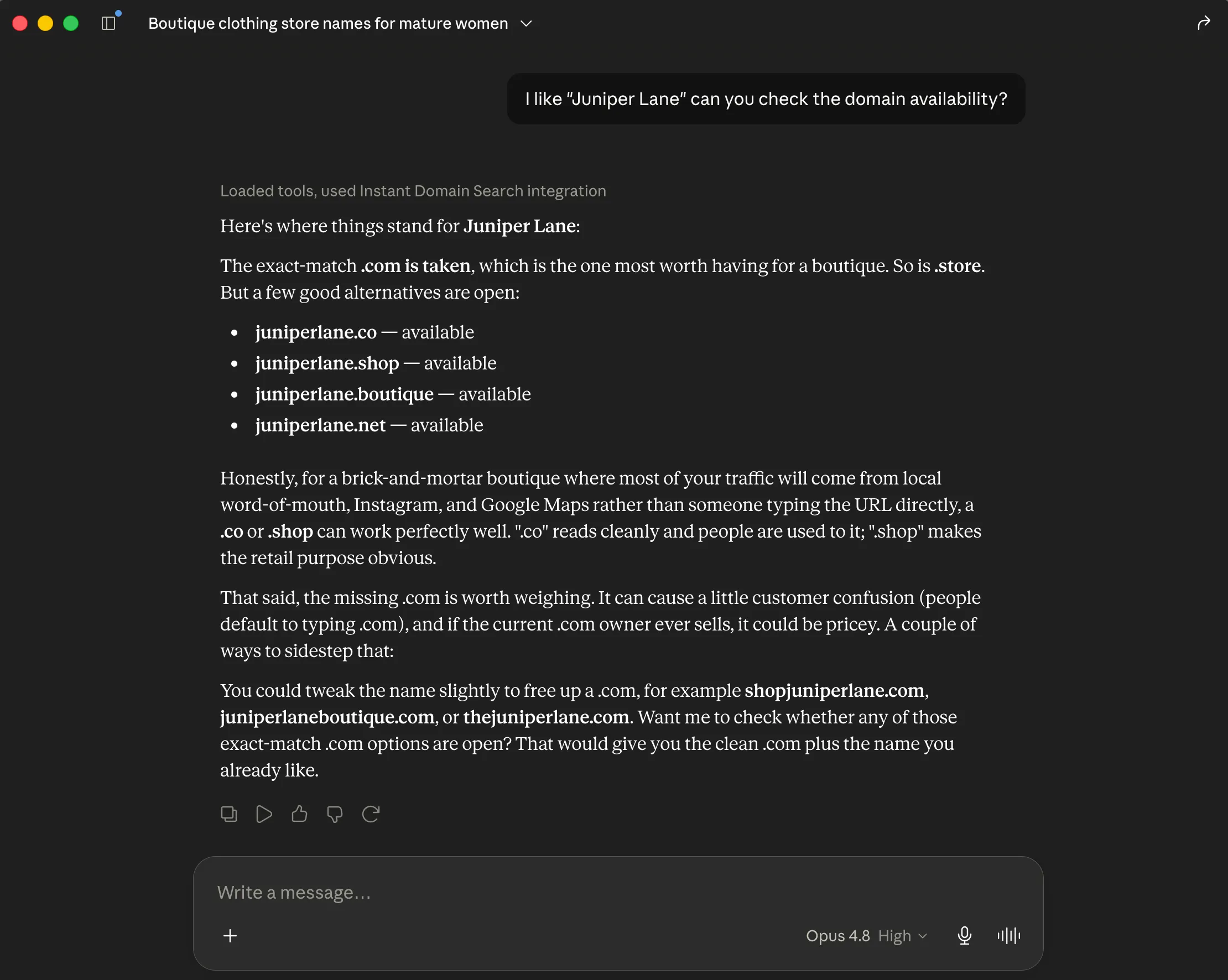
- Search domains — give it a name or a fragment and it checks availability across many extensions at once, the same domain search you’d run in the browser.
- Generate variations — when your first choice is taken, it produces pronounceable, brand-coherent alternatives (prefixes, suffixes, and semantic twists, similar to our domain generator) and only suggests names that are actually registrable.
- Check availability — hand it a single name or a whole list (like a bulk search) and get a definitive, registry-verified yes/no, plus pricing and a link to register.
In other words, your assistant stops guessing whether acme.ai is free and starts knowing.
See it in action
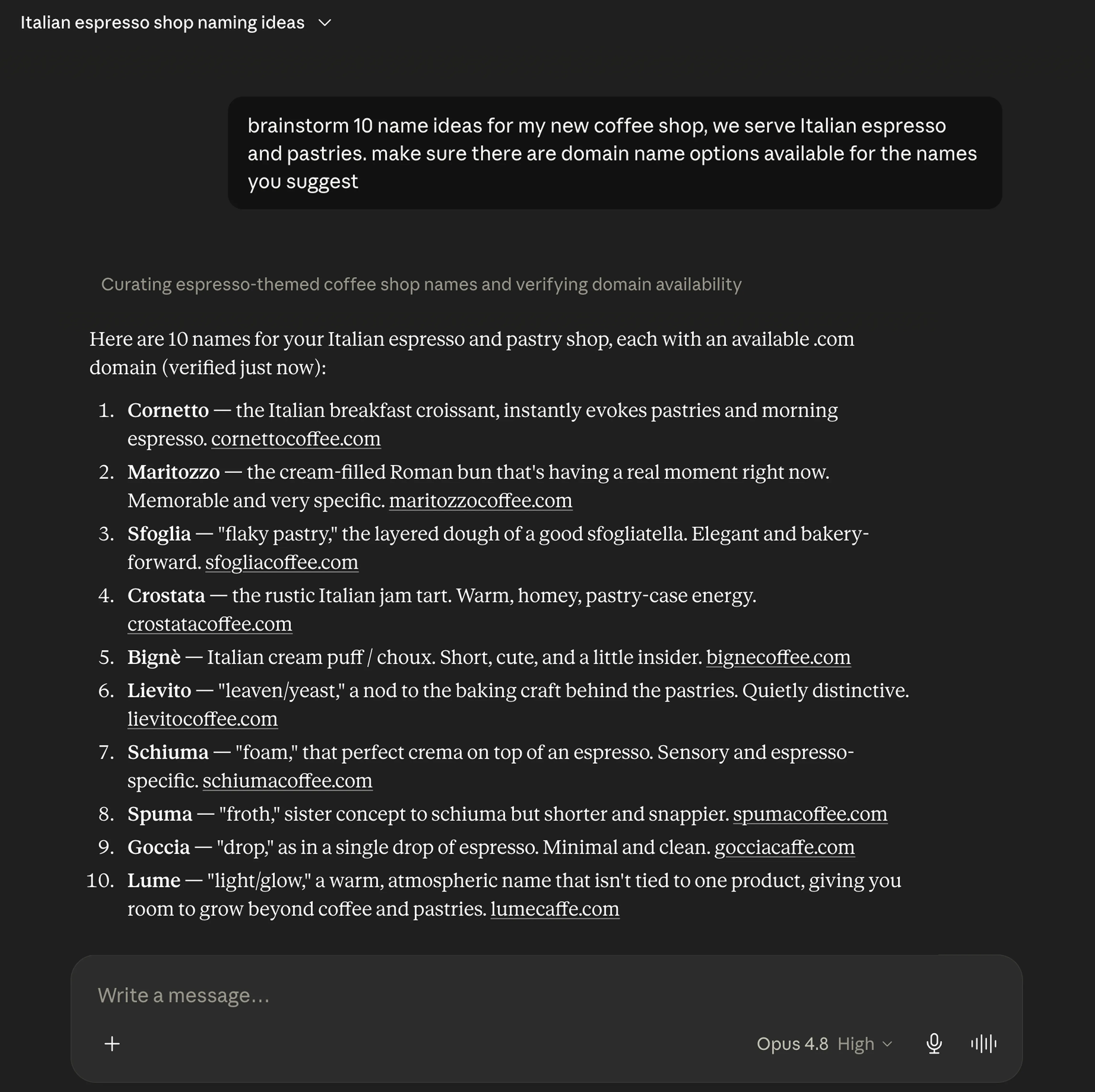
Why it’s different from asking an AI to “suggest domains”
Ask a raw LLM for available domains and it will happily suggest names that were registered years ago, as it has no live data. The MCP fixes that at the source:
- Real, registry-level data. Results come from authoritative registries (VeriSign, PIR, and others) — the same infrastructure behind Instant Domain Search — not a stale guess. Here’s how that data pipeline works.
- Fast. Sub-10ms responses, so checking dozens of names mid-chat doesn’t slow the conversation down. (More on how we keep it that fast.)
- Private. Queries go direct to registries and bypass retail registrars, so the names you explore don’t land in a sales database — or quietly turn “premium” the next day.
It’s also, as far as we know, the only domain search tool with a dedicated MCP surface.
Set it up in under two minutes
The MCP works with Claude (Web & Desktop), ChatGPT (as a CustomGPT), and Cursor. It’s free, needs no account, and requires no API key. Simply point your assistant at the server endpoint:
https://mcp.instantdomainsearch.com/mcp
We’ve written a short guide for each platform. Pick yours and you’ll be running in a couple of minutes:
(Full walkthrough: instantdomainsearch.com/mcp/setup.)
Why we built it
Naming is one of the first concrete steps in turning an idea into something real, and increasingly, that idea takes shape inside an AI assistant. It never made sense that you’d have to leave the conversation to find out whether the name is even available. The MCP keeps your whole loop of idea, name, availability, and registration link all in one place.
It’s also where we think search is heading. As more research and building happens through AI assistants, the tools those assistants can reach matter as much as the websites people visit. A domain search your AI can call directly is our bet on that future.
Try it
Connect the domain search MCP to your assistant and ask it to find you a name. When you’ve got a winner, open it in Check domain availability for the full report, or run a domain search to compare every extension.
Frequently asked questions
What is the Instant Domain Search MCP?
It’s a free Model Context Protocol (MCP) server that gives AI assistants real-time access to domain availability, pricing, and aftermarket data. It lets your assistant search domains, generate alternatives, and verify availability without leaving the chat. Explore the domain search MCP server.
Which AI assistants does it work with?
Claude (Web and Desktop), ChatGPT (as a CustomGPT), and Cursor. Each has a short setup guide.
Is it free? Do I need an API key?
Yes, it’s free — and no, there’s no account or API key required. You connect your assistant to the server endpoint and start asking.
Can it actually register the domain for me?
It finds and verifies available names and gives you a direct link to register, but the purchase itself happens at the registrar of your choice. The MCP handles the research; you complete the checkout.
Are my searches private?
Yes. Queries go straight to authoritative registries and bypass retail registrars, so the domains you explore don’t enter a sales database. Here’s the architecture.